We cover the latest news, guides, and insights about modern smartphones. We explore new devices, software features, and practical tips that help users get the most out of their phones.
Huawei Semiconductor Business Unit President He Tingbo has presented an updated Tau Law paper detailing real-world Kirin 2026 test results, covering everything from heat dissipation to power consumption on the upcoming mobile chips.
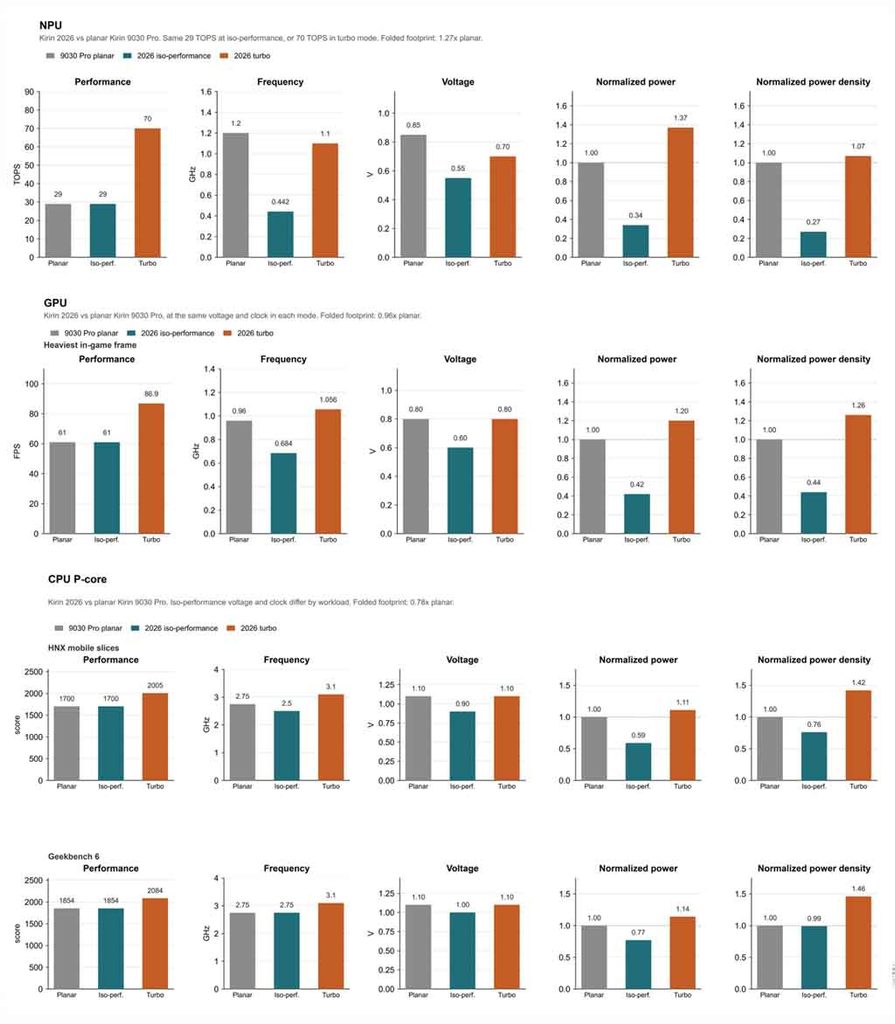
According to Tingbo, the new chipsets show a 55% increase in transistor density, alongside a 66% cut in NPU power consumption. GPU and CPU power consumption dropped by 58% and 41%, respectively, compared to the Kirin 9030 Pro under matching performance conditions. Tingbo, the chief scientist behind the paper, attributed most of a chip’s energy consumption not to the computing process itself but to data transmission.
LogicFolding’s role in the results
The updated Tau Law paper puts particular focus on heat dissipation and power consumption, issues that became a hot topic following the introduction of LogicFolding. Under the traditional view, stacking active transistors vertically should raise power density and heat generation per unit area, but Huawei’s results with the Kirin 2026 series run counter to that expectation.
LogicFolding is said to maintain the same performance level in the Kirin 2026 chip while enabling 29 TPOS of computing power, a voltage reduction of 0.30V, and a 73% reduction in power density.
Test results by scenario
Huawei detailed the following results from its testing:
61 FPS condition: the GPU runs at 200mV lower than the Kirin 9030 Pro, cutting power consumption by 58%.
HNX testing: the CPU matched the Kirin 9030 Pro’s performance while delivering an 18% improvement, a 9% lower frequency, 200mV lower voltage, and a 41% reduction in power consumption.
Turbo Mode: the Kirin 2026 NPU reaches a maximum of 70 TPOS, a 141% improvement over its predecessor, while boosting GPU frame rate by 42%.
Additional measurements showed that typical core wiring length can drop by 20% after folding, shortening some critical data transmission paths by up to 70%, while clock wiring in processing modules is reduced by 28%.
Hold off on updating any of your devices if you’re a member of Apple’s developer program. A few hours after going live, Apple removed the most recent iOS 17.3 Beta 2 update. Why? Some iPhones were reportedly bricked by the update, resulting in endless boot loop problems for the impacted devices.
The second iOS 17.3 beta was quickly taken down from the developer’s center and over-the-air channel. It did not specify when users would be able to access the software once more. But it’s probably already fixed, and before returning it to testers, more firmware testing will be done.
For those interested in learning more, numerous customers have reported on various channels that some iPhones are not functioning properly due to the second beta of iOS 17.3. Some people reported that their iPhone 15 (review) was stuck with a flashing cogwheel, while others reported an endless reboot loop. The problem also seems to impact older iPhone models, such as the iPhone 14, and its underlying cause is said to have enabled the Back Tap gesture.
How to fix an iOS 17.3 Beta 2 boot loop on your iPhone
It was noted that the issue cannot be resolved with a hard reset. Instead, users must download the iOS 17.3 Beta 1 in IPSW file format after plugging their iPhone into a laptop or MacBook to start it in recovery mode. After that, third-party applications like Finder or iMazing can be used to install the firmware.
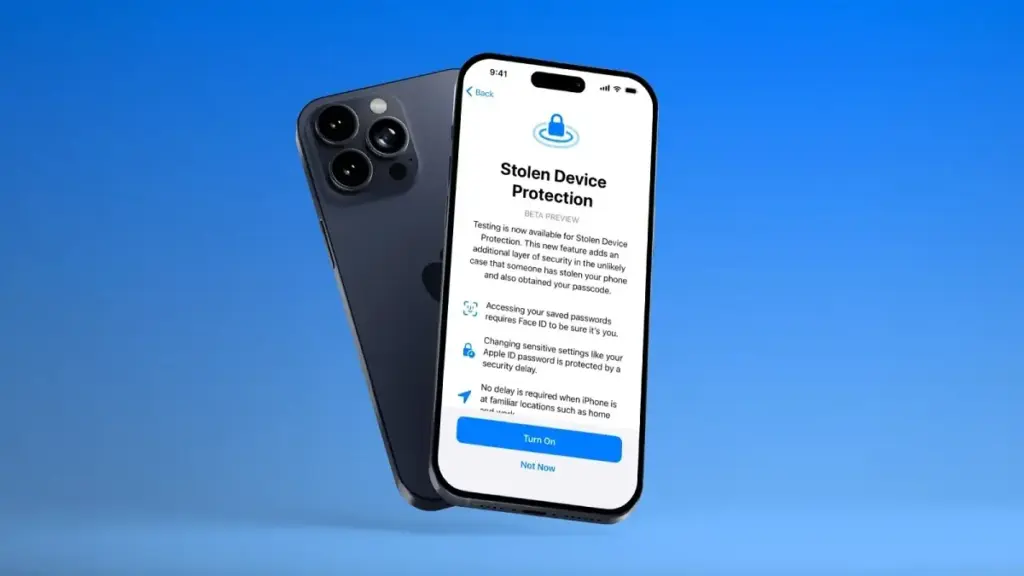
To begin with, a Stolen Device functionality was present in the previous iOS 17.3 beta edition. This is an improved security technique to stop people from fully taking control of stolen iPhones with exposed passcodes. When using Apple Pay and gaining access to Apple accounts and passwords, it adds additional procedures like Face ID.
The Journal app and Spatial Video mode for the iPhone 15 Pro and iPhone 15 Pro Max, which were first released in iOS 17.2, are anticipated to be updated in iOS 17.3. Although it was removed from the iOS 17.2 RC edition, Apple Music’s collaborative playlists functionality will also return.
Animation Scales might sound like a hidden geek setting, but tweaking them is one of the easiest ways to make your Android phone feel instantly faster and more responsive. When apps seem to open in slow motion, or menus feel like they lag for a second before appearing, Animation Scales are usually part of the story. Adjusting them takes just a couple of minutes and can transform how “snappy” your device feels in daily use.
In this guide, you will learn what Animation Scales are, where to find them in Android Developer Settings, which values to use for the best experience, and when it might be better not to touch them at all. The goal is simple: use Animation Scales to make your phone feel smoother and faster without breaking anything or risking your data.
What are animation scales?
Animation Scales control how long Android spends showing visual transitions. They do not change the hardware speed of your device, but they change how fast things appear on screen. That difference is important: you are not overclocking your phone, you are simply shortening the time Android spends on “fancy” animations.
There are three main Animation Scales entries in Developer Options:
Window animation scale – controls how quickly app windows open and close.
Transition animation scale – controls screen-to-screen transitions, such as moving between menus or apps.
Animator duration scale – controls the duration of various UI animations, like fading, sliding, or expanding elements.
By default, all three are set to 1x, which means “normal” speed. If you lower them (for example, to 0.5x), animations play twice as fast. If you turn them off, Android skips animations altogether and shows everything instantly.
Why tweak Animation Scales?
Modern Android devices, even midrange phones, are powerful enough for most tasks. However, default animations are designed to look smooth and pleasant, not necessarily to feel “instant.” Tuning Animation Scales lets you shift that balance toward responsiveness.
Here is what you gain when you tweak Animation Scales:
Your phone feels much faster, even though the processor and RAM are unchanged.
You spend less time waiting for screens to open and close.
In some cases, you may see a small improvement in battery life, because the system spends less time rendering long animations.
Some people argue that Animation Scales do not “really” improve speed because they do not increase raw performance. Technically, that is true, but the improvement in perceived speed is very real. You care about how fast your phone feels, not just benchmarks.
How to Unlock Developer Options Safely
Animation Scales live inside the Developer Options menu. This menu is hidden by default, but unlocking it is safe as long as you only change what you understand.
To enable Developer Options:
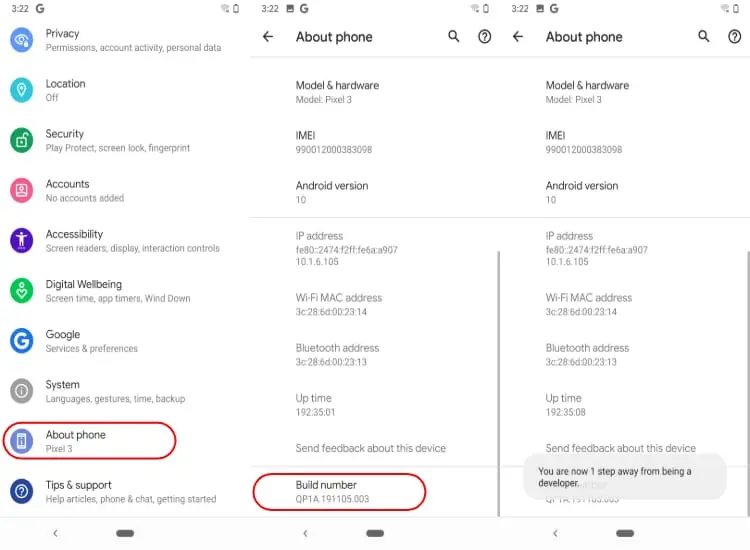
Open Settings on your Android phone.
Scroll down and tap About phone (or About device, depending on your brand).
Find Build number.
Tap Build number seven times in a row.
You will see a message like “You are now a developer” or “Developer mode has been enabled”.
Go back to the main Settings screen and look for Developer options (often under System).
If you ever want to disable Developer Options later, on many devices you can simply toggle them off at the top of the Developer Options screen. On some phones, you might need to clear settings or restart, but just changing Animation Scales is not dangerous.
Where to find animation scales in Developer Settings
Once Developer Options are enabled, finding Animation Scales is straightforward. The exact path might vary slightly between brands, but the general flow is similar:
Open Settings.
Go to System (if available) and then Developer options, or directly to Developer options if your phone shows it at the main level.
Scroll down until you find:
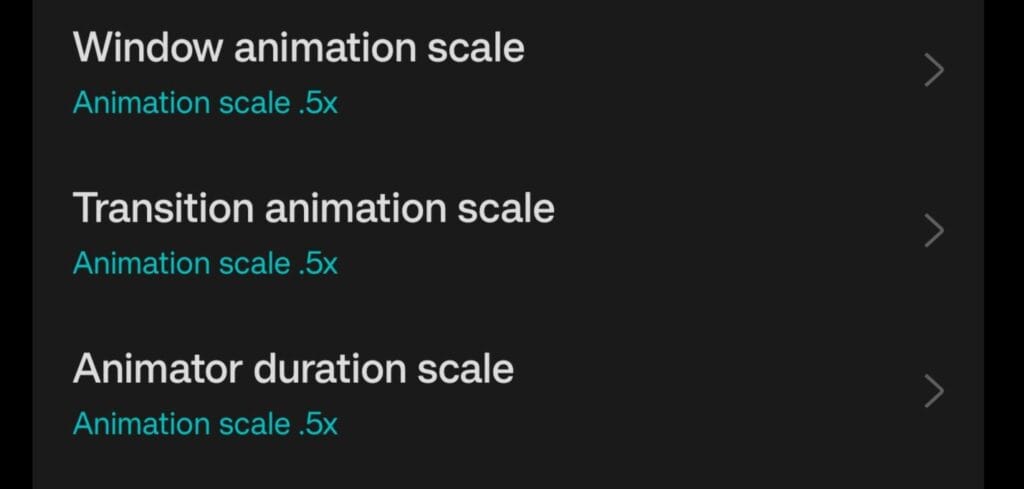
Window animation scale
Transition animation scale
Animator duration scale
By default, all three entries are set to Animation scale 1x. This is the standard factory setting that most users never touch.
Best Animation Scales Settings for a Faster Feel
If you want your phone to feel noticeably faster without looking strange, the best starting point is to set all Animation Scales to 0.5x. This simple change cuts animation times in half while keeping everything visually smooth.
Recommended setup:
Window animation scale: 0.5x
Transition animation scale: 0.5x
Animator duration scale: 0.5x
With this configuration, apps and menus still animate, but they appear much faster. Your home screen feels sharper, transitions between apps are more energetic, and the whole system seems more responsive. Many power users and tech reviewers use this exact 0.5x setup on their own devices.
What if you turn Animation Scales off completely?
You might be tempted to set everything to Animation off for maximum speed. This does make Android skip animations, so screens open immediately. However, there are trade-offs.
Here is what happens when Animation Scales are turned off:
Transitions feel very abrupt, which some people find uncomfortable or “harsh”.
Certain apps are designed with animations in mind, and without them, the interface can look glitchy or jarring.
Navigating between screens can feel less intuitive because the movement of elements no longer tells your brain where you are going.
Turning Animation Scales off is not harmful, and some users love the ultra-instant feel. If you are curious, you can try it for a day or two. If it feels too aggressive, just go back to 0.5x or even 1x. Nothing permanent is changed.
Do animation scales affect battery life?
There is a common debate around this: do Animation Scales actually save battery? Technically, animations use the GPU and CPU to render visual effects. Shorter or fewer animations mean these components work for less time. So yes, there can be a small battery benefit.
That said, Animation Scales alone will not transform a weak battery into a monster. Think of them as part of a larger optimization strategy. When combined with other good practices—like using dark mode on OLED screens, limiting background apps, and enabling battery optimization—the impact adds up.
The main benefit of changing Animation Scales remains the improved feeling of speed and responsiveness. Any battery improvement is a nice bonus, not the primary reason to tweak them.
When you should leave animation scales at default
Even though Animation Scales are safe to adjust, there are cases where leaving them at 1x makes sense:
If you create tutorials or educational videos and want viewers to see the default Android behavior.
If the phone is used by someone who prefers slower, gentler transitions and may be confused by sudden changes.
If you work as a UI/UX designer or tester and need to experience apps as most users will see them.
For personal daily use, however, most people benefit from at least trying the 0.5x setup. It is a simple way to make a phone feel more modern and responsive without installing anything or rooting the device.
Extra safe tweaks around animation scales
Once you are in Developer Options, it is easy to start exploring other settings. Some of them can be useful, but you should be cautious. A few extra options that are generally safe, especially when you stick to light tweaks:
Disable absolute volume if you use Bluetooth headphones and want separate volume control for your phone and your audio device.
Show taps and Pointer location can help when recording screen tutorials but are not needed day to day.
Background process limit can be adjusted slightly if you want fewer apps staying in memory, but going too far can cause frequent reloads.
In contrast, options related to GPU debugging, strict mode, or forcing advanced graphics features should be left alone unless you know exactly what you are doing. Animation Scales are the simplest and safest way to get a noticeable improvement.
Step-by-step checklist
To make everything crystal clear, here is a quick checklist you can follow in a few minutes:
Go to Settings → About phone.
Tap Build number seven times to unlock Developer Options.
Return to Settings → System → Developer options (or directly Developer options).
Scroll down to:
Window animation scale
Transition animation scale
Animator duration scale
Change all three from 1x to 0.5x.
Use your phone normally for a day and see how it feels.
If you want it even snappier, test Animation off. If it feels too abrupt, go back to 0.5x.
These small adjustments can make your phone feel like it just got a software performance upgrade, even if the hardware is exactly the same.
Animation scales as a simple performance trick
Animation Scales in Android Developer Settings are a powerful but underrated tool. They do not require root, custom ROMs, or complex tweaks. You open a menu, change three values, and your phone suddenly feels more alive and responsive.
Instead of rushing to buy a new device when your phone feels slow, it is worth spending five minutes exploring Animation Scales. For many users, this single change is enough to restore a sense of speed and smoothness. It is a small tweak with a surprisingly big impact on how you experience your Android every day.
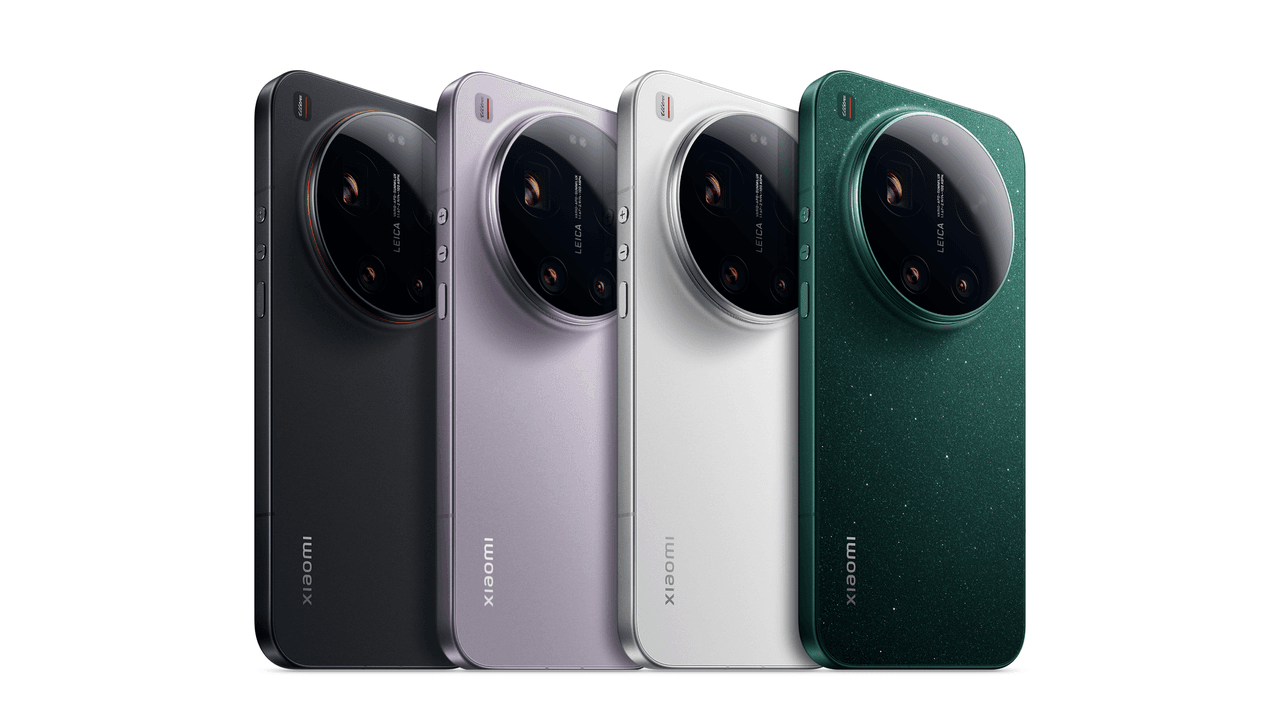
New information retrieved from MI code indicates that the company is developing a global version of the Xiaomi 17 Ultra, which differs significantly from the China-only variant in terms of hardware. In particular, the worldwide version will have a smaller battery. This modification does not affect the device’s basic positioning in terms of performance, but historically, Xiaomi has used similar strategies during international launches, so it is not surprising.
How battery size varies between China and global versions of the device
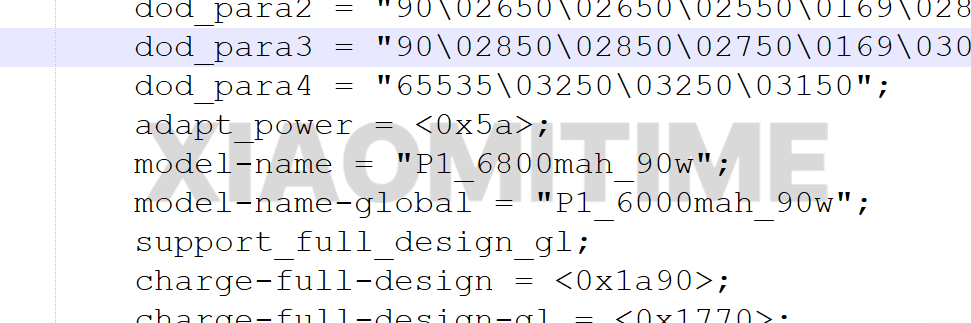
The most crucial difference between the two versions, however, is their battery size: although the Xiaomi 17 Ultra hits the Chinese market with a 6,800 mAh battery, its global counterpart will reportedly come with a 6,000 mAh unit. Looking at that, such a cut seems related more to different regional certification requirements and some internal design changes rather than cost-cutting measures.
Xiaomi is not altering the charging technology despite the lower battery. Additionally, the global Xiaomi 17 Ultra will enable 90W wired fast charging, guaranteeing competitive charging times and preserving the high-end user experience typical of the Ultra series.
Xiaomi 17 Ultra other specs
Everything else is largely consistent across areas, with the exception of the battery adjustment. Carrying on Xiaomi’s Ultra philosophy, the Xiaomi 17 Ultra will probably be heavily focused on camera performance.
The Xiaomi 17 Ultra will be among the most potent Android smartphones in its class thanks to its Snapdragon 8 Elite Gen 5 CPU. It is anticipated that the device’s memory and storage options will essentially stay the same across various markets.
About price
As memory and component costs rise, prices may also. In China, the Xiaomi 17 Ultra’s price may increase by 500–1000 yuan, or roughly $70–$140 USD. Global pricing has not yet been verified because these prices are based on data from China.
In the past, Xiaomi has modified its worldwide prices according to local market conditions, logistics, and taxes. The battery reduction is more of a strategic regional adaptation than a sign of a reduced market positioning.
The comprehensive budget, often called the master budget, is created by combining the strategic budget and the LOB development.
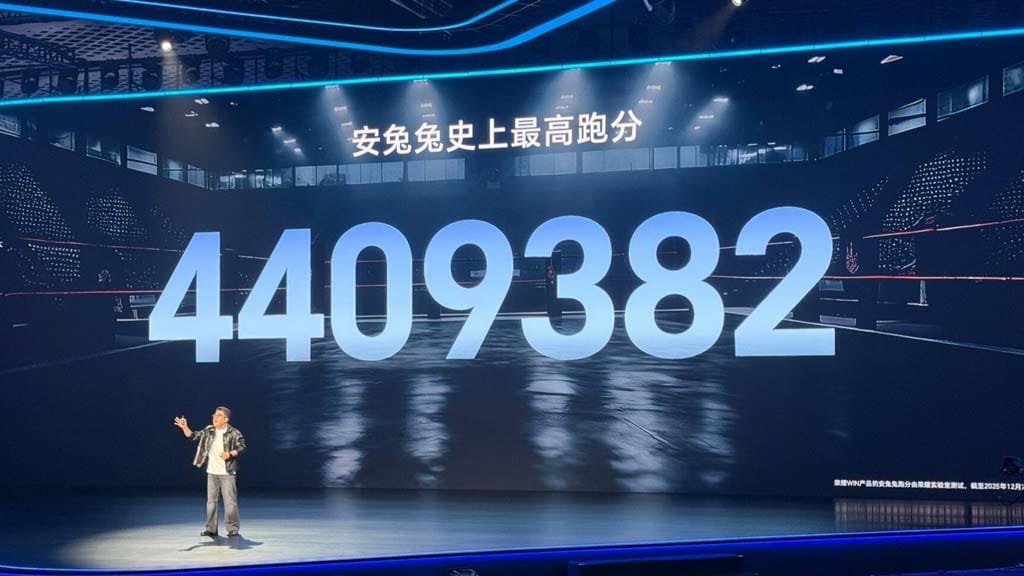
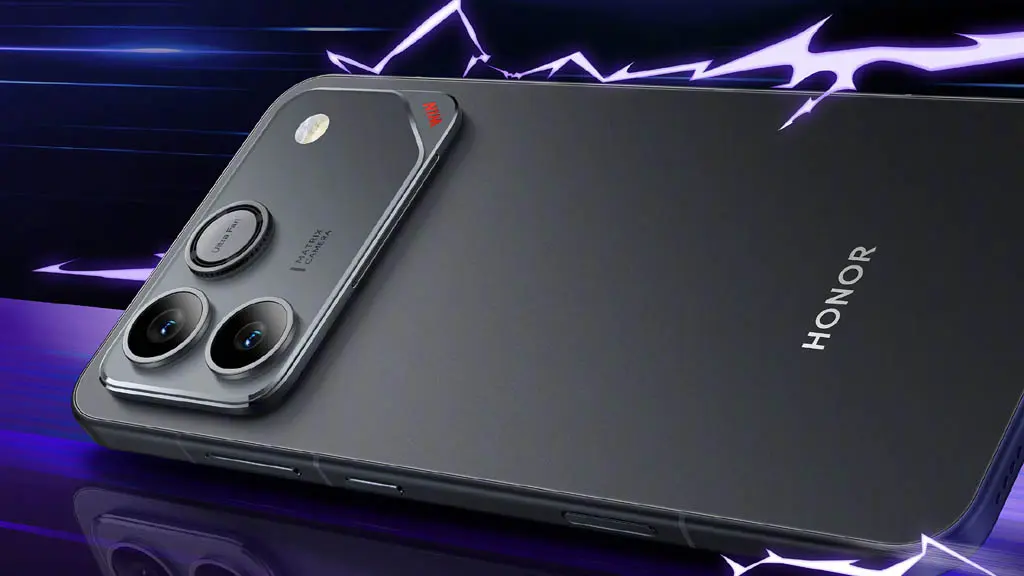
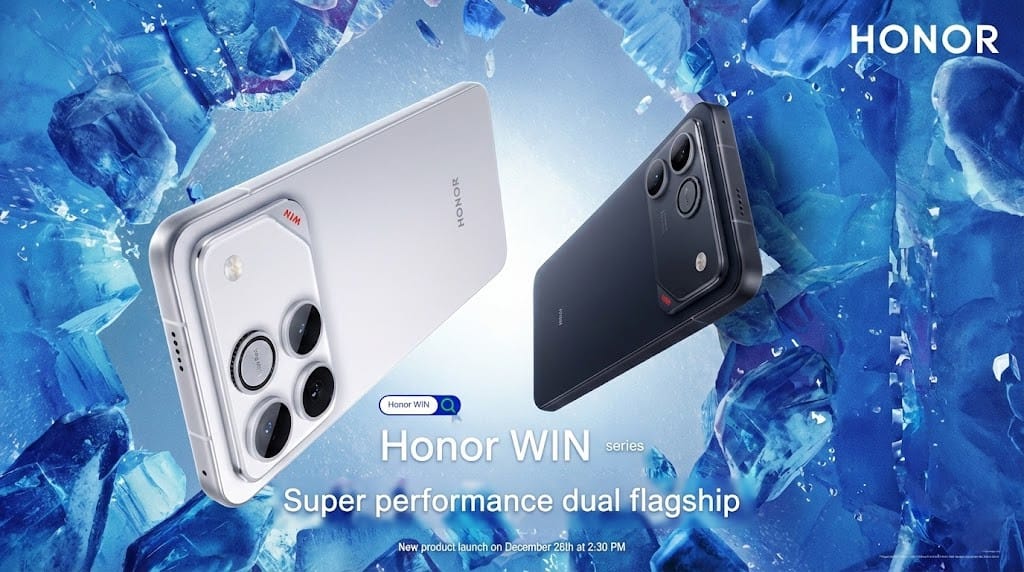
The recently announced Honor WIN series, which has raised the performance bar for all gaming devices on the market, has been hailed by Honor as the best e-sports phone of the year. On the AnTuTu listing, the lineup has received almost 4.4 million scores.
Honor said that the gaming phone scored 4,409,382 points on the AnTuTu test during the WIN Series launch event.
As a result, the Honor WIN smartphone has the greatest score ever. Thanks to its top-notch specs, the device has not only significantly increased gaming efficiency but also improved overall performance.
The Snapdragon 8 Elite Gen 5 chipset powers the WIN phone. This specific processor is paired with UFS 4.1 storage and LPDDR5X Ultra memory. All three elements come together to create a “top-of-the-line iron-like triangle.”
In addition to providing fast and fluid performance, all of these chip technologies can effortlessly manage complex games and multitasking situations.
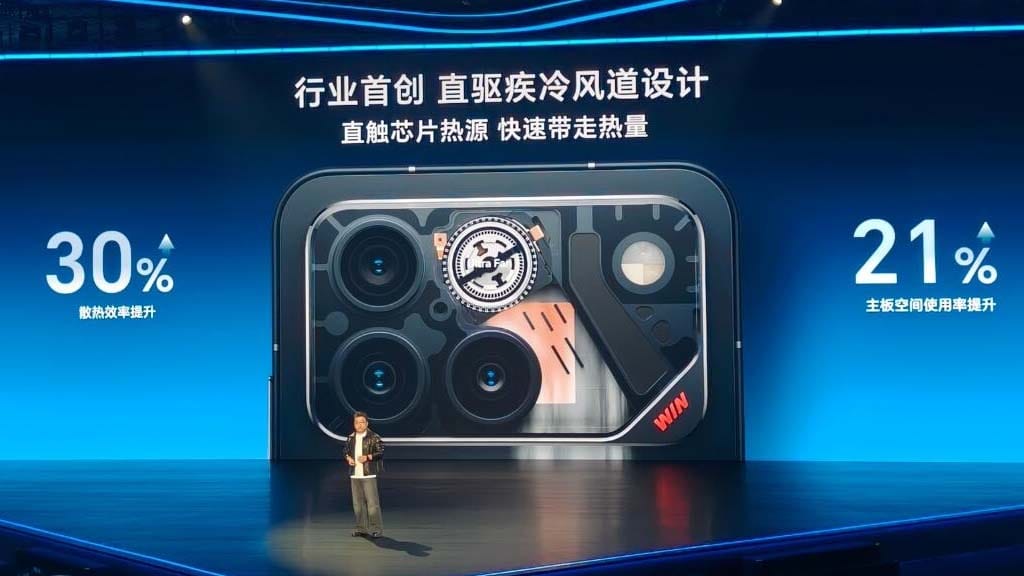
Conversely, the WIN Series represents a major advancement in cooling technology. The Ultra Cooling Fan, the tiniest, lightest, and fastest fan, is the initial addition.
Honor WIN set new benchmark records
It features the first quick cooling airflow design in the industry, which removes heat without impairing the phone’s functionality by coming into direct contact with the chip’s heat source.
A 3D butterfly wing VC cooling system is additionally connected to this fan. Because of this, even after sustained high-performance output, both power-packed components provide a reliable and effective cooling experience.
The device performs better in terms of dependability and durability thanks to Phantom Engine AI 3.0 and IP68 + IP69K standards. The remarkable and striking performance of the Honor WIN smartphones is a result of all these factors and characteristics.
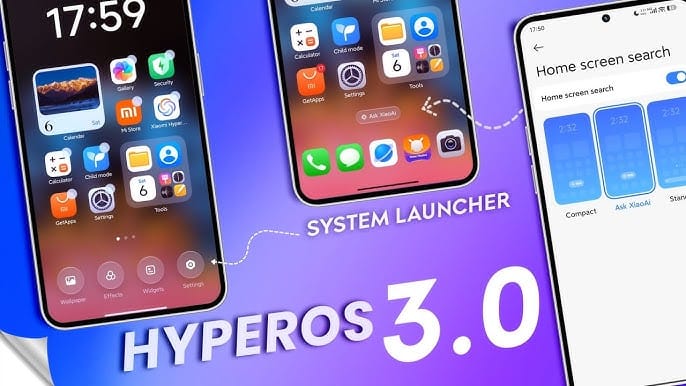
As December 2025 draws to a close, Xiaomi plans to release HyperOS 3.0 stable for roughly 25 devices before entering 2026. Additionally, if you haven’t received the latest update, make sure your phone is on this list.
In addition to releasing its next-generation Ultra flagship, Xiaomi has hinted at a stable HyperOS 3.0 rollout for 25 devices by 2026.
Indeed, by the end of this month, several of the top-notch Xiaomi, Redmi, and POCO devices will receive updated software. All of the models that are presently using beta builds are prepared for a widespread rollout.
Some phones were listed as “ready to release” on the company’s main server. That most likely indicates that Xiaomi is prepared to provide the updated version for its phones that were left out.
However, it’s important to note that not every device will receive the HyperOS release based on Android 16. Only Android 15 OS upgrades are available for some of them. For example, the Android 15 version will be available for the Redmi K60 and Xiaomi Pad 6 series.
Below, you can see every device that qualifies for this month’s HyperOS 3.0 stable upgrade.
These 25 Xiaomi devices are getting stable HyperOS 3 this month
The Xiaomi 17 series was formally introduced by Xiaomi not too long ago. The business isn’t finished yet, though. If you have been keeping up with the rumors, the Xiaomi 17 Ultra is the final model. We may now know when the Xiaomi 17 Ultra will launch, due to a teaser image.
Launch schedule for Xiaomi 17 Ultra comes to light
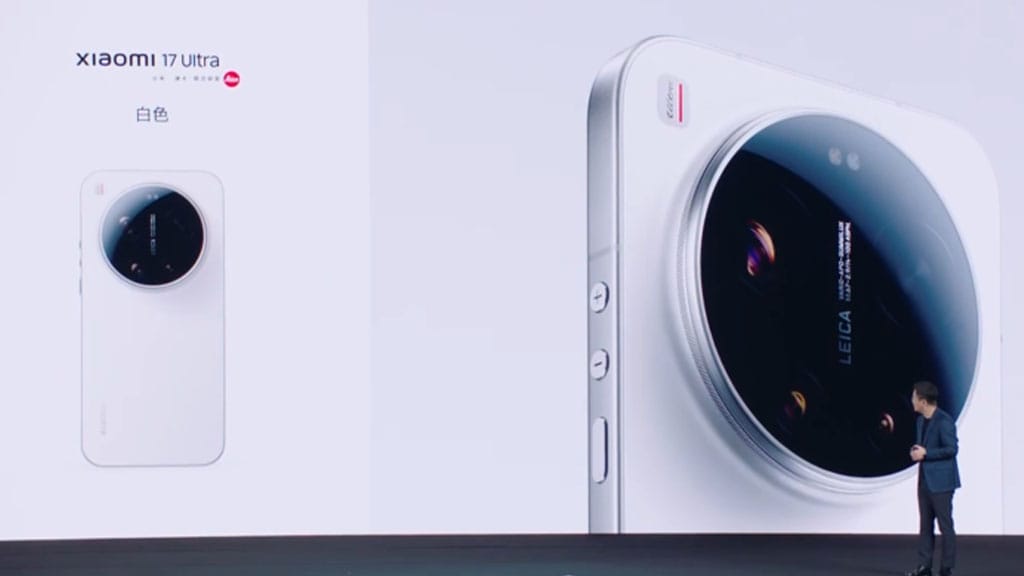
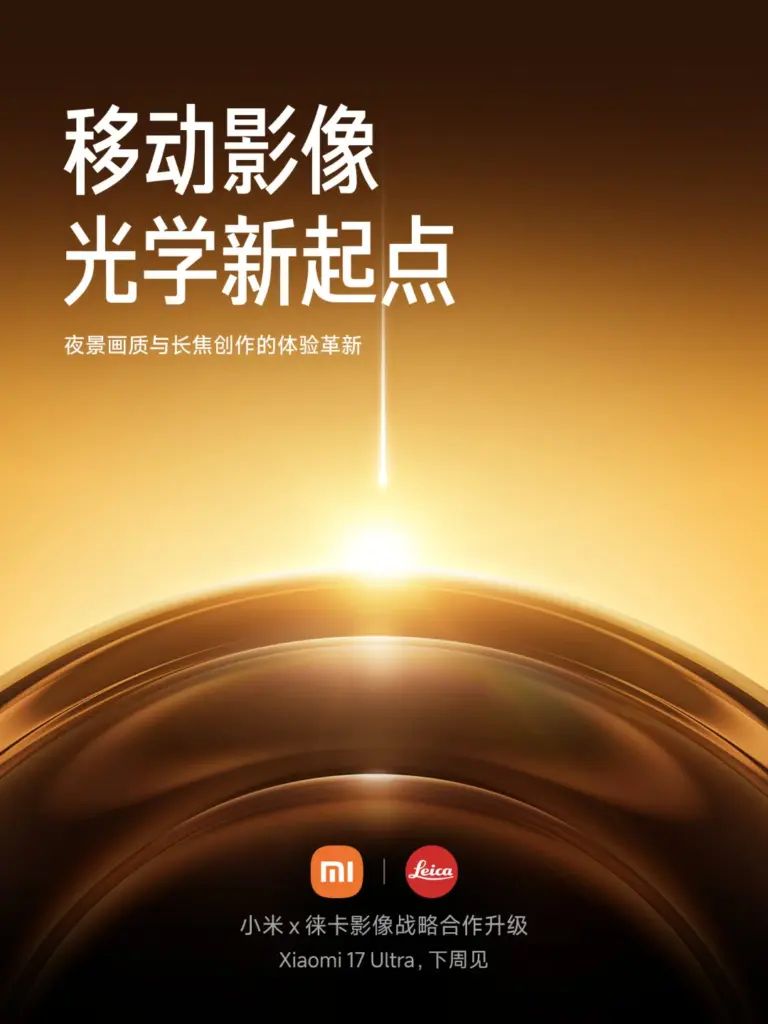
The company has announced that the Xiaomi 17 Ultra will launch next week, based on the teaser image that Abhishek Yadav posted on X. Although the business has not specify the specific launch date, recent reports indicate that it would happen on December 26, 2025.
Additionally, the teaser image validates Xiaomi and Leica’s continued collaboration on the phone’s cameras. The launch date actually makes sense. The FCC certified the Xiaomi 17 Ultra more recently. Since FCC approval is necessary for businesses to sell their goods in the US, it is now one step closer to launch.
What features and upgrades to expect from Xiaomi 17 Ultra
According to current rumors, we can anticipate performance that is comparable to that of the other models. This is due to the likelihood that the Xiaomi 17 Ultra will employ the same Qualcomm Snapdragon 8 Elite Gen 5 chipset. Nonetheless, one of the phone’s distinguishing features is its cameras.
According to what we’ve heard, the Ultra model may have a quad camera configuration on the back. It appears that this will include three 50MP sensors, followed by a 200MP sensor for the main camera. The phone may come in two versions, according to speculations. Although the cameras are identical, one version may have new, cutting-edge camera intelligence, while the other will be more “normal.”
Additionally, the Ultra will forgo the rear display—which is, to be honest, somewhat of a novelty—in favor of improved cameras. Pricing has not yet been announced. However, if Xiaomi maintains the Xiaomi 15 Ultra’s pricing, we should expect to pay between $900 and $1,000.
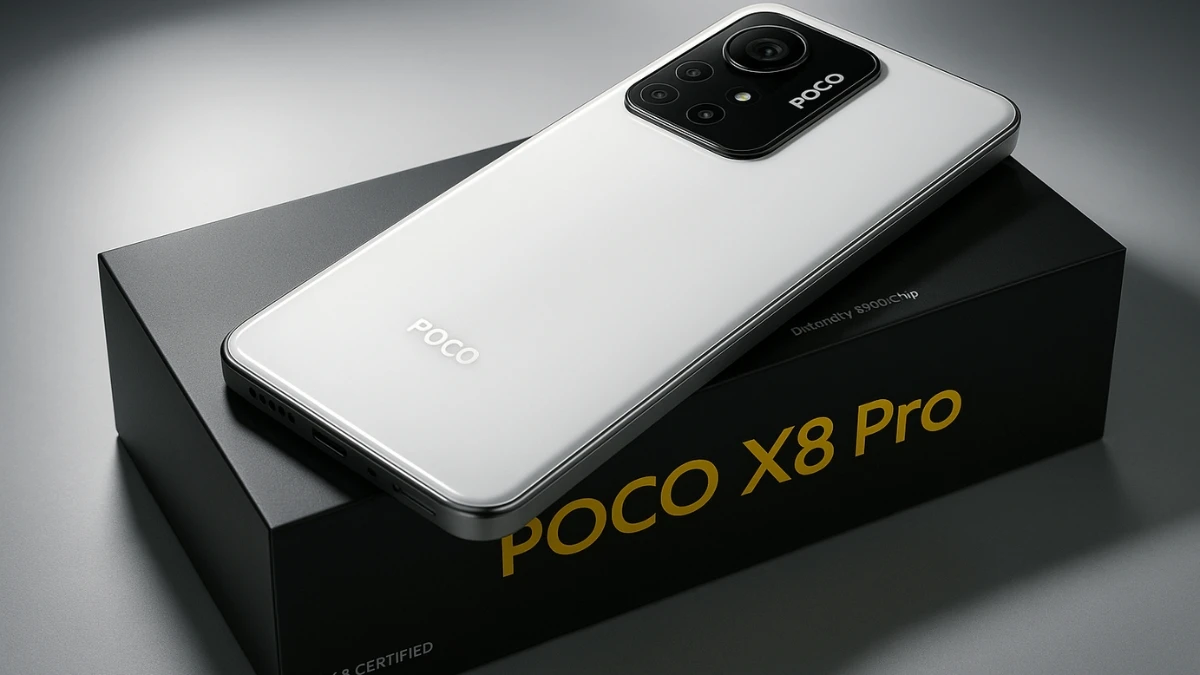
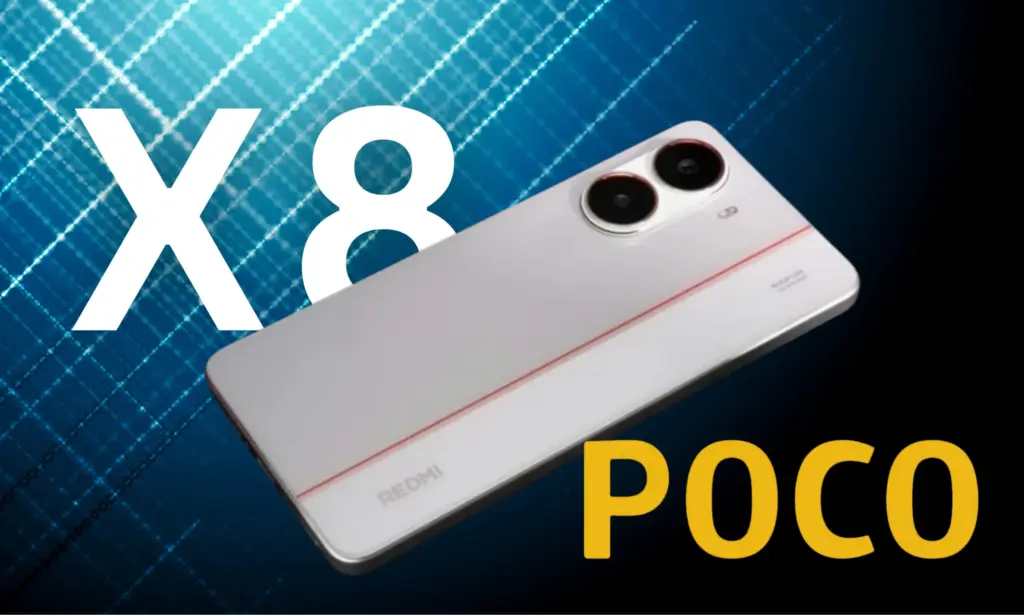
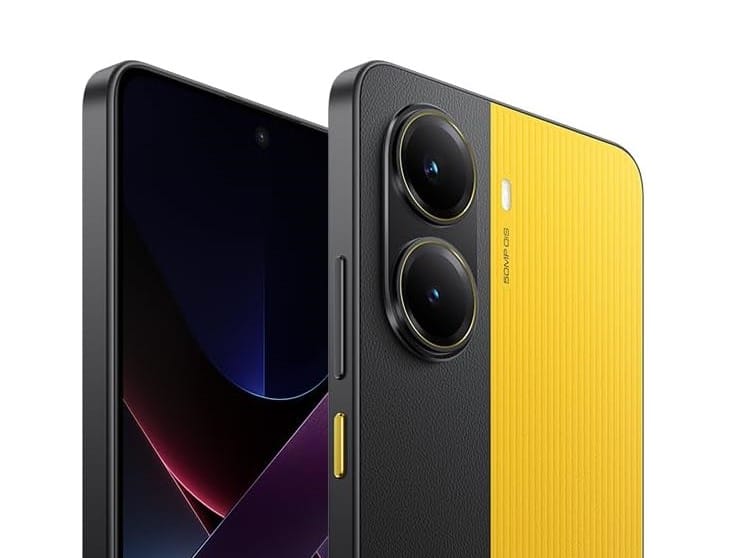
I never get tired of looking at Xiaomi phones. They have foldables, enormous one-inch Sony sensors that produce images with remarkable depth, and now leaks of the POCO X8 Pro point to a phone that might feature one of the largest batteries ever in a popular smartphone. The Redmi Turbo 5 will soon be available in China, and there will be some surprises along the road.
Although Xiaomi’s decision to challenge Tesla in the electric vehicle business sounds crazy (I’m also intrigued), the smartphone market is as fascinating. Xiaomi is adopting a different strategy, despite predictions that the average cost of smartphones in the US will rise between 2023 and 2028. Strong performance at a reasonable price could make the POCO X8 Pro stand out. Naturally, there is a catch, just as with anything worthwhile.
According to leaks, Xiaomi is getting ready to release the Redmi Turbo 5 for the Chinese market in November. Around January, the device will be released internationally under the name POCO X8 Pro.
The new model should be close to the Turbo 4’s launch price of CN¥1,999 ($280) for the 12 GB + 256 GB configuration. Even with some new features, I would still wager on a pricing close to $280, which is where Xiaomi usually outperforms the competition.
According to Digital Chat Station, the POCO X8 Pro will include a metal mid-frame, which is a significant improvement above its predecessor’s plastic construction. The phone appears sharper because to the elegant, contemporary punch-hole screen design.
The Redmi Turbo 5 boasts a 6.7-inch AMOLED panel with a sharp pixel density of 446 ppi and a resolution of 1220 x 2712. The 120 Hz refresh rate makes images pop and scrolling seem fluid. The Turbo 5’s 4,000 nits peak brightness, which makes the screen easy to view even in direct sunlight, is what makes it unique. The iPhone 17 Pro Max, in contrast, can reach 3,000 nits outside.
POCO X8 Pro performance
According to Smart Pikachu, MediaTek’s Dimensity 8500 Ultra processor could power the Turbo 5. The 9500e and 8500 chips from MediaTek are anticipated to be released by January. With speeds of up to 3.73 GHz, the 9500e is unique. One Cortex-X925, three Cortex-X4, and four Cortex-A720 cores are mixed together in its CPU. Therefore, the Dimensity 8500 tends toward balance, whilst the 9500e concentrates on raw power. It has eight high-performance cores built on ARM’s new A725 architecture and employs TSMC’s 4nm technology.
The Turbo 5 will join the OPPO Reno 15 Pro, HONOR Power 2, and Realme Neo 8, which are all said to have the same MediaTek chip, if Xiaomi decides to go with the Dimensity 8500 Ultra.
Battery
With the HONOR X70 reaching 8,300 mAh in 2025, smartphone manufacturers have been pushing battery sizes to new limits. Furthermore, it appears that the next breakthrough might be even more significant.
According to a different rumor from Digital Chat Station, Xiaomi intends to include a 9,000 mAh battery in one of its next phones. The Weibo tipster claims that the single-cell silicon battery is prepared for manufacturing.
It’s unknown which model will receive this enormous battery. The 9,000 mAh option may go to a Pro or Pro Max model because some sources indicate a base 7,500 mAh version. The stakes are further raised by the fact that the enigmatic phone will feature 100 W fast charging.
However, I don’t think the same battery will be available in areas outside of China for the Redmi Turbo 5 series. Larger silicon-carbon mobile phones often have lower capacity in the US and Europe. Thus, be mindful of your expectations.
Strict regulations are the reason why Apple and Samsung don’t sell large batteries. For example, US government regulations (49 CFR 173.185) limit the size of lithium-ion batteries used in phones to 20 Wh. That explains why I had trouble using the iPhone 15 Pro last week—my battery failed while I was on vacation (thanks to my power bank for getting me to the hotel without any issues).
I’m already figuring out how to get one here if Xiaomi releases the POCO X8 Pro with the same 9,000 mAh battery. Even on my longest days out, I can’t see ever having to worry about running out of battery. It makes me happy to consider carrying a phone that can withstand travel, work, and sporadic browsing sessions. However, if you share my belief that “battery beats slim,” don’t get too enthusiastic just yet because Xiaomi might be cautious outside of China.
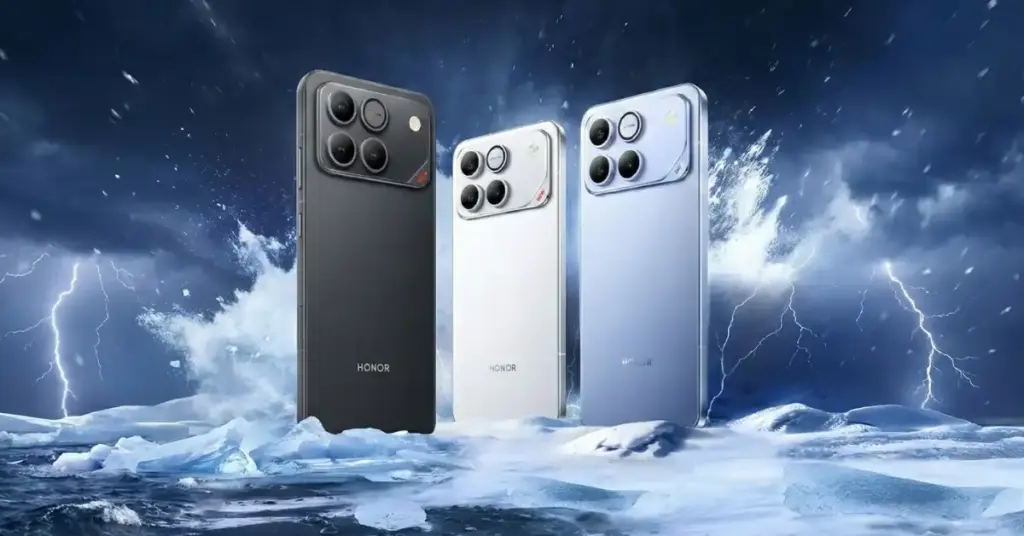
The release of the new HONOR WIN series dual flagship performance phones in China this month has begun to be hinted at by HONOR. The picture displays a massive metal camera deco with a metal frame and WIN branding.
The HONOR GT series, which debuted in December of last year, is reportedly changing its name to WIN. The top-tier WIN series phone will replace the HONOR GT Pro, which was unveiled earlier this year.
According to sources, the HONOR GT series will include a massive battery of about 8000mAh, 100W fast charging, and Snapdragon 8 Gen 5 and Snapdragon 8 Elite Gen 5 SoCs because the HONOR phones with model numbers AAK-AN00 and AAP-AN00 have obtained 3c certification.
The phones are anticipated to have a 50-megapixel large-sensor primary camera, a 6.83-inch 1.5K 120Hz flat screen, full-level water resistance, and a 3D ultrasonic fingerprint reader.
In the upcoming weeks, we should get additional information, including the phone’s launch date.
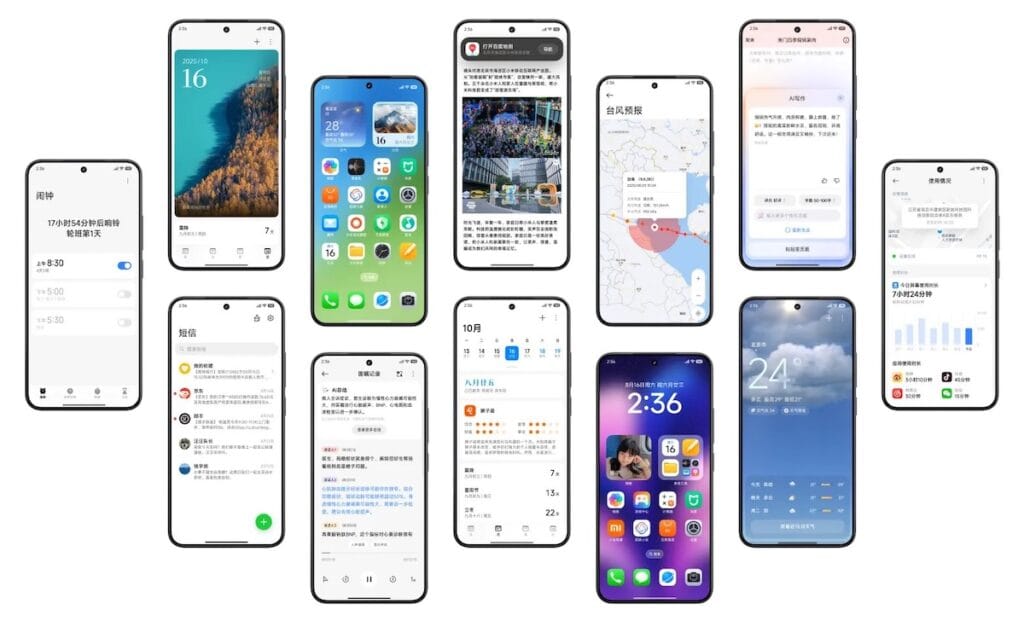
Both Android 17 and Xiaomi HyperOS 4.0 are in development, and it appears that this software update will significantly improve Xiaomi devices’ gaming capabilities. Here is some fresh information that clarifies this issue.
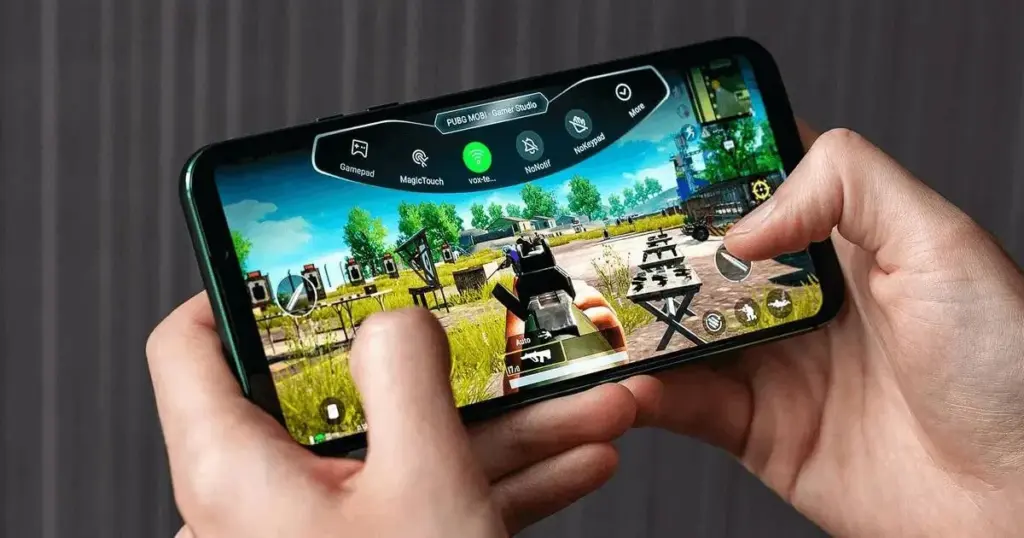
Google will enhance system-level updates and game controller compatibility with Android 17, according to XiaomiTime. To increase smartphone users’ gaming time, it will probably have a gamepad button or be a completely virtual controller.
The 17th build will allow users to remap or alter system buttons and lessen reliance on game-specific settings, in contrast to earlier Android versions that relied on predefined buttons for Xbox controllers.
The most recent Android Canary release makes this evident by displaying strings such as android.permission.CONTROLLER_REMAPPING, which is managed by the flag com.android.hardware.input.controller_remapping.
For a reliable and consistent remapping without the need for external hardware or ADB, keep in mind that this only applies to system-level apps signed with the platform key.
In order to improve the user experience overall, it’s possible that HyperOS 4 (Android 17) will eventually offer the same gaming functionality to Xiaomi smartphones.
Therefore, HyperOS 4.0, which is based on Android 17, can be the ideal upgrade for you if you enjoy playing games with controllers.