We cover the latest news, guides, and insights about modern smartphones. We explore new devices, software features, and practical tips that help users get the most out of their phones.
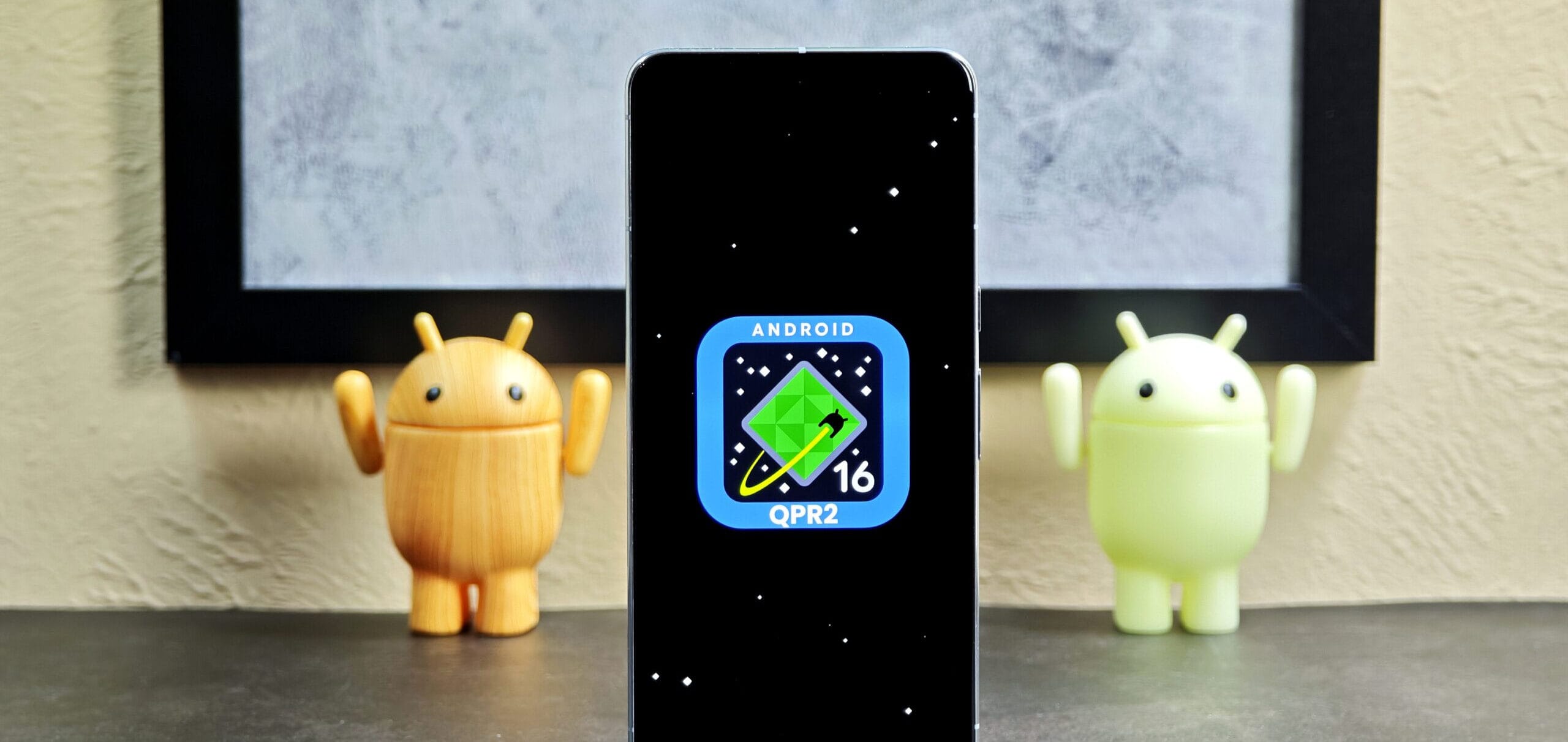
Your phone may be ready for an update as Google is releasing its Android 16 Quarterly Platform Release (QPR) 2.
Numerous new features that should enhance performance, usability, and other aspects are included in the Android 16 QPR2 release. Check out these three new features.
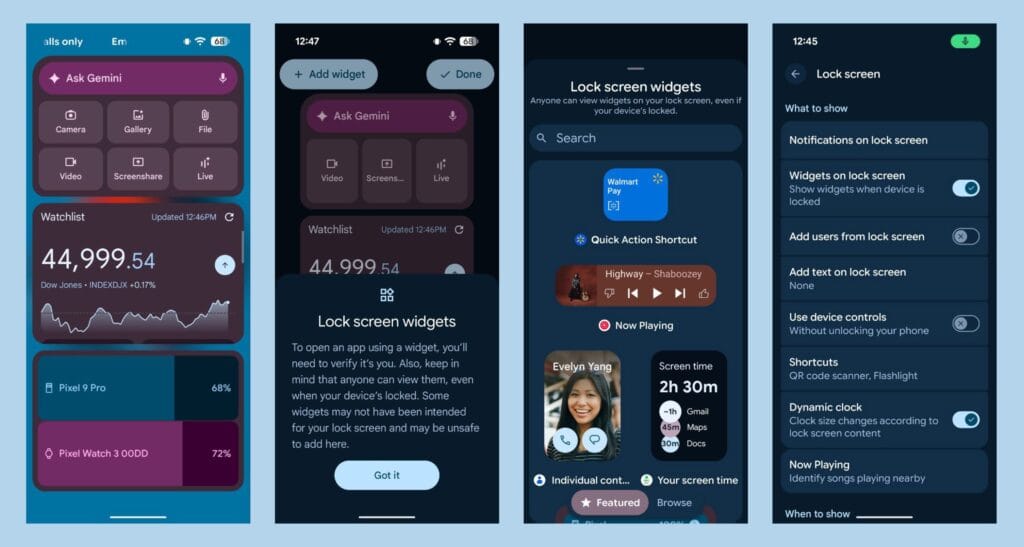
Lockscreen widgets
With the latest version of Android 16 QPR2, you can add widgets that show up when you swipe left on your lock screen. 9to5Google according to Google, you may activate the functionality by going to “Settings > Display & touch > Lock screen > Widgets on lock screen.” This implies that you will have easy access to your camera, calendar, and other devices.
Manage alerts with notification organizers and smart summaries
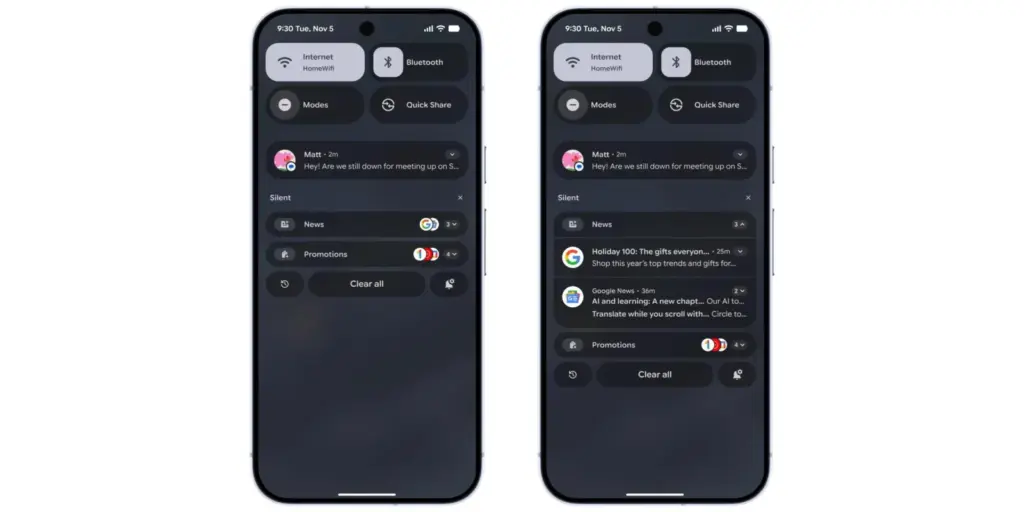
We all get overloaded with notifications, so pay attention. Android 16 QPR2 claims to use AI to control those annoying alerts. A lengthy message in a group chat, for example, will be summarized by the upgraded software, which will also automatically prioritize more significant notifications.
“Your lower-priority notifications (including news, promotions, and social alerts) are automatically grouped and silenced by Notification Organizer, which helps you focus on what really matters with fewer distractions. The notification organizer will be accessible in the upcoming weeks and is being released in phases, according to Google.
Improved parental controls
With Android 16 QPR2, parents may monitor their children’s devices from a single spot thanks to the “parental controls” option in settings. It will enable parents to regulate app usage, set screen time limits remotely, and schedule when a child’s device locks.
Xiaomi has quietly stopped supporting software updates for the Redmi 12C and its international counterpart, the POCO C55. No new firmware, including HyperOS 2, has been released in the last two months, and the devices were last updated with the October 2025 security patch. These devices are anticipated to become officially EOL in February 2026, according to Xiaomi’s internal software roadmap.
Why these devices eeached EOL
For its entry-level series, Xiaomi has clear updating policies. The POCO C55 and Redmi 12C were marketed as reasonably priced smartphones designed for everyday use, typically with shorter support cycles.
Each device finished its usual update window with HyperOS maintenance releases and Android fixes prior to hitting EOL. This change is intended to allow Xiaomi to focus attention on more recent models and maintain system stability throughout the ecosystem.
Users can still improve device stability by updating compatible system apps even after system firmware updates have ceased. Xiaomi smartphone owners have two reliable options:
Recommended Update Channels
HyperOSUpdates.com: provides direct links to Xiaomi system app packages.
MemeOS Enhancer app on Google Play – allows users to update system apps, enable hidden features of Xiaomi, and manage interface components smoothly.
EOL does not automatically affect device functionality, and users may still experience adequate performance for daily tasks.
With smartphones that offer increasingly better performance and longer support cycles, Xiaomi continues to broaden its selection of reasonably priced products. As part of the broader shift to the enhanced environment offered by HyperOS and more efficient update delivery, devices like the Redmi 12C and POCO C55 are being retired organically. A more explicit software policy is anticipated in upcoming budget releases.
We recently reported about another type of banking Android malware that operates in the background and leverages accessibility settings to steal data, including passwords and bank credentials. More malware that allows remote attacks on Android devices and is freely disseminated among hackers as part of a subscription service has just been disclosed.
More banking malware on the loose
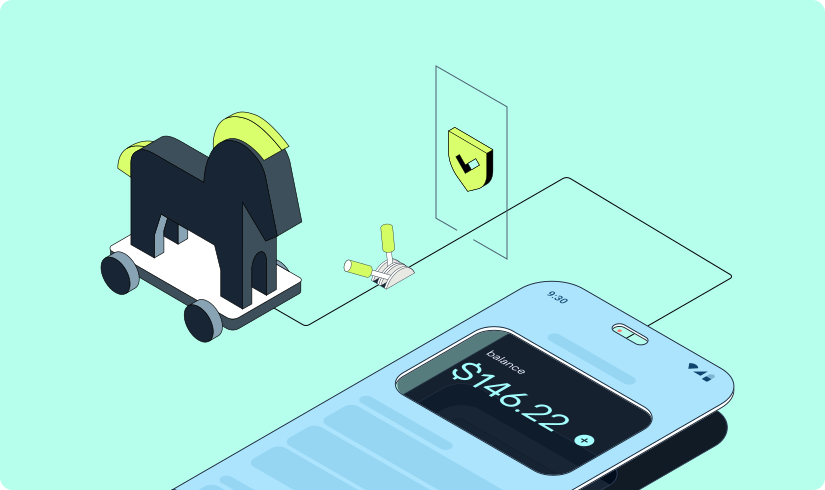
A new Android trojanware known as Albiriox has been found by researchers at the online fraud protection company Cleafy. Albiriox is disseminated through what are referred to as “dummy” or infected APKs to deceive users into downloading real apps, much as Sturnus, the malware that was discovered last week.
Hackers have tricked people by making phony copies of Google Play Store app listings, as Android Authority noted. As a result, potential victims may think they are downloading an app from a secure site when, in fact, they are not. Additionally, hackers have enticed victims by posting fictitious offers and promotions, requesting contact information, and then distributing the malicious APKs via well-known messaging services like Telegram and WhatsApp.
The research group claims that hackers in Russia and other nearby regions have been the primary users of these approaches. After being disseminated as a Malware-as-a-Service (MaaS) on dark web forums, it is reported to have lately acquired popularity.
The “install unknown apps” permission on users’ devices is mostly enabled via the APK files that hackers disseminate. The current (and destructive) program containing Albiriox is installed by the dropper app after that is activated.
According to Android Authority, the research organization has already caught over 400 fraudulent apps that target consumers in categories including banking, fintech, digital payments, and cryptocurrencies. Instead than obtaining users’ login credentials, these software versions enable hackers to conduct transactions directly on users’ banking apps.
You should be wary of any strange programs you install, especially if they appear to be connected to banking or any other financial service, as the malware works more covertly and silently. Make sure you have the most recent Play Protect update installed and that you only download apps from the official Google Play Store app.
In terms of updates, make sure your device has the most recent firmware that is supported, as this contains patches for vulnerabilities that have just been discovered. Similarly, Google has published the December Android Security Bulletin.
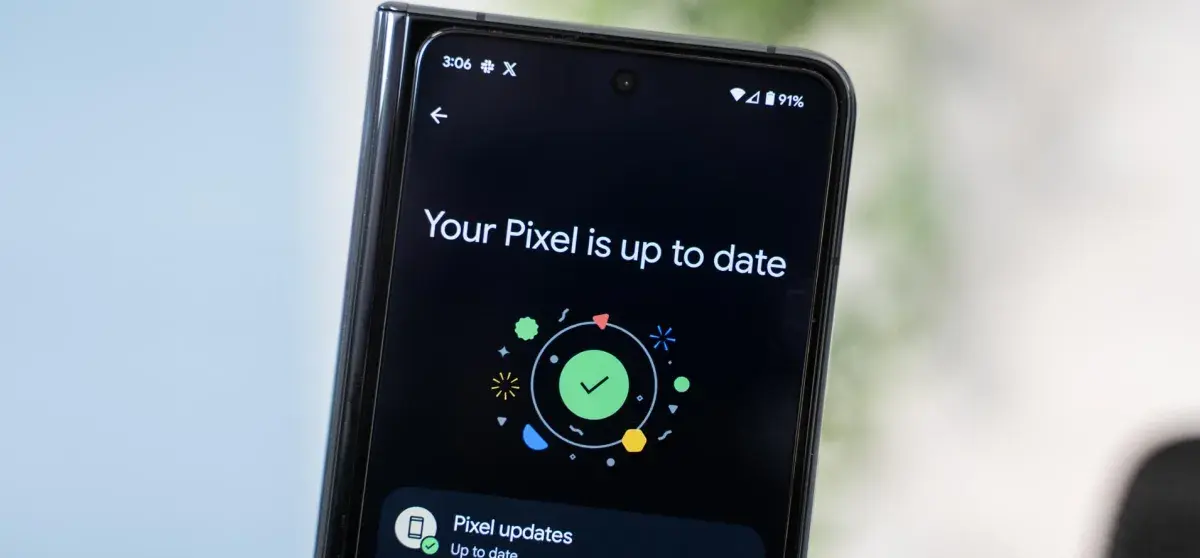
Android 16 QPR2 has made Google’s Pixel smartphones safer and smarter. Discover why you should get this update immediately, including new lock screen widgets, AI-powered notifications, and an essential security fix.
Google is finally releasing Android 16 QPR2 to compatible Pixel devices after much testing. Based on the most recent version of Android, this is the second quarterly release. It offers well-considered features and modifications, much like the initial release. More significantly, it contains the security update from December, which fixes a number of worrisome vulnerabilities.
The Pixel 10, Pixel 9, Pixel 8, Pixel 7, Pixel 6, Pixel Tablet, and Pixel Fold are all compatible with Android 16 QPR2. On my Pixel 9 Pro XL, the update is roughly 800 MB+ in size.
Improved screen customizations
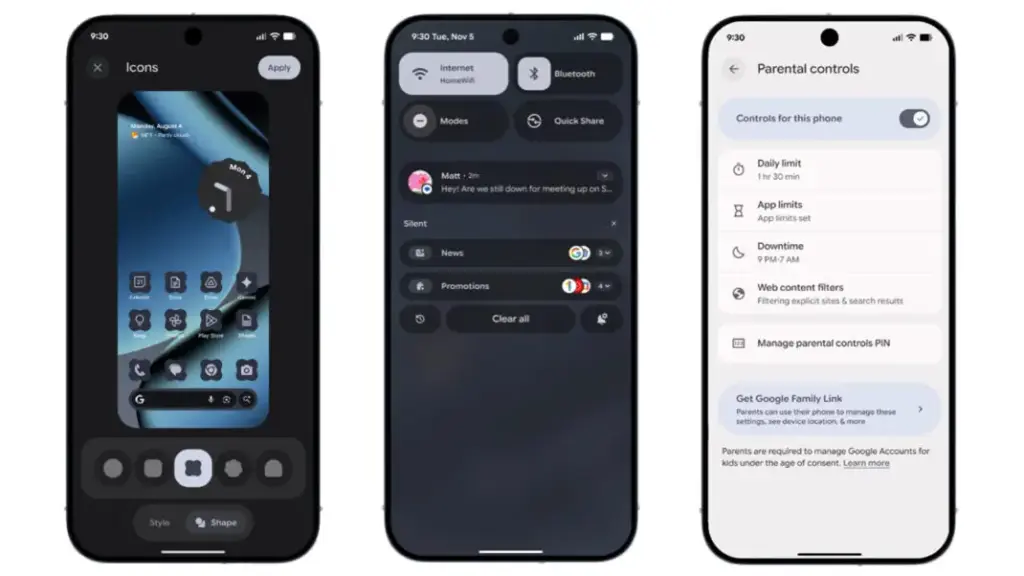
Google is still improving Android 16 QPR2’s user interface. Users may now add new shape options for app icons on the home screen, such as circle, squircle, four-sided cookie, seven-sided cookie, and arch.
Additionally, users of Pixel phones now add widgets to the lock screen—a function that was previously exclusive to tablets. Although there are fewer widgets and layouts than on the home screen, you can still access them by swiping left on the lock screen.
A new low-light setting for the screen saver, which turns on a dim clock in dull scenes to conserve battery life, is one of the other lock screen modifications. Furthermore, fingerprint scanning can now operate on a switched-off display without requiring the screen to be woken.
We highlighted in the beta the ability to minimize or eliminate blur effects in background components like the quick settings and alerts panel. All users can now utilize this functionality. For better accessibility, blur can be disabled under the Color and Motion area and replaced with plain color.
Expanded dark mode, which compels apps that don’t support dark themes to switch to dark mode, is another accessibility improvement. Better yet, you can program expanded dark mode to activate on its own.
Additionally, Android 16 QPR2 has an upgraded HDR feature that allows you to change the HDR intensity. You can select brightness levels from dimmer to more vibrant using a slider.
More usability and productivity
In addition to 50:50, 70:30, and 30:70 ratios, the update offers a more adaptable split-screen arrangement that supports ratios like 90:10.
Additionally, Google is adding two new features to its AI-powered notifications: a notification organizer and notification summary. While the organizer automatically organizes alerts in the panel, summaries condense lengthy messages from apps. The apps that are included can be customized by users. The Pixel 9 and more recent variants with Gemini Nano support these functionalities.
Additionally, parental controls have been reinforced. More apps now allow parents to set secure PINs, set screen-time limits, plan downtime, and control timers right from the settings.
Additional accessibility-related features include Expressive Captions, which are real-time captions in social media apps and video communications that are enhanced with emoticons and ambient sound overlays. Google has improved Circle to Search to allow users to flag and report problematic messages in order to fight spam and scams. Additionally, the new Call Reason function will alert suspected spam calls or classify calls according to urgency.
New security patch
The December security patch for Android 16 QPR2 addresses a number of issues. The update fixes vulnerabilities ranging from high to critical severity, some of which have already been exploited by attackers, according to Google’s security alert.
In addition to the eye-catching new features, Pixel owners should apply this update right now to lower the chance of attacks and keep safe from threats.
Other companies, including as Samsung, Xiaomi, and OnePlus, will also implement the December security patch, though the exact release date may differ.
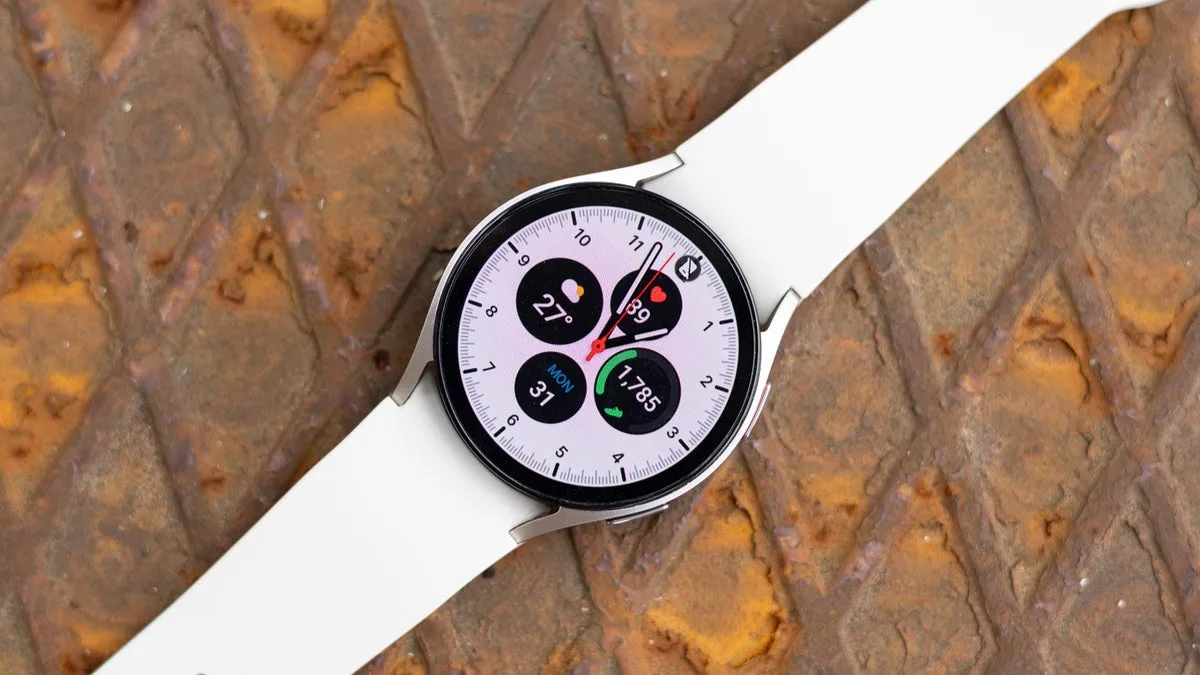
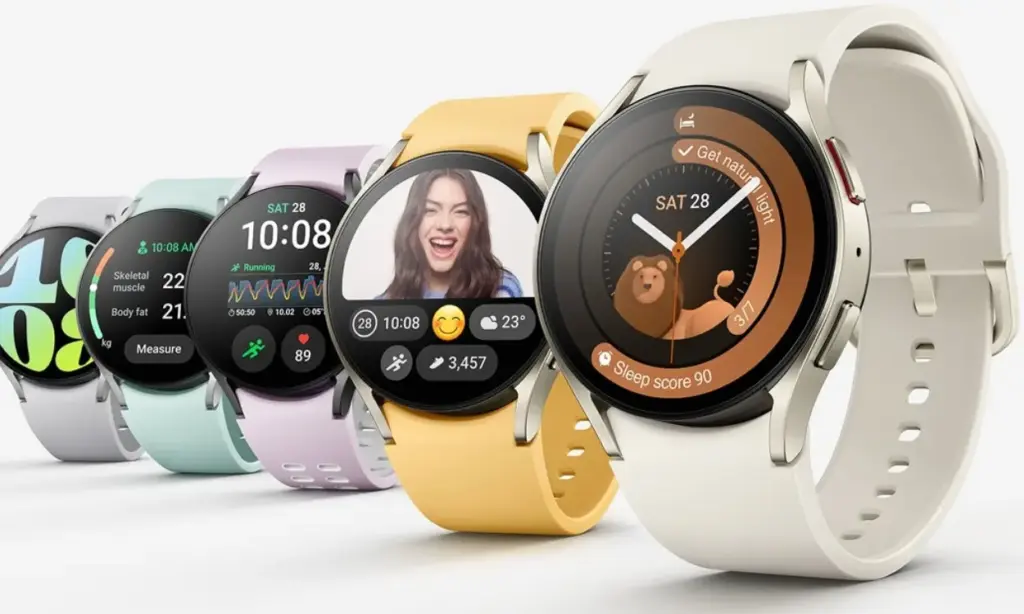
Less than a month ago, Samsung released another beta update for the Galaxy Watch 6, which perhaps caused some people to question when the full build would be released. With Samsung releasing One UI 8 based on Wear OS 6 for the Galaxy Watch 6 series, it seems like it will happen sooner rather than later.
In Korea, Samsung’s initial One UI 8 upgrade for the Galaxy Watch 6 and 6 Classic is presently being released (via GSMArena). The US should soon follow suit, adding more regions to the list as similar updates usually do.
The UI and fitness features of the Galaxy Watch 6 and 6 Classic will evolve as more regions become accessible. In particular, One UI 8 Watch introduces a new stacked tile feature for improved widget access, which is much appreciated.
Wear OS 6 is coming
If Samsung is sticking to the same schedule as it did with the Watch 6 series, the Galaxy Watch 5 is scheduled for another beta upgrade in the near future. Although Samsung hasn’t given any timeframe information, it is anticipated that the Galaxy Watch 5 will have access to a final build of Wear OS 6.
Instead of using the Members app, you can download the update using the Galaxy Wearables app. Go to the settings and search for the software update page after that.
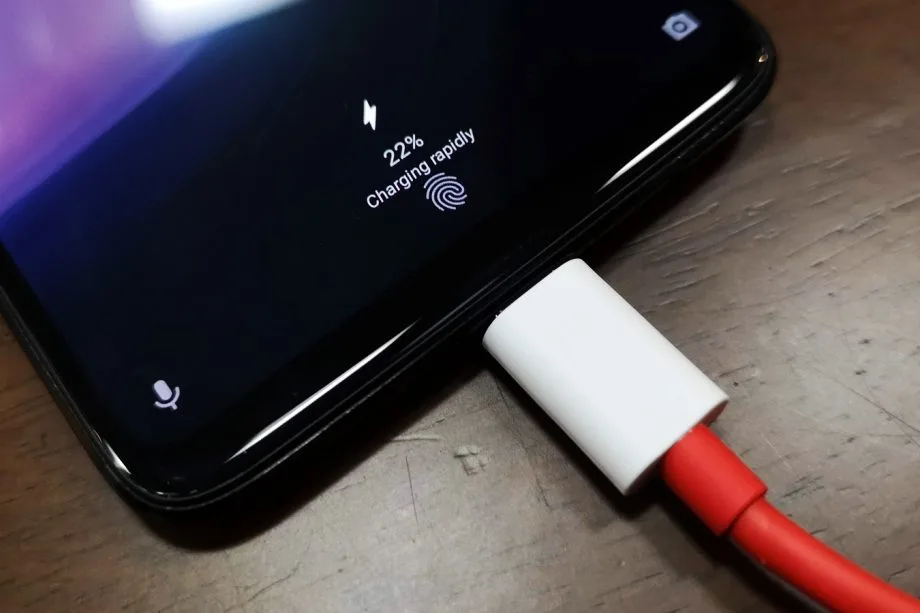
30 minutes to fully charge the battery? A growing number of cellphones can be fully charged in less than an hour. Does this rapid charging, however, harm the battery? This has been examined in an experiment, which yields an unexpected result.
30 minutes to fully charge the battery? A growing number of cellphones can be fully charged in less than an hour. Does this rapid charging, however, harm the battery? This has been examined in an experiment, which yields an unexpected result.
A Chinese do-it-yourself team called HTX Studio looked into this precise subject. After purchasing ten identical iPhones and ten Android devices, the do-it-yourselfers split them up into groups. A fast-charging power supply unit was used to charge one group, while a slow charger was used for the other. We finally have a response after 500 full charges and six months.
How did they do it?
Two groups of iPhones were created. Apple’s 40-watt power supply was used to charge three gadgets, while the outdated 5-watt power supply was used for the remaining three. To ascertain the typical aging of the battery over time, a second iPhone was left completely uncharged as a control group.
For the Android cellphones, the configuration was the same. The iQOO7, which is unavailable in this nation, was utilized twice: once with 18 watts and once with the maximum power of 120 watts.
The smartphones are fully charged by self-programmed software, which then uses up the battery once again until it is only five percent. After that, the charging procedure resumes. In this way, 500 charging cycles were carried out over a few months.
Is fast charging bad for your phone’s battery?
The enthusiasts looked at the batteries both before and after the experiment. This is due to the fact that not all smartphones have the same battery capacity when they are manufactured. There may be slight variations of less than one percent. The batteries were inspected once more after 500 cycles, and the amount of capacity they had lost was calculated:
iPhone (slow charge): 11.8%
iPhone (fast charge): 12.3%
Android (slow charge): 8.8%
Android (fast charge): 8.5%
The outcomes are unexpected. Faster charging caused the batteries in iPhones to lose 0.5 percent of their capacity, but the batteries in Android cellphones even lost 0.3 percent. Only in a lab can these variations be quantified. Therefore, the service life of your battery is essentially unaffected by fast charging.
How to take care of your battery
For the longest potential service life, batteries should be kept between 30 and 80 percent charged, according to another battery myth. For mobile cellphones, some manufacturers even include an 80 percent charge cap.
In order to test this notion, the Baster team charged another set of cellphones to 80% capacity before draining the battery to 30%. The experiment was repeated 1000 times because this was only half of a charging cycle.
iPhone (30-80 percent): 8.3%
Android (30-80 percent): 6.0%
Therefore, you are actually doing your smartphone’s battery a favor if you never charge it to more than 80%. However, the difference in day-to-day living is negligible even here. Therefore, the experiment demonstrates that you should just charge your smartphone whenever it is most convenient for you rather to spending a lot of time and effort doing so.
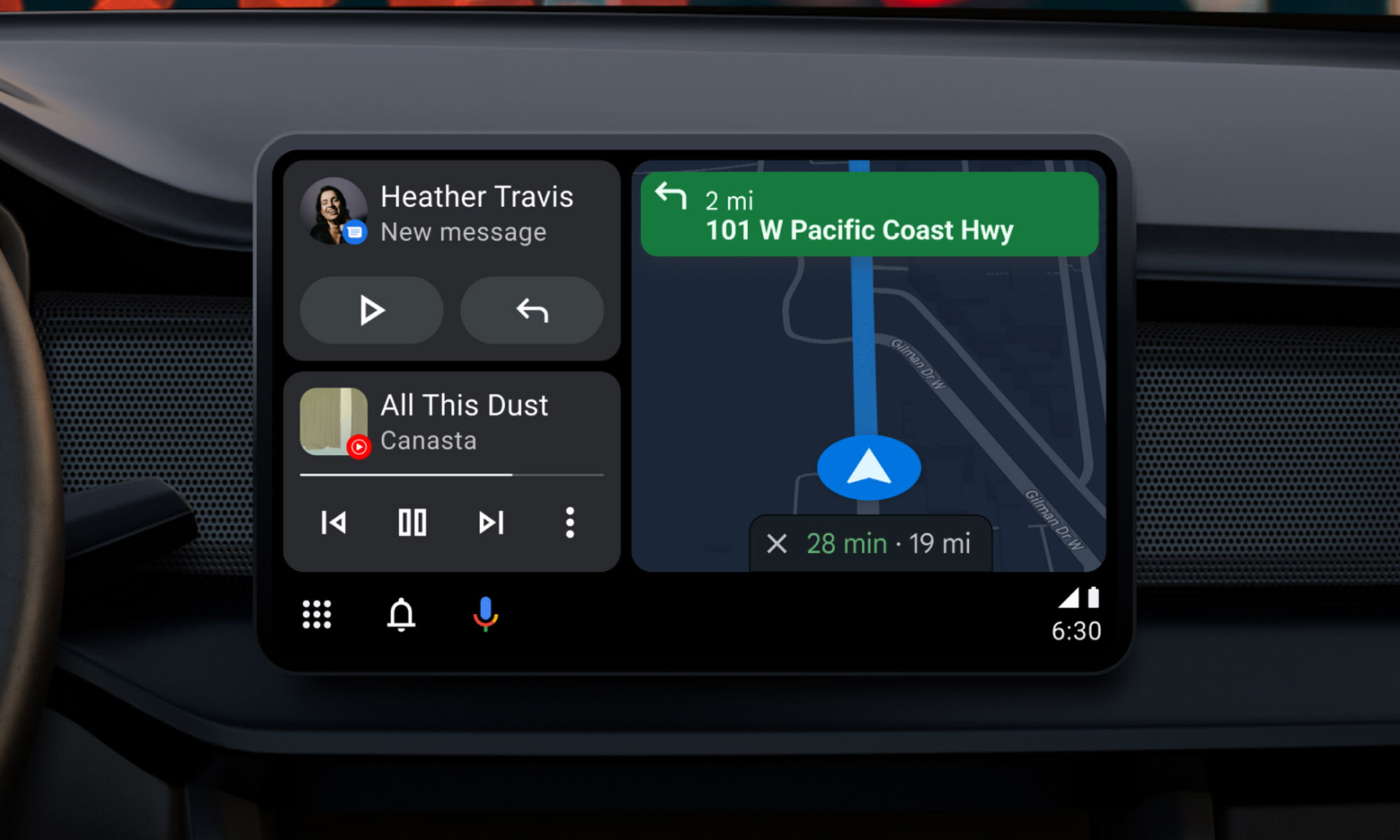
Google will bring the most recent Android Auto 15.4 update during November, although the company hasn’t spoken anything about it. The most recent version, which was discovered by autoevolution, stands out for remaining in beta for more than a week, which is unusual for Google. The new version is starting to roll out, and sideloading choices are available, but the corporation isn’t offering an explanation.
The addition of bug fixes that enable Google Pixel 10 devices to connect to Android Auto correctly is one of the most significant changes in 15.4, making this version helpful for people who did not previously have access. Additionally, it seems that this release is aiming toward more significant changes within Android Auto, such as the company’s AI assistant Gemini taking the place of Google Assistant. Following a recent Gemini update that brings some very significant AI features, Google has also been testing new features for Google Maps, including some new color options for users.
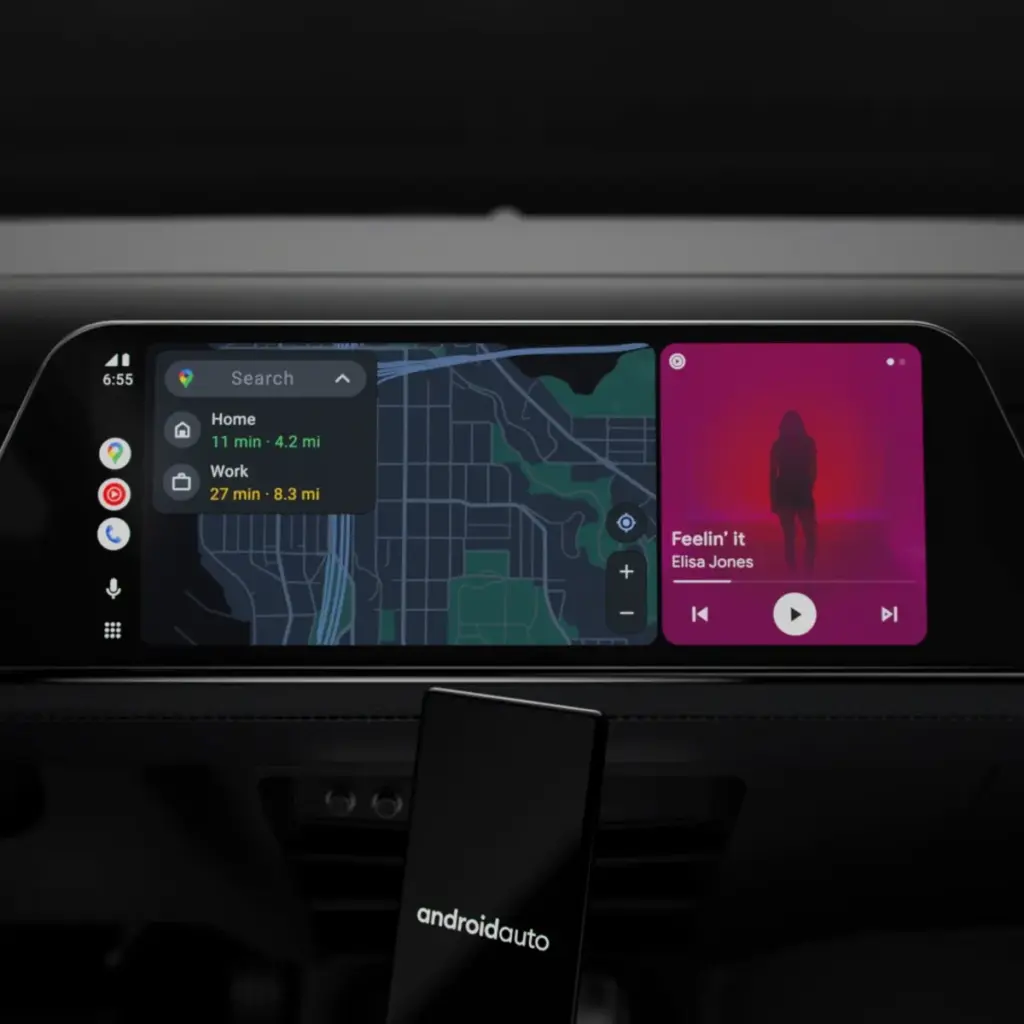
Users will still be awaiting the new Widgets feature, which borrows from Apple CarPlay by enabling users to install application widgets straight to their infotainment screen, even after the new version arrives. It’s also important to note that this update is released prior to Google preventing some Android phones from getting Android Auto updates.
What to expect in Android Auto 15.4
Android Auto 15.4 is currently gradually making its way to all Android users after launching in Google’s beta program in October. The APK is available to anyone who is prepared to upgrade manually, but the new update is coming in waves for those who can’t wait. On an Android device, just download the APK from APKMirror, choose the file, and then allow it to install.
By the end of November, Android Auto 15.4 will be available to individuals who are prepared to wait for the latest version. Unfortunately, Google no longer provides release notes for Android Auto, so we are left in the dark about what’s new. The removal of Google Assistant for the AI assistant Gemini—which is already taking place in some GM cars as the company discontinues CarPlay and Android Auto—as well as the addition of new call notes and a new call screen are among the changes anticipated to occur this year, according to autoevolution.
There are numerous bug improvements in Android Auto 15.4 for devices that are experiencing trouble connecting to Android Auto, particularly the Google Pixel 10. Additionally, the update enables users to apply the accent colors from their phone’s wallpaper on their infotainment screen. Google Maps allows users with smaller infotainment screens to report on traffic, something that was previously exclusive to users with larger panels. Users can report information about construction, traffic accidents, and speed traps, just like with the well-known Waze app.
A new Android-based spyware that leverages NFC technology to make illegal ATM cash withdrawals and empty victims’ bank accounts was examined by the Polish Computer Emergency Response Team (CERT Polska).
Researchers discovered that the software, known as NGate, allows attackers to use banking information stolen from victims’ phones to withdraw money from ATMs (Automated Teller Machines, or cash machines) without actually taking the cards.
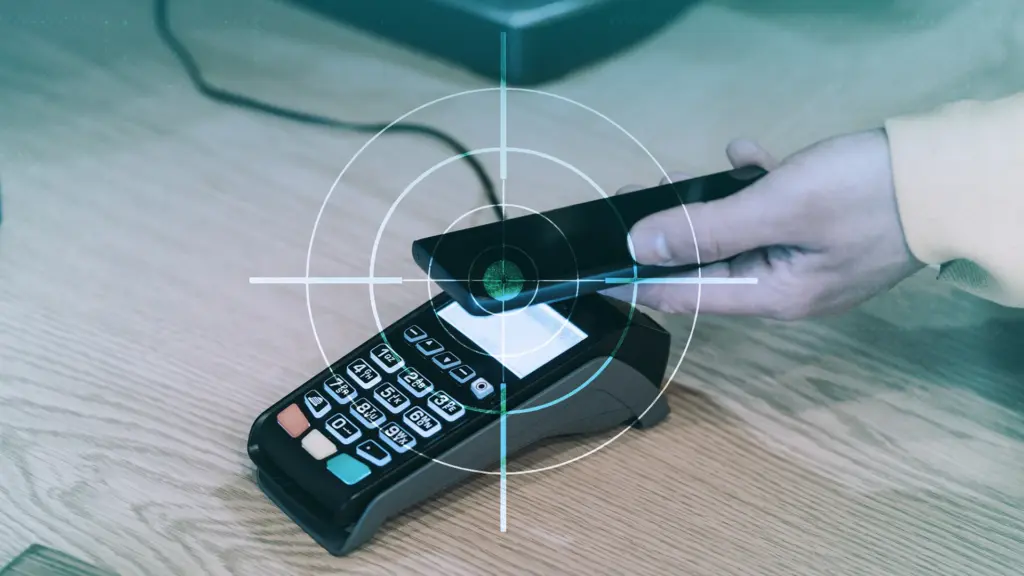
NFC is a wireless technology that enables close-quarters communication between gadgets like terminals, cellphones, and payment cards. Therefore, rather of stealing your bank card, the attackers use a mobile phone infected with the NGate virus to record NFC (Near Field Communication) activities and send that transaction data to ATM equipment. Instead of being relayed just via radio, the stolen data in NGate’s situation is transmitted over the network to the attackers’ servers.
There are several “flavors” of NFC. Some generate a static code, like the card that opens the door to my apartment complex. I can use a gadget like my “Flipper Zero” to open the door by just copying that type of signal. However, dynamic codes are used by sophisticated contactless payment cards, such as your Visa or Mastercard debit and credit cards. Your card’s chip creates a unique, one-time code (commonly referred to as a cryptogram or token) each time you use the NFC. This code is unique and cannot be reused.
That’s why the NGate malware is more advanced. It does more than just pick up a signal from your card. The victim must be duped into entering their PIN and completing a tap-to-pay or card-verification activity after the phone has been compromised. When that occurs, the app records every piece of information required for an NFC transaction, including the card number, new one-time codes, and other information created at that same moment.
All of the NFC data, including the PIN, is then immediately sent to the attacker’s handset via the virus. The attacker uses the codes right away to mimic your card at an ATM because they are newly produced and only valid for a brief period of time. The accomplice at the ATM displays the collected data using a card-emulating device, such as a phone, smartwatch, or bespoke hardware.
However, as you may guess, social engineering and preparation are necessary to be prepared at an ATM when the data arrives.
Attackers must first infect the victim’s device with malware. They usually send prospective victims phishing emails or SMS messages. They frequently try to create anxiety or urgency by claiming that there is a technical or security problem with their bank account. Occasionally, they make a follow-up call while posing as representatives of the bank. These calls or texts instruct victims to download a phony “banking” app from an unofficial source, like a direct link rather than Google Play.
After installation, the software requests permissions and guides users through fictitious “card verification” procedures. While an accomplice waits at an ATM to cash out, the objective is to persuade victims to act swiftly and trustingly.
Stay safe:
NGate only functions when your phone is compromised and you are duped into entering your PIN and starting a tap-to-pay action on the phony banking app. Therefore, the greatest defense against this infection is to protect your phone and be on the lookout for social engineering:
Stick to trusted sources. Download apps only from Google Play, Apple’s App Store, or the official provider. Your bank will never ask you to use another source.
Protect your devices. Use an up-to-date real-time anti-malware solution like Malwarebytes for Android, which already detects this malware.
Do not engage with unsolicited callers. If someone claims to be from your bank, tell them you’ll call them back at the number you have on file.
Ignore suspicious texts. Do not respond to or act upon unsolicited messages, no matter how harmless or urgent they seem.
Malwarebytes Mobile Security
Malwarebytes is an anti-malware software for Windows, macOS, ChromeOS, Android, and iOS that finds and removes malware.
Malwarebytes for Android detects these banking Trojans as Android/Trojan.Spy.NGate.C; Android/Trojan.Agent.SIB01022b454eH140; Android/Trojan.Agent.SIB01c84b1237H62; Android/Trojan.Spy.Generic.AUR9552b53bH2756 and Android/Trojan.Banker.AURf26adb59C19.
Based on both Android 15 and Android 16, Xiaomi is preparing for the release of HyperOS 3. This will be the final update for many of its older smartphones that receive HyperOS 3, which is based on Android 15. There won’t be any more HyperOS 3.1 updates. In an effort to deploy the newest operating system on a large number of devices, Xiaomi is currently internally testing the HyperOS 3 version based on Android 15 on a few smartphones. This is a significant step in the company’s software development process.
On certain of their smartphones, Xiaomi has already begun testing Hyper OS 3, which is based on Android 15. For some smartphones, this release will be the final significant update, so users should be prepared for some limitations in subsequent updates. The list of devices that are believed to be in the first wave of updates, according to the testing process, first batch include the REDMI Note 13 5G, the POCO F5 Pro, and the Xiaomi 13 Lite, which may be receiving the update to the HyperOS 3 on the Android 15 platform firstly.
Initial Worldwide Rollout of Android 15-based HyperOS 3
The Redmi Note 13 5G is among the first smartphones to get the global upgrade for Android 15-based HyperOS 3, according to data from the Mi community testing logs. The following smartphones will also get the update:
Xiaomi 13 Lite / Civi 2 (EEA – OS3.0.0.1.VLLEUXM)
POCO F5 Pro / Redmi K60 (China – OS3.0.0.4.VMNCNXM | Global – OS3.0.0.1.VMNMIXM)
POCO X6 Neo / Redmi Note 13 5G / Redmi Note 13R Pro (China – OS3.0.0.4.VNQCNXM | Turkey – OS3.0.0.2.VNQTRXM | Global – OS3.0.0.2.VNQMIXM | EEA – OS3.0.0.2.VNQEUXM)
Based on preliminary testing schedules, the Redmi Note 13 5G seems to be the front-runner for the Android 15-based HyperOS 3 Global update. Our list indicates that Xiaomi has yet to begin testing HyperOS 3, which is based on Android 15, on these devices:
Xiaomi 12S
Xiaomi 12S Pro
POCO F5 5G
POCO M6 Pro
Redmi Note 12 Turbo
Xiaomi 12T
HyperOS 3 based on Android 15 is not anticipated to be released on any devices other than those specified above.
With the release of the HyperOS 3, consumers of the Xiaomi lineup with compatible phones will have access to an even more feature-rich interface thanks to Android 15’s optimization. Customers will be happy to hear that some older versions will also receive updates, but they will stop after that. Users are advised to stay informed about the updates to make sure their phones will be among those receiving the most recent versions due to Xiaomi’s ongoing commitment to deliver the most recent changes.
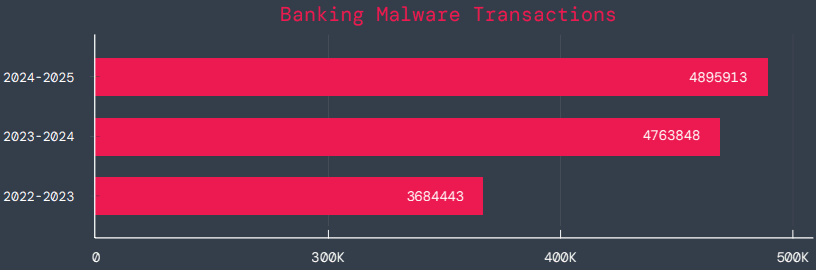
According to a survey by cloud security firm Zscaler, hundreds of malicious Android apps on Google Play were downloaded over 40 million times between June 2024 and May 2025.
The company saw a 67% year-over-year increase in malware that targeted mobile devices during that time, with banking trojans and spyware being the most common threats.
According to telemetry data, threat actors are leveraging phishing, smishing, SIM-swapping, and payment frauds to take advantage of mobile payments instead of traditional card fraud.
The shift to social engineering assaults can be explained by the widespread use of mobile payments and enhanced security standards like chip-and-PIN technology.
According to Zscaler, “to carry out these assaults, fraudsters use phishing trojans and malicious programs designed to steal financial information and login passwords.”
Zscaler estimates that it has found 239 harmful apps in the official Android store, with a total of 42 million downloads, compared to 200 malware apps on Google Play last year.
The emergence of adware as the most significant threat in the Android ecosystem, which now accounts for over 69% of all detections—nearly twice as many as the previous year—is another noteworthy trend observed at that time.
After leading with 38% the previous year, the Joker info-stealer is currently in second position with 23%.
The SpyNote, SpyLoan, and BadBazaar families—which are used for identity theft, extortion, and surveillance—were the primary drivers of the notable 220% year-over-year (YoY) increase in spyware.
Geographically speaking, 55% of all attacks were directed towards the United States, Canada, and India. Attacks against Israel and Italy also showed substantial increases, ranging from 800% to 4000% YoY, according to Zscaler.
Malicious Android apps and malware
In its annual study, Zscaler identifies three malware families that significantly affected Android users. The first is Anatsa, a banking trojan that occasionally enters Google Play through productivity and utility apps and receives hundreds of thousands of downloads each time.
Since its discovery in 2020, anatsa has undergone continuous evolution. The most recent version is capable of stealing data from bitcoin sites, more than 831 financial institutions, and new areas like South Korea and Germany.
The second is Android Void (Vo1d), a backdoor malware that targets Android TV boxes and has infected at least 1.6 million devices with out-of-date Android Open Source Project (AOSP) versions, mostly in Brazil and India.
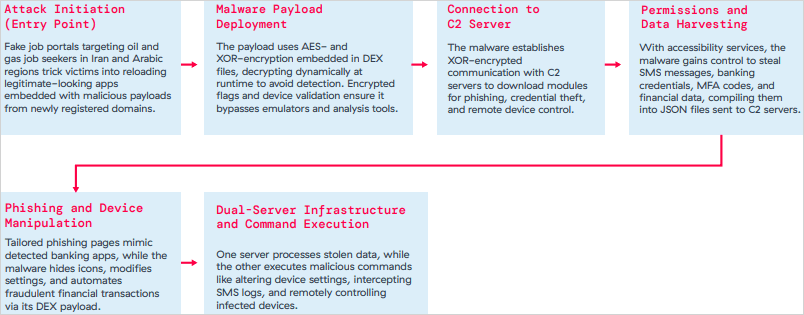
The third is Xnotice, a brand-new Android remote access trojan (RAT) that specifically targets job seekers in the oil and gas sector in Iran and Arabic-speaking areas.
Xnotice propagates via applications that are disseminated through phony employment websites and pose as tools for registering for exams or applying for jobs.
Through overlays, multi-factor authentication (MFA) codes, SMS messages, and screenshots, the spyware targets banking credentials.
Users are encouraged to install security updates, only trust reliable publishers, reject or restrict accessibility permissions, refrain from downloading unnecessary apps, and routinely run Play Protect scans in order to protect themselves from Android malware threats, including those from Google Play.
Routers continued to be the most targeted IoT equipment this year, according to Zscaler’s study. Hackers added routers to botnets or used them as proxies to spread malware by taking advantage of command injection flaws.
The majority of IoT attacks took place in the United States, with rising hotbeds in Hong Kong, Germany, India, and China following, suggesting that attackers are targeting devices throughout a larger geographic area.
The cybersecurity company advises businesses to harden IoT and cellular gateways by keeping an eye out for anomalies and implementing firmware-level protections, as well as to deploy zero-trust solutions for key networks.
Strict application control guidelines, security against phishing attacks, and monitoring SIM-level communications for anomalies should all be part of mobile endpoint protections.