Tag: android

We cover the latest news, guides, and insights about modern smartphones. We explore new devices, software features, and practical tips that help users get the most out of their phones.

  • Tweak animation scales in Android developer settings for a snappier phone

    Tweak animation scales in Android developer settings for a snappier phone

    Animation Scales might sound like a hidden geek setting, but tweaking them is one of the easiest ways to make your Android phone feel instantly faster and more responsive. When apps seem to open in slow motion, or menus feel like they lag for a second before appearing, Animation Scales are usually part of the story. Adjusting them takes just a couple of minutes and can transform how “snappy” your device feels in daily use.

    In this guide, you will learn what Animation Scales are, where to find them in Android Developer Settings, which values to use for the best experience, and when it might be better not to touch them at all. The goal is simple: use Animation Scales to make your phone feel smoother and faster without breaking anything or risking your data.
    animation scales

    What are animation scales?

    Animation Scales control how long Android spends showing visual transitions. They do not change the hardware speed of your device, but they change how fast things appear on screen. That difference is important: you are not overclocking your phone, you are simply shortening the time Android spends on “fancy” animations.

    There are three main Animation Scales entries in Developer Options:

    • Window animation scale – controls how quickly app windows open and close.
    • Transition animation scale – controls screen-to-screen transitions, such as moving between menus or apps.
    • Animator duration scale – controls the duration of various UI animations, like fading, sliding, or expanding elements.

    By default, all three are set to 1x, which means “normal” speed. If you lower them (for example, to 0.5x), animations play twice as fast. If you turn them off, Android skips animations altogether and shows everything instantly.

    Why tweak Animation Scales?

    Modern Android devices, even midrange phones, are powerful enough for most tasks. However, default animations are designed to look smooth and pleasant, not necessarily to feel “instant.” Tuning Animation Scales lets you shift that balance toward responsiveness.

    Here is what you gain when you tweak Animation Scales:

    • Your phone feels much faster, even though the processor and RAM are unchanged.
    • You spend less time waiting for screens to open and close.
    • In some cases, you may see a small improvement in battery life, because the system spends less time rendering long animations.

    Some people argue that Animation Scales do not “really” improve speed because they do not increase raw performance. Technically, that is true, but the improvement in perceived speed is very real. You care about how fast your phone feels, not just benchmarks.

    How to Unlock Developer Options Safely

    Animation Scales live inside the Developer Options menu. This menu is hidden by default, but unlocking it is safe as long as you only change what you understand.

    To enable Developer Options:

    1. Open Settings on your Android phone.
    2. Scroll down and tap About phone (or About device, depending on your brand).
    3. Find Build number.
    4. Tap Build number seven times in a row.
    5. You will see a message like “You are now a developer” or “Developer mode has been enabled”.
    6. Go back to the main Settings screen and look for Developer options (often under System).
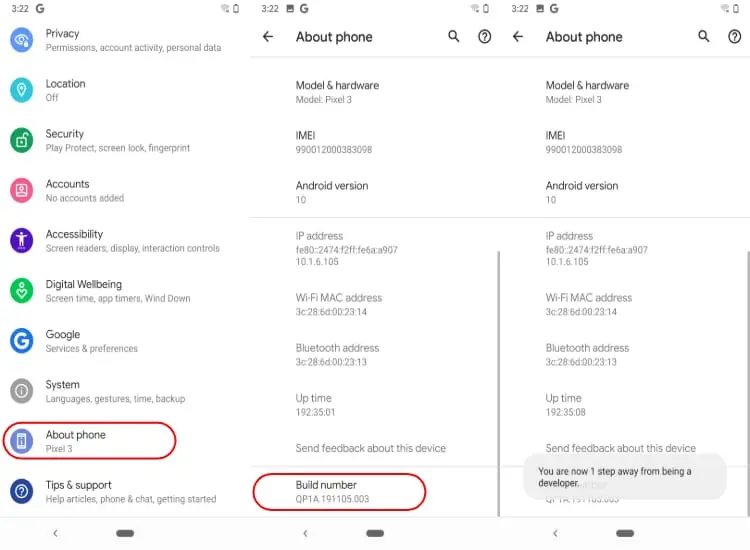
    How to turn on Developer options Android

    If you ever want to disable Developer Options later, on many devices you can simply toggle them off at the top of the Developer Options screen. On some phones, you might need to clear settings or restart, but just changing Animation Scales is not dangerous.

    Where to find animation scales in Developer Settings

    Once Developer Options are enabled, finding Animation Scales is straightforward. The exact path might vary slightly between brands, but the general flow is similar:

    1. Open Settings.
    2. Go to System (if available) and then Developer options, or directly to Developer options if your phone shows it at the main level.
    3. Scroll down until you find:
      • Window animation scale
      • Transition animation scale
      • Animator duration scale

    By default, all three entries are set to Animation scale 1x. This is the standard factory setting that most users never touch.

    Best Animation Scales Settings for a Faster Feel

    If you want your phone to feel noticeably faster without looking strange, the best starting point is to set all Animation Scales to 0.5x. This simple change cuts animation times in half while keeping everything visually smooth.

    Recommended setup:

    • Window animation scale: 0.5x
    • Transition animation scale: 0.5x
    • Animator duration scale: 0.5x

    With this configuration, apps and menus still animate, but they appear much faster. Your home screen feels sharper, transitions between apps are more energetic, and the whole system seems more responsive. Many power users and tech reviewers use this exact 0.5x setup on their own devices.
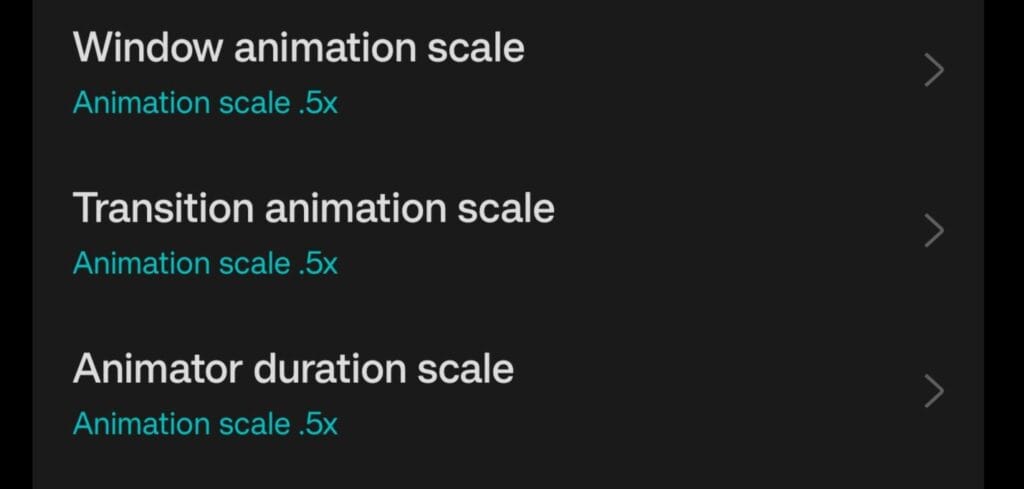
    Animation Scales 0.5x recommended settings in Developer Options

    What if you turn Animation Scales off completely?

    You might be tempted to set everything to Animation off for maximum speed. This does make Android skip animations, so screens open immediately. However, there are trade-offs.

    Here is what happens when Animation Scales are turned off:

    • Transitions feel very abrupt, which some people find uncomfortable or “harsh”.
    • Certain apps are designed with animations in mind, and without them, the interface can look glitchy or jarring.
    • Navigating between screens can feel less intuitive because the movement of elements no longer tells your brain where you are going.

    Turning Animation Scales off is not harmful, and some users love the ultra-instant feel. If you are curious, you can try it for a day or two. If it feels too aggressive, just go back to 0.5x or even 1x. Nothing permanent is changed.

    Do animation scales affect battery life?

    There is a common debate around this: do Animation Scales actually save battery? Technically, animations use the GPU and CPU to render visual effects. Shorter or fewer animations mean these components work for less time. So yes, there can be a small battery benefit.

    That said, Animation Scales alone will not transform a weak battery into a monster. Think of them as part of a larger optimization strategy. When combined with other good practices—like using dark mode on OLED screens, limiting background apps, and enabling battery optimization—the impact adds up.

    The main benefit of changing Animation Scales remains the improved feeling of speed and responsiveness. Any battery improvement is a nice bonus, not the primary reason to tweak them.

    When you should leave animation scales at default

    Even though Animation Scales are safe to adjust, there are cases where leaving them at 1x makes sense:

    • If you create tutorials or educational videos and want viewers to see the default Android behavior.
    • If the phone is used by someone who prefers slower, gentler transitions and may be confused by sudden changes.
    • If you work as a UI/UX designer or tester and need to experience apps as most users will see them.

    For personal daily use, however, most people benefit from at least trying the 0.5x setup. It is a simple way to make a phone feel more modern and responsive without installing anything or rooting the device.

    Extra safe tweaks around animation scales

    Once you are in Developer Options, it is easy to start exploring other settings. Some of them can be useful, but you should be cautious. A few extra options that are generally safe, especially when you stick to light tweaks:

    • Disable absolute volume if you use Bluetooth headphones and want separate volume control for your phone and your audio device.
    • Show taps and Pointer location can help when recording screen tutorials but are not needed day to day.
    • Background process limit can be adjusted slightly if you want fewer apps staying in memory, but going too far can cause frequent reloads.

    In contrast, options related to GPU debugging, strict mode, or forcing advanced graphics features should be left alone unless you know exactly what you are doing. Animation Scales are the simplest and safest way to get a noticeable improvement.

    Step-by-step checklist

    To make everything crystal clear, here is a quick checklist you can follow in a few minutes:

    1. Go to Settings → About phone.
    2. Tap Build number seven times to unlock Developer Options.
    3. Return to Settings → System → Developer options (or directly Developer options).
    4. Scroll down to:
      • Window animation scale
      • Transition animation scale
      • Animator duration scale
    5. Change all three from 1x to 0.5x.
    6. Use your phone normally for a day and see how it feels.
    7. If you want it even snappier, test Animation off. If it feels too abrupt, go back to 0.5x.

    These small adjustments can make your phone feel like it just got a software performance upgrade, even if the hardware is exactly the same.

    Animation scales as a simple performance trick

    Animation Scales in Android Developer Settings are a powerful but underrated tool. They do not require root, custom ROMs, or complex tweaks. You open a menu, change three values, and your phone suddenly feels more alive and responsive.

    Instead of rushing to buy a new device when your phone feels slow, it is worth spending five minutes exploring Animation Scales. For many users, this single change is enough to restore a sense of speed and smoothness. It is a small tweak with a surprisingly big impact on how you experience your Android every day.
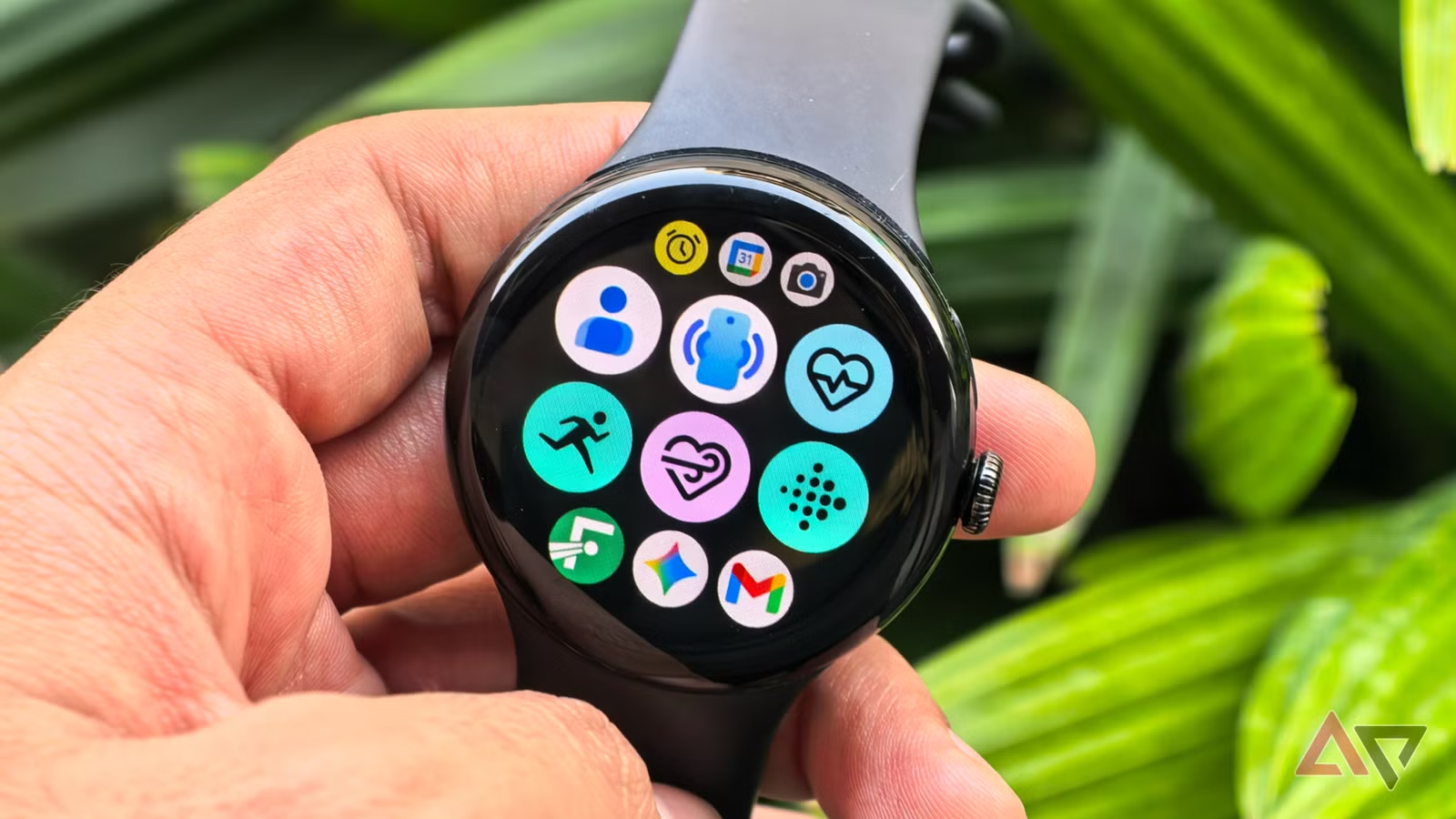
  • Top 3 Android smartwatch apps everyone should install first

    Top 3 Android smartwatch apps everyone should install first

    The sheer number of options in the Play Store can be daunting when you first buy your new Android smartwatch. However, downloading everything at once will quickly clutter your watch face and deplete battery life, so it’s best to resist the temptation. How helpful—or annoying—your first week with your smartwatch is largely determined by the apps you install early on.

    Starting with a limited selection of essential programs like Google Gemini, Google Keep, and Strava can help you maximize your investment right away. When taken as a whole, they address the fundamental pillars of the wearable experience: everyday ease, communication, productivity, and tracking fitness and health.

    There isn’t a single “proper” order to download the hundreds of Android smartwatch apps that are accessible. Although personal tastes will always come into play, starting with these four apps provides you a solid basis, making it easier to improve your smartwatch experience over time and assisting you in completing tasks more quickly.

    Google Keep

    google keep on android smartwatch

    Installing Google Keep, one of the most widely used note-taking apps, on your Android smartwatch can significantly increase productivity. It allows you to record ideas and notes using both voice and text. The key feature here is voice input, which lets you record ideas even while you’re driving or jogging and can’t take out your phone. When waiting is not an option, such when you need to rapidly jot down a work idea before forgetting it or set an essential reminder (a meeting, birthday, etc.), it will be quite helpful.

    Google Keep seamlessly integrates with the watch’s tiles and complexities in addition to allowing you to make notes and lists, including grocery and to-do lists, set reminders, and even cross things off once you’ve finished activities. With the tile function, all you have to do is swipe left or right from your watch face to create a new note or list. Better yet, you can use a particular note as a tile.

    It guarantees that an important piece of information is in front of your eyes every time you look at your smartwatch, even though only the first few lines of the message will be visible. Conversely, complications function similarly to the watch face’s widgets. By just tapping it, you may add a new note or list without opening the Google Keep app and navigating through several options.

    The option to completely alter already-written notes is the only functionality that Google Keep still lacks on smartwatches. That’s hardly a gripe, though, because you’ll primarily be using it to quickly capture ideas rather than organize them (which is easier to do on your computer or phone otherwise).

    Gemini

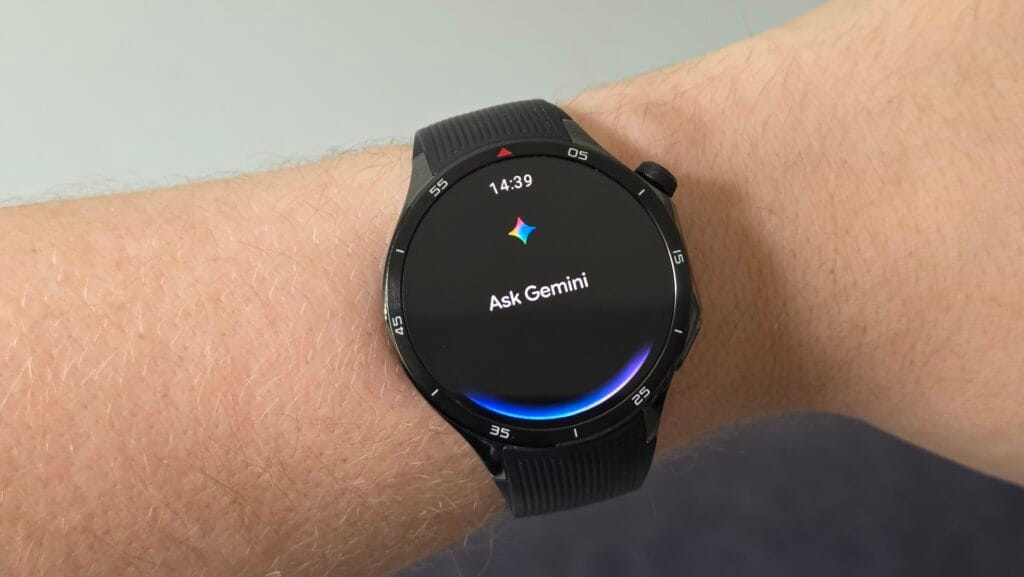
    gemini on android smartwatch

    Efficiency – not needing to take out your phone for every little task – is one of the main benefits of owning an Android smartwatch. With deeper automation, AI-powered reasoning, and quicker, more natural voice control, Google Gemini‘s Wear OS app – which will formally replace Google Assistant – helps optimize that efficiency on Wear OS. Consider Gemini as the chaperone on your wrist, providing you with immediate access to nearly all of the features you would expect from a wristwatch, including the ability to check the weather, create reminders, send messages via applications like Telegram or WhatsApp, make calls, set up meetings, and operate smart home devices.

    Additionally, Gemini enhances your smartwatch’s fitness app control. Workouts may be precisely started, stopped, and paused without the need for your hands. Whether you’re on a walk, in the gym, or in the middle of a run, you can instantly ask queries about fitness or health thanks to its built-in Google connectivity. Gemini can significantly increase your email efficiency if you use Gmail. It can read emails aloud to you, summarize them, offer suggestions for responses, and even assist with writing comprehensive responses.

    The Gemini voice assistant’s capacity to comprehend natural, conversational language and manage multi-step, multimodal activities is very remarkable. Google Assistant and other more basic voice assistants would never be able to accomplish this. For instance, you can ask Gemini to locate the best Italian eateries in your area and text a friend to meet you there at 8 p.m. with just one command, and it will take care of the rest.

    Strava

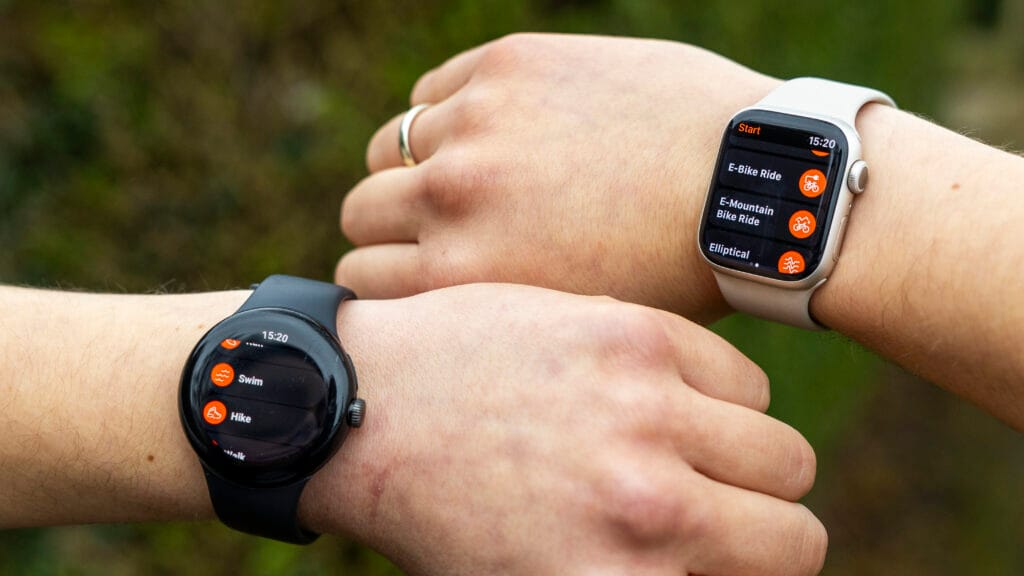
    strava on smartwach

    One may argue that Strava doesn’t require an introduction. It’s a unique combination of a social platform and a fitness tracker that has made it one of the most widely used apps worldwide. The Strava wristwatch software allows you to track activities like walking, cycling, running, and hiking right from your wrist after you’ve set it up with your smartphone. Large, glove-friendly buttons, haptic confirmation for starts and stops, and the ability to automatically pause and resume activity recording when you stop moving are all included.

    You don’t even need to bring your phone when you go out because of Strava. This solves one of the main issues with contemporary fitness tracking: phones are still difficult to carry when riding or jogging, despite their relative small weight. By recording your journey using your smartwatch’s built-in GPS and gathering important parameters like pace, distance traveled, time, and heart rate, Strava removes that friction. Everything automatically syncs to the Strava mobile app once you finish an activity, providing you with a comprehensive summary of your statistics and route map.

    Even while you can’t truly interact with Strava’s social features—like the activity feed, leaderboards, likes, and comments—through its wristwatch software, the convenience of having Strava on your wrist still gives you the much-needed boost to stay competitive.

  • Stable HyperOS 3 rollout begins this December for 25 Xiaomi phones

    Stable HyperOS 3 rollout begins this December for 25 Xiaomi phones

    As December 2025 draws to a close, Xiaomi plans to release HyperOS 3.0 stable for roughly 25 devices before entering 2026. Additionally, if you haven’t received the latest update, make sure your phone is on this list.

    In addition to releasing its next-generation Ultra flagship, Xiaomi has hinted at a stable HyperOS 3.0 rollout for 25 devices by 2026.

    Indeed, by the end of this month, several of the top-notch Xiaomi, Redmi, and POCO devices will receive updated software. All of the models that are presently using beta builds are prepared for a widespread rollout.

    Some phones were listed as “ready to release” on the company’s main server. That most likely indicates that Xiaomi is prepared to provide the updated version for its phones that were left out.

    However, it’s important to note that not every device will receive the HyperOS release based on Android 16. Only Android 15 OS upgrades are available for some of them. For example, the Android 15 version will be available for the Redmi K60 and Xiaomi Pad 6 series.

    Below, you can see every device that qualifies for this month’s HyperOS 3.0 stable upgrade.

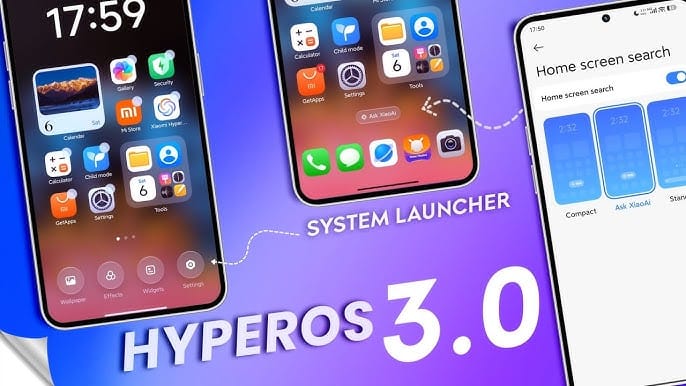
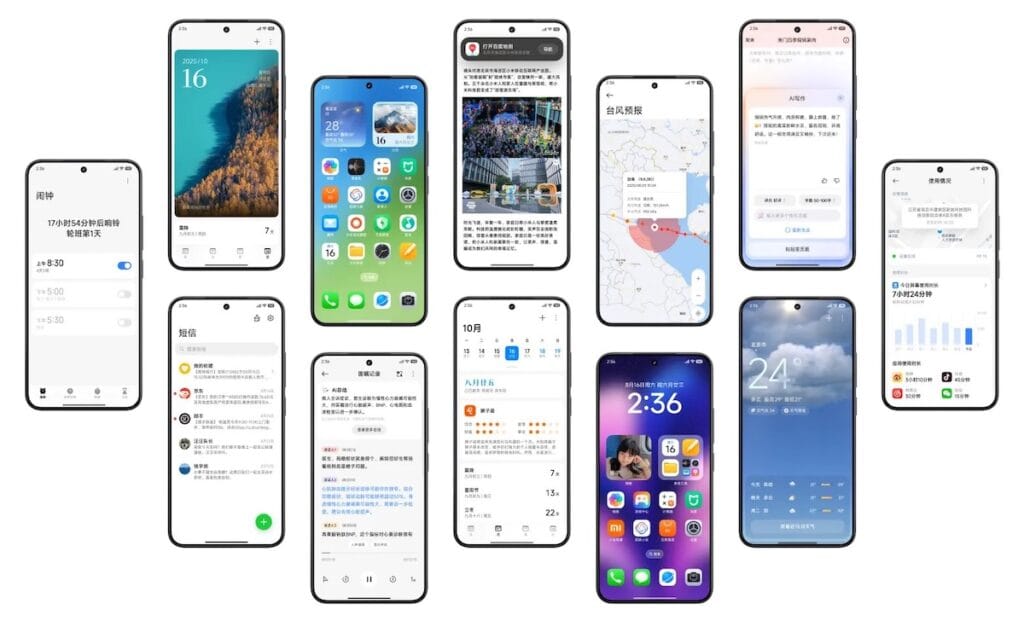
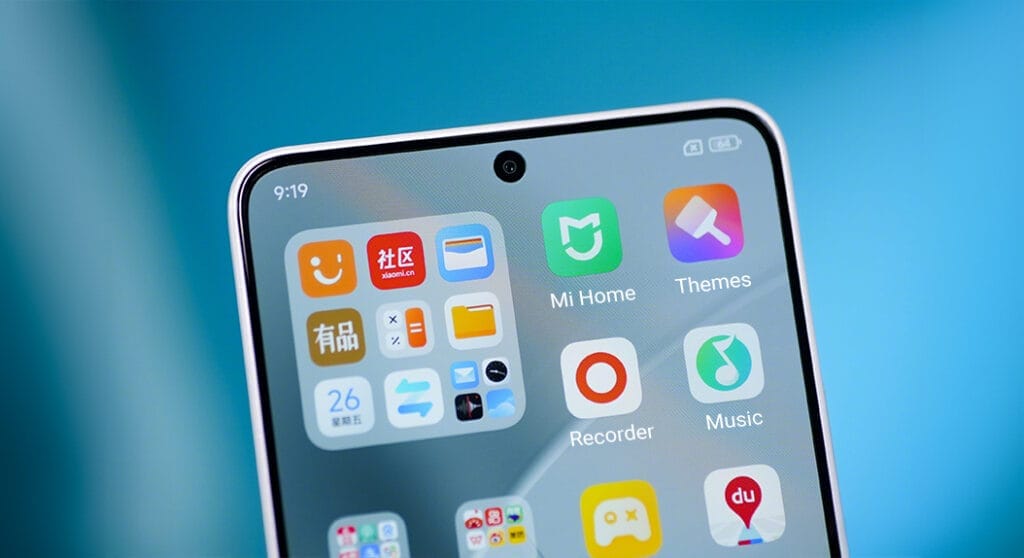
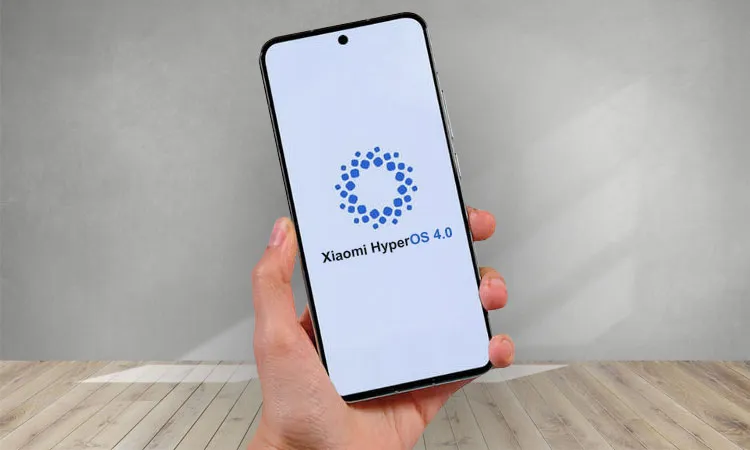
    HyperOS 3

    These 25 Xiaomi devices are getting stable HyperOS 3 this month

    • Xiaomi 13T
    • Xiaomi 12S/12S Pro
    • Xiaomi 12/12 Pro
    • Xiaomi 12T Pro
    • Xiaomi 12S Ultra
    • Xiaomi 13 Lite
    • Xiaomi Civi 2
    • POCO C85 4G
    • Xiaomi Civi 3
    • Xiaomi MIX Fold 2
    • Redmi Pad Pro 5G
    • Redmi K50 Ultra
    • Redmi Note 12 Turbo
    • Redmi Pad SE 8.7 Wi-Fi
    • POCO F5
    • Redmi 15C 4G
    • Xiaomi Pad 6 Max 14
    • Xiaomi Pad 6 Pro
    • Xiaomi 13T Pro
    • Redmi K60 Ultra
    • Redmi K60
    • POCO F5 Pro
    • Redmi 15
    • POCO C75
    • POCO F6
    • POCO X6 New
    • POCO Pad M1
    • POCO M6 Pro 4G
    • POCO M7 4G
    • POCO M7 Pro 5G
    • Redmi 15 4G
    • Redmi Note 15
    • Redmi Pad Pro
    • Redmi Pad 2 Pro
    • Redmi Pad 2
    • Redmi A4
    • Redmi Pad SE 4G
    • Redmi Note 13 Pro+
    • Redmi Note 13 Pro 4G
    • POCO M7 5G
    • Redmi 14C/Redmi A3 Pro
  • Wear OS 6 arrives with smarter features and noticeably better battery life

    Wear OS 6 arrives with smarter features and noticeably better battery life

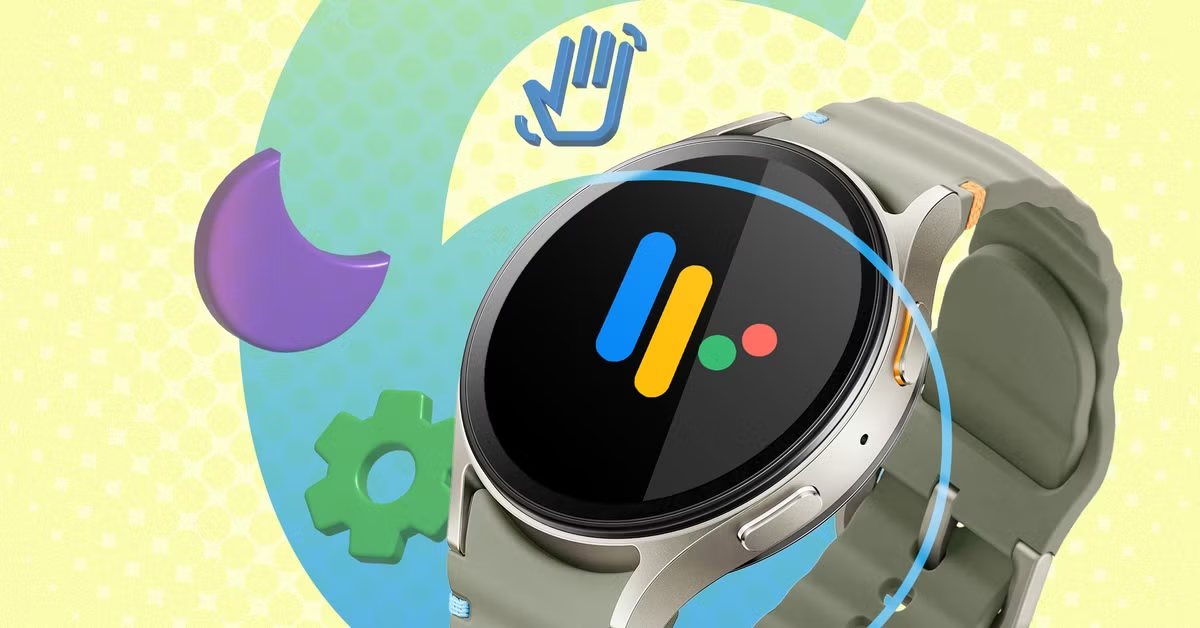
    The newest smartwatch os from Google has already been released and is currently being distributed to compatible devices. In contrast to previous rumors, Wear OS 6 is a live software version that powers a number of new smartwatches today rather than an impending update. With an emphasis on convenience, efficiency, and long-term platform stability, the upgrade is Google’s most refined wearable operating system to yet.

    Now that the Wear OS 6 release date has passed, focus is now on device support and rollout progress. Only a few watches are still pending, whereas the majority of significant Wear OS users have already made progress. With this update, Android smartwatches are now closer than ever to a sophisticated, unified experience across brands, marking a clear turning point.

    wear os 6 update

    Wear OS 6 already here

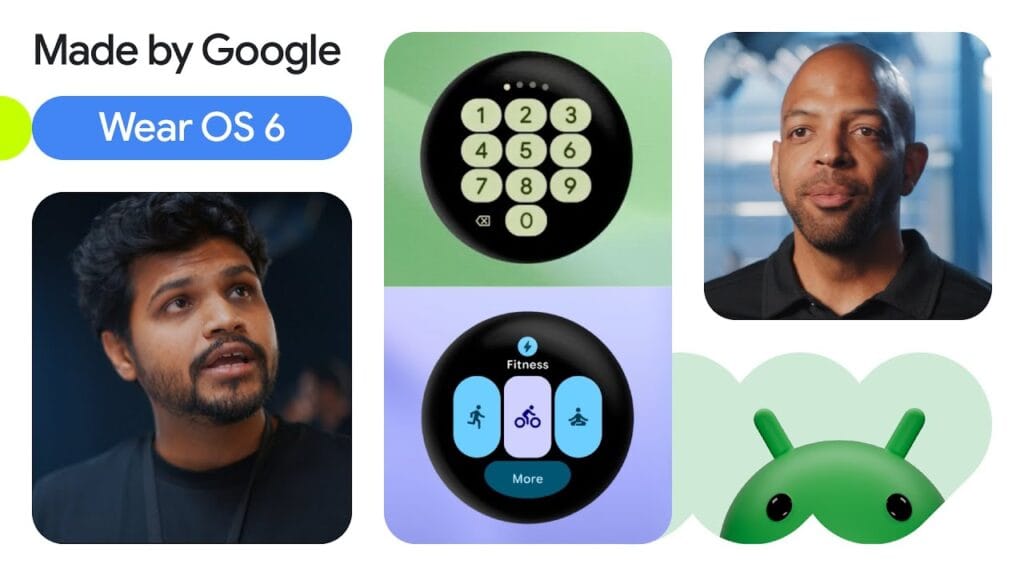
    Earlier this year, Google confirmed the Wear OS 6 release date along with its most recent wearable lineup. Wear OS 6 was preinstalled on a number of watches when they were first released, while other watches got the update soon after via over-the-air updates.

    Wear OS 6 was released in a more developed condition than earlier iterations, which required months to settle. Manufacturers were able to release the software more quickly as a result. Because of this, the majority of people who own the most recent flagship Wear OS watches are currently utilizing the updated version.

    Crucially, the Wear OS 6 release date is applicable worldwide; however, rollout timing is still contingent upon the upgrade schedules of individual manufacturers. Many users have been upgraded as a result, but some are still waiting even if their hardware is capable.

    wear os 6 screens

    Features focused on performance

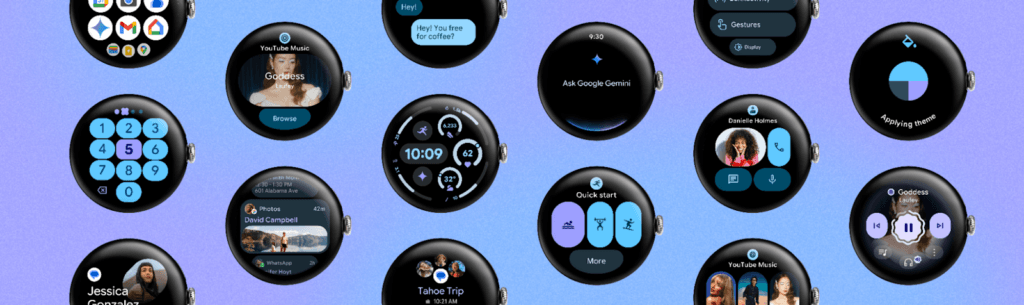
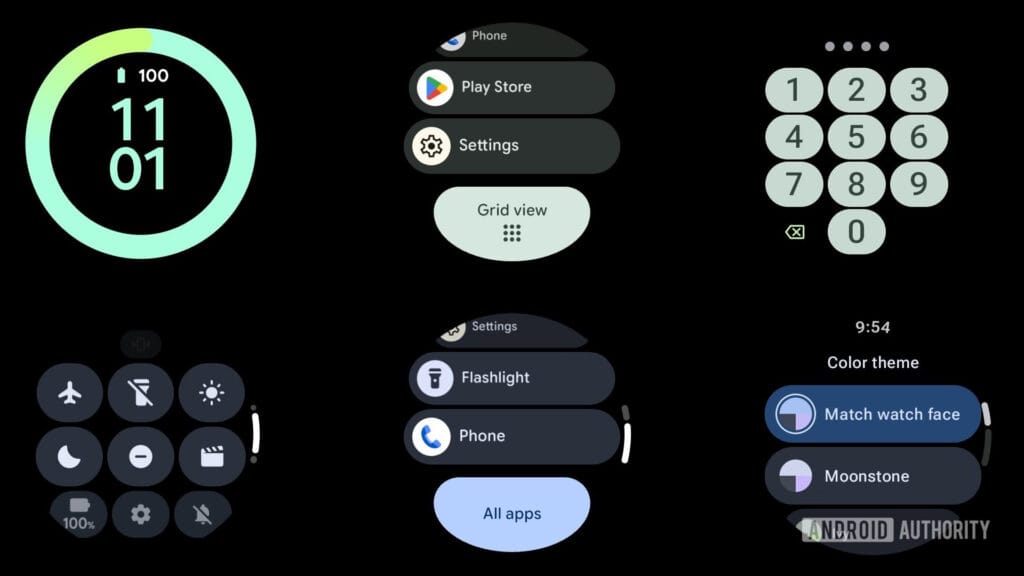
    The refinement of Wear OS 6 features is their greatest asset. Google concentrated on streamlining animations, cutting lag, and enhancing overall system responsiveness rather than drastic redesigns. Commonplace tasks like switching tiles, starting apps, and scrolling through notifications now feel quicker and more natural.

    Additionally, battery efficiency has increased. It features minimize needless power consumption with more intelligent background task management, extending the life of watches without compromising notifications or health tracking. Although benefits in battery life differ depending on the device, many users find discernible improvements.

    Deeper AI integration is another important improvement. Contextual understanding has improved, voice commands are more natural, and replies are faster. Wear OS 6 improvements, along with a more streamlined UI and improved typography, give smartwatches a sense of purpose rather than clutter.

    Wear OS 6 update experience

    The update is distributed wirelessly to compatible devices and installs similarly to earlier iterations. Installation usually takes less than an hour, and users are notified when the update becomes ready. Although a full charge is advised before to upgrading, no data loss is anticipated.

    The upgrade to Wear OS 6 is totally free. No paid software tiers or subscriptions linked to the operating system itself have been introduced by Google. This guarantees that platform enhancements benefit users at no extra expense.

    Compatible devices

    The majority of modern smartwatches are already included in the list of devices that are compatible with Wear OS 6. Samsung’s Galaxy Watch series and Google’s Pixel Watch lineup were among the first to use the new platform, either with fast upgrades or preinstallation.

    Stronger platform alignment than in previous years is indicated by the fact that several other manufacturers have also deployed the Wear OS 6 update to their most recent models. This increased compatibility demonstrates Google’s renewed emphasis on ecosystem stability and long-term maintenance.

    The OnePlus Watch 2 and OnePlus Watch 3 are currently the only noteworthy outliers. Both devices have not yet gotten the Wear OS 6 update, despite having contemporary hardware; upgrades are anticipated later than for other brands.

    Wear OS 6 going forward

    The update serves as Google’s declaration of intent. The platform prioritizes dependability, efficiency, and practical utility over innovation. After years of inconsistent development, this change may ultimately settle the Wear OS ecosystem.

    Wear OS 6 offers a notably improved everyday experience for consumers who have already upgraded. When the update is released, it promises significant improvements for those who are still waiting. In any case, Wear OS 6 establishes a new standard for Android smartwatches that prioritize reliability over innovation.

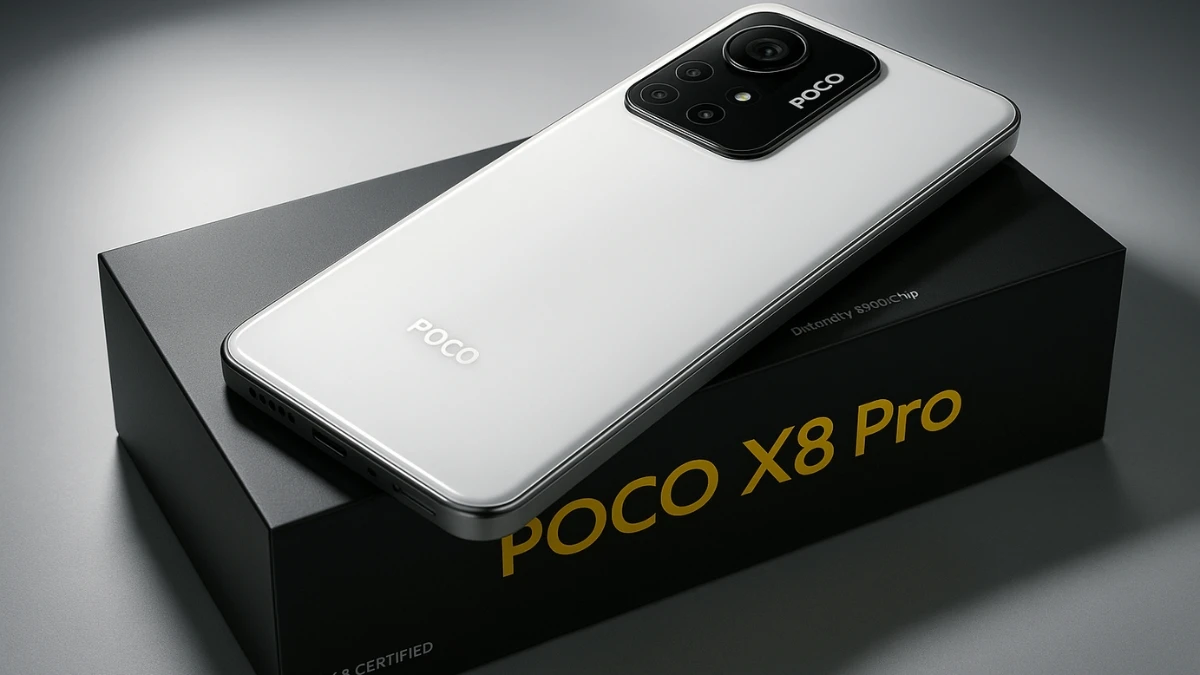
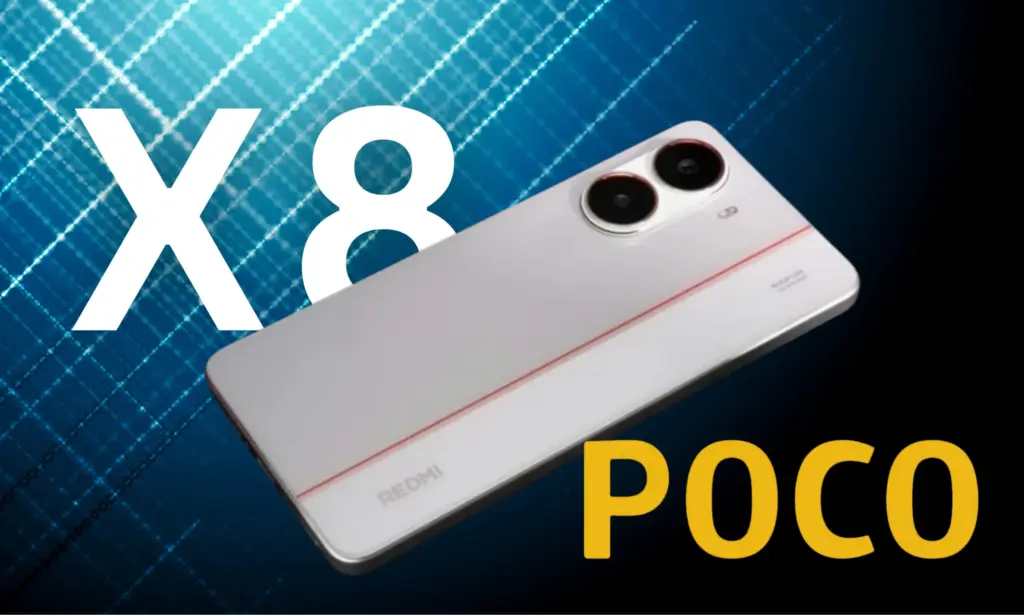
  • POCO X8 Pro #leak suggest a massive battery similar to Redmi Turbo 5

    POCO X8 Pro #leak suggest a massive battery similar to Redmi Turbo 5

    I never get tired of looking at Xiaomi phones. They have foldables, enormous one-inch Sony sensors that produce images with remarkable depth, and now leaks of the POCO X8 Pro point to a phone that might feature one of the largest batteries ever in a popular smartphone. The Redmi Turbo 5 will soon be available in China, and there will be some surprises along the road.

    Although Xiaomi’s decision to challenge Tesla in the electric vehicle business sounds crazy (I’m also intrigued), the smartphone market is as fascinating. Xiaomi is adopting a different strategy, despite predictions that the average cost of smartphones in the US will rise between 2023 and 2028. Strong performance at a reasonable price could make the POCO X8 Pro stand out. Naturally, there is a catch, just as with anything worthwhile.

    According to leaks, Xiaomi is getting ready to release the Redmi Turbo 5 for the Chinese market in November. Around January, the device will be released internationally under the name POCO X8 Pro.

    The new model should be close to the Turbo 4’s launch price of CN¥1,999 ($280) for the 12 GB + 256 GB configuration. Even with some new features, I would still wager on a pricing close to $280, which is where Xiaomi usually outperforms the competition.

    POCO X8 Pro #leak suggest a massive battery similar to Redmi Turbo 5

    According to Digital Chat Station, the POCO X8 Pro will include a metal mid-frame, which is a significant improvement above its predecessor’s plastic construction. The phone appears sharper because to the elegant, contemporary punch-hole screen design.

    The Redmi Turbo 5 boasts a 6.7-inch AMOLED panel with a sharp pixel density of 446 ppi and a resolution of 1220 x 2712. The 120 Hz refresh rate makes images pop and scrolling seem fluid. The Turbo 5’s 4,000 nits peak brightness, which makes the screen easy to view even in direct sunlight, is what makes it unique. The iPhone 17 Pro Max, in contrast, can reach 3,000 nits outside.

    POCO X8 Pro performance

    According to Smart Pikachu, MediaTek’s Dimensity 8500 Ultra processor could power the Turbo 5. The 9500e and 8500 chips from MediaTek are anticipated to be released by January. With speeds of up to 3.73 GHz, the 9500e is unique. One Cortex-X925, three Cortex-X4, and four Cortex-A720 cores are mixed together in its CPU. Therefore, the Dimensity 8500 tends toward balance, whilst the 9500e concentrates on raw power. It has eight high-performance cores built on ARM’s new A725 architecture and employs TSMC’s 4nm technology.

    The Turbo 5 will join the OPPO Reno 15 Pro, HONOR Power 2, and Realme Neo 8, which are all said to have the same MediaTek chip, if Xiaomi decides to go with the Dimensity 8500 Ultra.

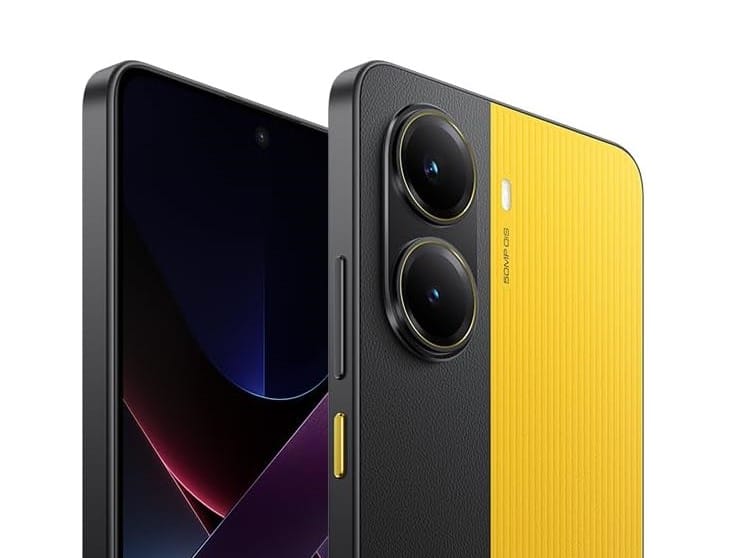
    POCO X8 Pro yellow and black

    Battery

    With the HONOR X70 reaching 8,300 mAh in 2025, smartphone manufacturers have been pushing battery sizes to new limits. Furthermore, it appears that the next breakthrough might be even more significant.

    According to a different rumor from Digital Chat Station, Xiaomi intends to include a 9,000 mAh battery in one of its next phones. The Weibo tipster claims that the single-cell silicon battery is prepared for manufacturing.

    It’s unknown which model will receive this enormous battery. The 9,000 mAh option may go to a Pro or Pro Max model because some sources indicate a base 7,500 mAh version. The stakes are further raised by the fact that the enigmatic phone will feature 100 W fast charging.

    However, I don’t think the same battery will be available in areas outside of China for the Redmi Turbo 5 series. Larger silicon-carbon mobile phones often have lower capacity in the US and Europe. Thus, be mindful of your expectations.

    Strict regulations are the reason why Apple and Samsung don’t sell large batteries. For example, US government regulations (49 CFR 173.185) limit the size of lithium-ion batteries used in phones to 20 Wh. That explains why I had trouble using the iPhone 15 Pro last week—my battery failed while I was on vacation (thanks to my power bank for getting me to the hotel without any issues).

    I’m already figuring out how to get one here if Xiaomi releases the POCO X8 Pro with the same 9,000 mAh battery. Even on my longest days out, I can’t see ever having to worry about running out of battery. It makes me happy to consider carrying a phone that can withstand travel, work, and sporadic browsing sessions. However, if you share my belief that “battery beats slim,” don’t get too enthusiastic just yet because Xiaomi might be cautious outside of China.

  • Xiaomi confirms HyperOS bug fix rollout for global models

    Xiaomi confirms HyperOS bug fix rollout for global models

    A number of system problem patches that will be made available through the upcoming HyperOS update for several smartphones and tablets have been officially revealed by Xiaomi. The news was made via the official Xiaomi community page, demonstrating the manufacturer’s dedication to provide its customers reliable software performance. The clock, home screen animations, Google Play services, media audio, and application-related translation problems are among the system services that have been patched in this release.

    HyperOS Bugs

    Confirmed HyperOS bugsfix

    A number of functional and localization issues that users have reported will be fixed in these future releases. Xiaomi claims that the following user-submitted problems have already been found and are being fixed:

    • Xiaomi 14T: Force close or non-responsive problem in the Clock app
    • Xiaomi 14: Smart charging feature not translated into Russian
    • Xiaomi Pad 7: Translation problem in Weather app
    • Xiaomi Pad 7: Google Play “force close” or “no response” problem
    • Xiaomi 15T Pro: Gallery Editor erase tool not functioning properly
    • Xiaomi 14 Ultra: Issue with system-level translation
    • Redmi Note 14: Odd animation behavior of the desktop (home screen)
    • Xiaomi 15: Multimedia sound is not available via speaker or Bluetooth

    Affected users will receive an update in a comparatively shorter amount of time because these updates are anticipated to be incorporated in HyperOS incremental builds rather than major version numbers.

    Even though there aren’t any serious issues in these bugs, things like media audio problems, Google Play instability, and system app crashes significantly impair functioning. Due to Xiaomi’s identification of these defects, the deployment time has been shortened because these problems have also been tested in their internal environments.

    Since these bug patches can vary depending on the location or device type, Xiaomi has not provided a particular timeframe for their deployment. However, the system updater will automatically distribute all of these problem patches to users of these devices once they have been incorporated into the final HyperOS releases.

  • HyperOS 4 (Android 17) promises major upgrades for mobile gaming

    HyperOS 4 (Android 17) promises major upgrades for mobile gaming

    Both Android 17 and Xiaomi HyperOS 4.0 are in development, and it appears that this software update will significantly improve Xiaomi devices’ gaming capabilities. Here is some fresh information that clarifies this issue.

    Google has begun investigating the Android 17 operating system. Naturally, it will include significant updates to the new operating system, with perhaps a little more focus on the gaming market this time.

    HyperOS 4 aims to redefine mobile gaming

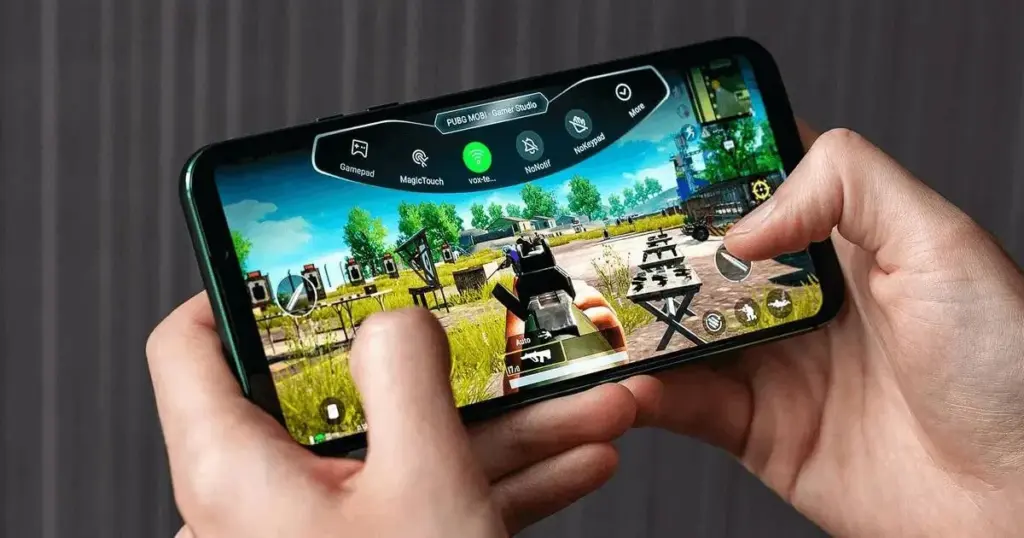
    Google will enhance system-level updates and game controller compatibility with Android 17, according to XiaomiTime. To increase smartphone users’ gaming time, it will probably have a gamepad button or be a completely virtual controller.

    xiaomi hyperos 4 gaming phone

    The 17th build will allow users to remap or alter system buttons and lessen reliance on game-specific settings, in contrast to earlier Android versions that relied on predefined buttons for Xbox controllers.

    The most recent Android Canary release makes this evident by displaying strings such as android.permission.CONTROLLER_REMAPPING, which is managed by the flag com.android.hardware.input.controller_remapping.

    For a reliable and consistent remapping without the need for external hardware or ADB, keep in mind that this only applies to system-level apps signed with the platform key.

    In order to improve the user experience overall, it’s possible that HyperOS 4 (Android 17) will eventually offer the same gaming functionality to Xiaomi smartphones.

    Therefore, HyperOS 4.0, which is based on Android 17, can be the ideal upgrade for you if you enjoy playing games with controllers.

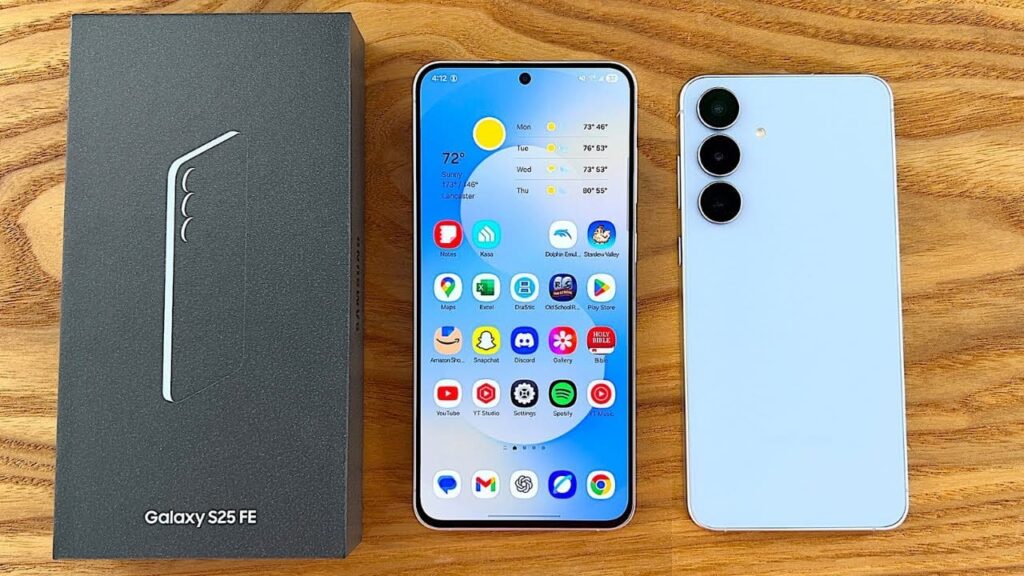
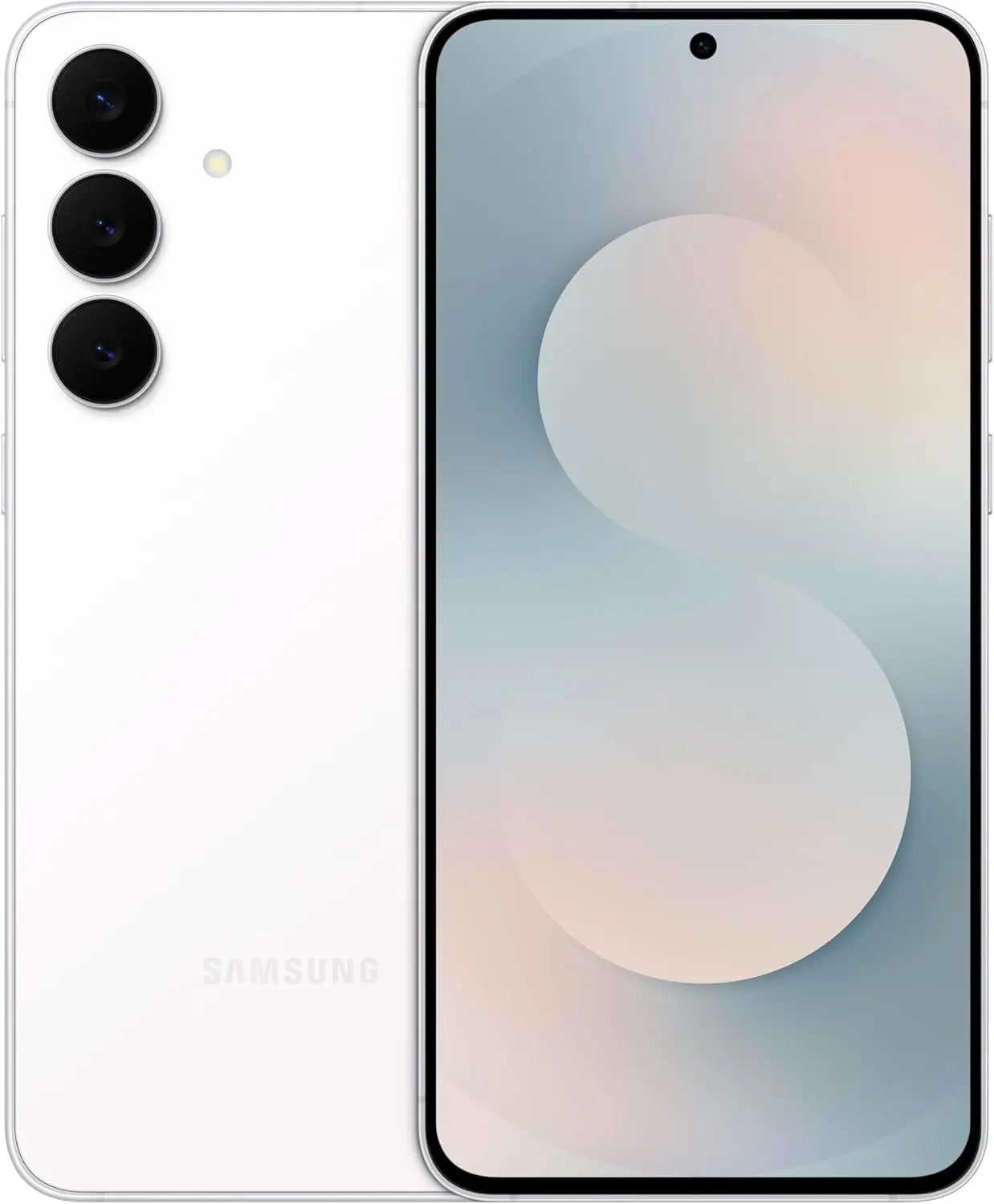
  • Samsung cuts Galaxy S25 FE price to $499, boosting its value appeal

    Samsung cuts Galaxy S25 FE price to $499, boosting its value appeal

    Are you looking for a flagship that is affordable? With its powerful performance, long-lasting battery life, and premium construction, Samsung’s Galaxy S25 FE is one of the most affordable upgrades.

    Samsung’s low-cost Galaxy S25 is still available for $499, down from $649, if you’re searching for a tech present for yourself or someone else, especially a new smartphone. At Amazon and Best Buy, that is the second-best deal.

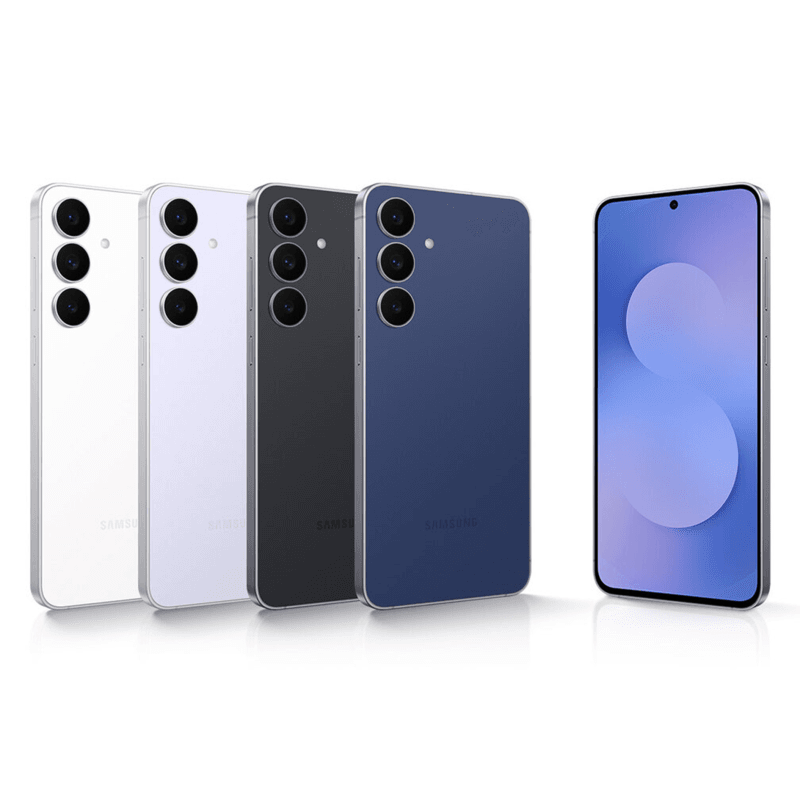
    The 256 GB option is also included in the sale, however this only applies to the base model with 128 GB of storage. Right now, it sells for $559, which is $150 less than the typical $709. Jet Black, Navy, White, and Icy Blue hues are offered for both versions.

    galaxy s25 fe
    samsung galaxy s25 fe

    Samsung Galaxy S25 FE

    BIG. BRIGHT. SMOOTH : Enjoy every scroll, swipe and stream on a stunning 6.7” wide display that’s as smooth for scrolling as it is immersive.

    A good deal
    $649.99$499.99Amazon

    Who is the Samsung Galaxy S25 FE for?

    A new model in Samsung’s Fan Edition lineup is the Galaxy S25 FE (hands-on). It is a more reasonably priced variant of the normal Galaxy S25, with certain premium features removed. Nevertheless, because of its exceptional value for money, it continues to be one of the greatest low-cost flagships and is frequently regarded as a flagship killer.

    In September, Samsung released the Galaxy S25 FE. With a high-end construction akin to the more expensive versions, the gadget is a good replacement for the Fan Edition from the previous year. It is now easier to hold with one hand because it is thinner and lighter than previously. Additionally, it has an IP68 classification for water and dust resistance, providing total ingress protection.

    The phone’s 6.7-inch AMOLED screen has a maximum brightness of 1,900 nits. It is still among the top panels, despite not being as bright as the Galaxy S25. For crisper video calls, a new 12 MP front-facing camera is positioned in a notch. A well-known 50 MP camera is accompanied on the rear by a 12 MP ultrawide and an 8 MP telephoto. In daylight, this adaptable configuration produces crisp images with realistic colors.

    The new Exynos 2400 has a somewhat quicker inside than the Exynos 2400e from the previous year. Even though it lags behind flagship mobile CPUs, it can handle demanding games and perform daily duties with ease and more than enough power.

    Additionally, Samsung raised the battery’s capacity to 4,900 mAh. The gadget has a long battery life—more than a day. Additionally, charging is considerably quicker—it takes less than an hour to replenish at 45 watts. Included is wireless charging, which is uncommon at this price point.

    samsung galaxy s25 fe

    Samsung Galaxy S25 FE

    BIG. BRIGHT. SMOOTH : Enjoy every scroll, swipe and stream on a stunning 6.7” wide display that’s as smooth for scrolling as it is immersive.

    A good deal
    $649.99$499.99Amazon
  • DroidLock ransomware targets Android devices to take full control

    DroidLock ransomware targets Android devices to take full control

    The fact that sophisticated and all-encompassing malware like DroidLock is spreading to Android devices is concerning.

    The amount of time we spend on our phones can be frightening. Our social life, banking details, calendar appointments, emails, messages, pictures, and more. This implies that a person who has access to your phone can discover a lot about you.

    DroidLock ransomware explained: infection methods and impact

    According to a Zimperium research, DroidLock ransomware uses a different strategy than conventional ransomware, which encrypts your files. Phishing websites that pose as trustworthy brands or telecom companies’ authentic apps are how the infection propagates. At the moment, it seems to primarily target people who speak Spanish. After installation, the dropper software asks for Device Admin and Accessibility Services rights, giving hackers total control over your device.

    DroidLock ransomware on Android devices

    DroidLock ransomware concentrates on screen overlays and admin abuse rather than locking your data like regular ransomware. Attackers can erase your data, lock your screen, alter your PIN, or even use a VNC remote control to spy on you. Victims receive overlays threatening irreversible data loss and requesting a ransom payment via email within 24 hours.

    The software also monitors your screen and steals credentials from banking apps in order to obtain private data, such as one-time passwords. Your phone can be turned into a spying tool by hackers who can remotely stop calls, spy through your camera, or do a factory reset.

    How to protect yourself from DroidLock

    The good news is that you can take precautions to keep yourself safe. Initially, only download programs from the Google Play Store. Check developer reviews and thoroughly evaluate the permissions being requested before installing any app. Any app asking for authorization to use the Accessibility Service should be particularly suspicious. This is due to the fact that apps have a great deal of influence over your device thanks to Accessibility Service permissions.

    Next, make sure your Android operating system is kept up to date because security patches are included in more recent versions. Usually, these security patches close holes and repair problems that malware could exploit.

    Finally, never download APKs from unreliable sources and refrain from clicking on dubious links received via email or chat apps. Because compromised devices can intercept corporate OTPs or erase work data, the issue is considerably more severe for enterprises. These procedures are a good and rather simple place to start, even though they might not provide 100% protection against malware.

  • Android 16 arrives on Samsung phones with the new One UI 8.5 update

    Android 16 arrives on Samsung phones with the new One UI 8.5 update

    A significant update based on Android 16 was just released by Samsung for some Galaxy handsets. However, what is actually contained in this unexpected year-end update? These are all the exciting new features and improvements you can anticipate.

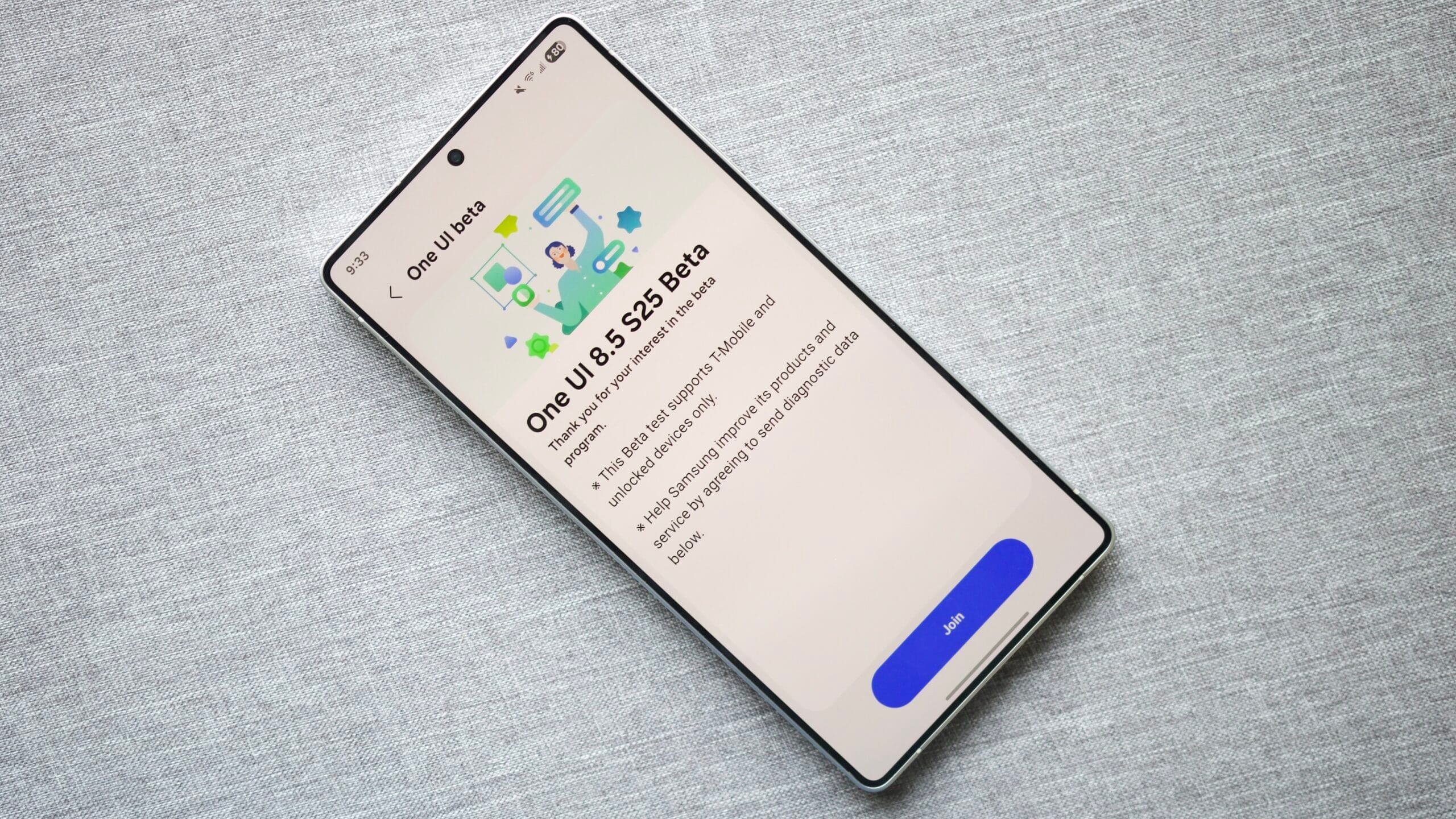
    The frequency of Samsung’s software updates is rapidly increasing. The South Korean company has now launched the One UI 8.5 beta program, which is likewise based on Google’s release of Android 16 QPR2 for Pixel phones. The program now lists the Galaxy devices that can test the software, but the most of the major features were previously disclosed.

    Which devices got One UI 8.5?

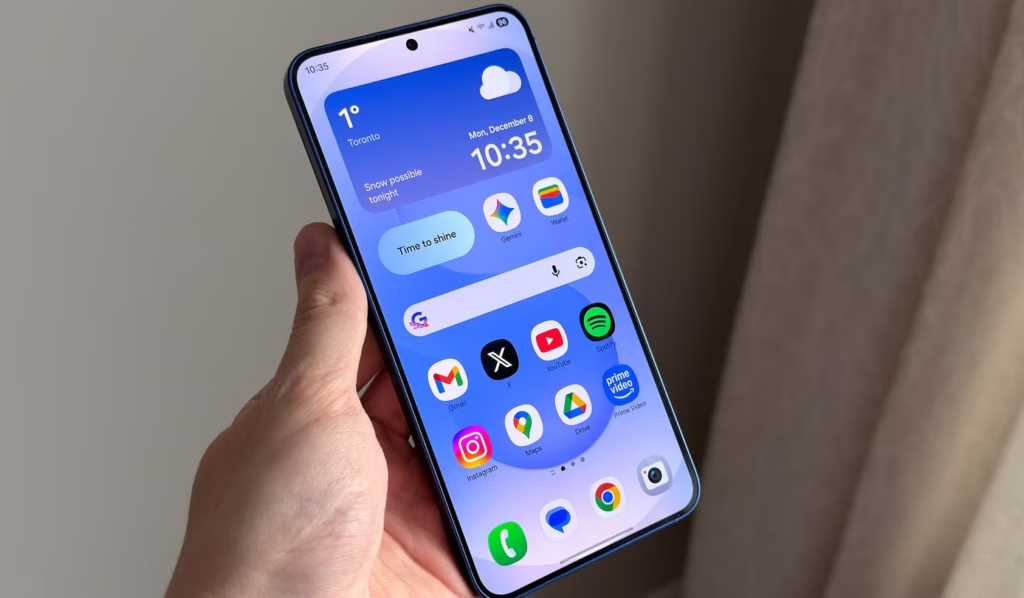
    samsung one ui 8.5 - phone in hand

    Samsung declared in an official press release that One UI 8.5 is compatible with the Galaxy S25, S25 Plus, and S25 Ultra; however, the S25 Edge is not part of the beta. Enrollment is restricted to a few areas; in the US, Germany, India, South Korea, Poland, and the UK, access is available via the Samsung Members app.

    Through the app, users in those nations with compatible smartphones can sign up for the beta test. However, like with the introduction of One UI 8, participation is not guaranteed everywhere because spots may be limited.

    Although the list is anticipated to be identical to that of the prior beta, Samsung has not yet disclosed which further Galaxy handsets would be qualified.

    One UI 8.5 got some AI

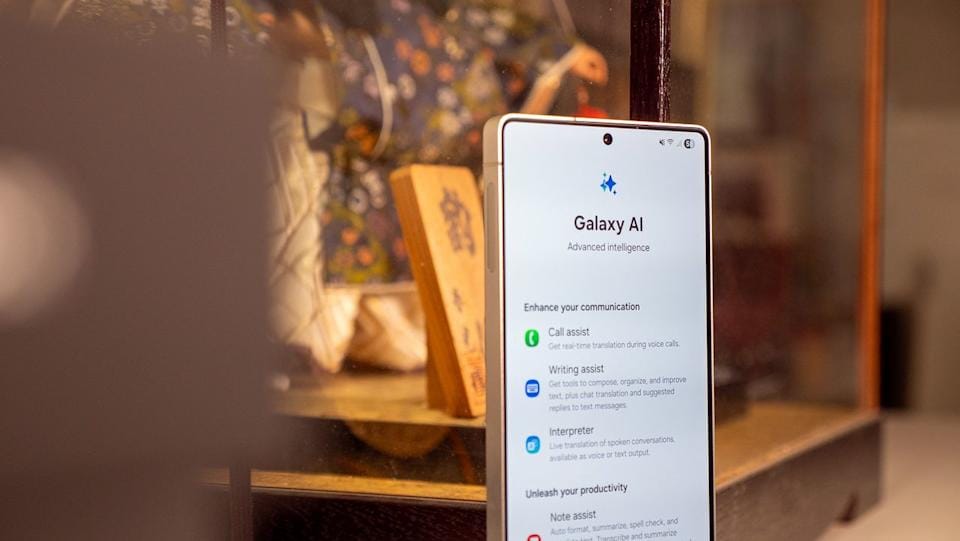
    It seems that the features and modifications that were leaked last week are correct. The AI department has seen some significant improvements. Unlimited image creation, edit history, and ongoing edits are now supported by Photo Assist. Quick Share is now more intelligent, recommending contacts found in images for simpler sharing. While Social Composer may automatically create descriptions based on photos before sharing, Meeting Assistant offers real-time translation.

    Additionally, Samsung has kept improving the user interface. In version 8.5, lock screen wallpapers are more dynamic and better adjust to other elements, and Quick Settings now has cleaner toggles for widgets and shortcuts. Security and privacy controls have also been simplified, with a more straightforward permission manager and simpler access to settings.

    Samsung has incorporated some of Google’s built-in capabilities, such as Auracast broadcast support with LE-enabled headphones and speakers, because the update is based on Android 16 QPR2. The business might also offer expanded dark mode and redesigned app icons.