Tag: security

  • Dangerous Android malware quietly targets and empties bank accounts

    Dangerous Android malware quietly targets and empties bank accounts

    We recently reported about another type of banking Android malware that operates in the background and leverages accessibility settings to steal data, including passwords and bank credentials. More malware that allows remote attacks on Android devices and is freely disseminated among hackers as part of a subscription service has just been disclosed.

    More banking malware on the loose
    Dangerous Android malware quietly targets and empties bank accounts

    A new Android trojanware known as Albiriox has been found by researchers at the online fraud protection company Cleafy. Albiriox is disseminated through what are referred to as “dummy” or infected APKs to deceive users into downloading real apps, much as Sturnus, the malware that was discovered last week.

    Hackers have tricked people by making phony copies of Google Play Store app listings, as Android Authority noted. As a result, potential victims may think they are downloading an app from a secure site when, in fact, they are not. Additionally, hackers have enticed victims by posting fictitious offers and promotions, requesting contact information, and then distributing the malicious APKs via well-known messaging services like Telegram and WhatsApp.

    The research group claims that hackers in Russia and other nearby regions have been the primary users of these approaches. After being disseminated as a Malware-as-a-Service (MaaS) on dark web forums, it is reported to have lately acquired popularity.

    The “install unknown apps” permission on users’ devices is mostly enabled via the APK files that hackers disseminate. The current (and destructive) program containing Albiriox is installed by the dropper app after that is activated.

    According to Android Authority, the research organization has already caught over 400 fraudulent apps that target consumers in categories including banking, fintech, digital payments, and cryptocurrencies. Instead than obtaining users’ login credentials, these software versions enable hackers to conduct transactions directly on users’ banking apps.

    You should be wary of any strange programs you install, especially if they appear to be connected to banking or any other financial service, as the malware works more covertly and silently. Make sure you have the most recent Play Protect update installed and that you only download apps from the official Google Play Store app.

    In terms of updates, make sure your device has the most recent firmware that is supported, as this contains patches for vulnerabilities that have just been discovered. Similarly, Google has published the December Android Security Bulletin.
  • Xiaomi rolls out major Security V12 update with improved Game Turbo

    Xiaomi rolls out major Security V12 update with improved Game Turbo

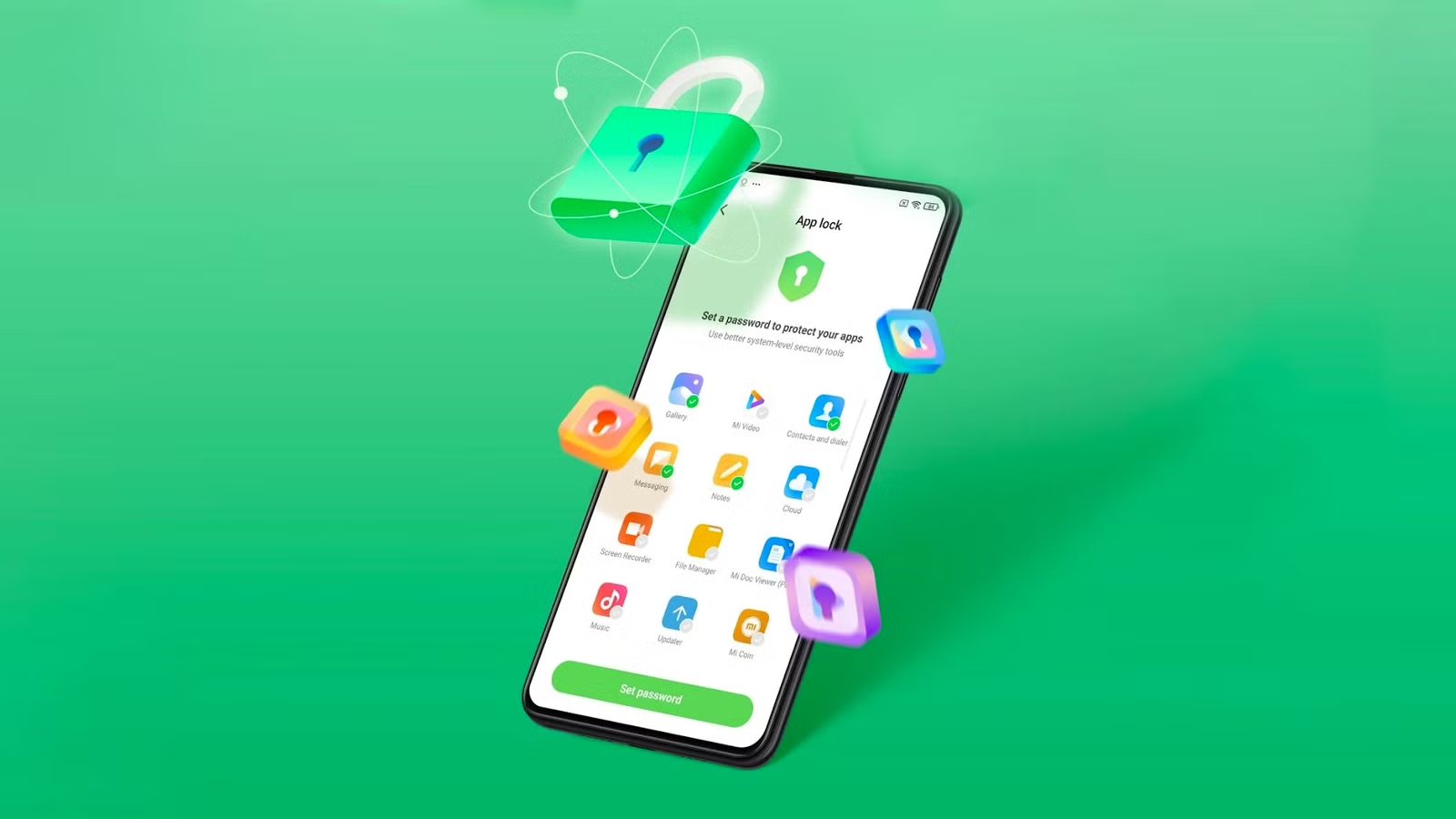
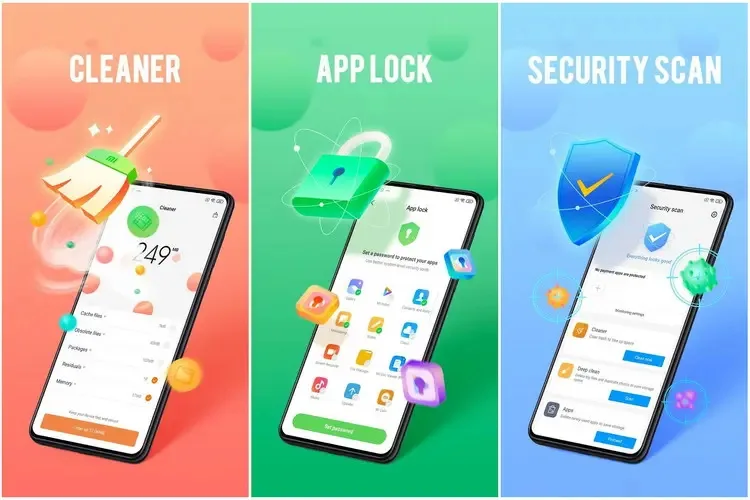
    The Security V12 generation of Xiaomi’s standard Security app has finally been released with a significant update. The most recent build, V12.0.3-251114.1.1, is mostly concerned with modifications to the system infrastructure. However, as the new build offers a whole redesign of the Game Turbo interface and sophisticated system optimization logic, this would be quite intriguing for those waiting for the release of the next HyperOS stage. With this upgrade, Xiaomi is at last getting ready for a significant change in the management of background operations and the optimization of gaming performance on devices throughout the world.

    Xiaomi rolls out major Security V12 update

    Increased optimization in new Security V12

    The Security V12 branch has been made available to the public for the first time with this build. The Security V12 series is a package deal of significant architectural improvements that align with next system versions, in contrast to the incremental updates that preceded it. The improved optimization engine, which promises to clear caches and free up memory without disrupting user activity, is especially noteworthy in the changelog. Thus, the move to version 12.0.3 would suggest that Xiaomi is preparing for more demanding software applications, maintaining devices’ responsiveness and fluidity during more taxing operations.

    Enhanced gaming capabilities

    However, the improved Game Turbo module is the most notable feature of this version. Performance modes and floating windows can now be accessed more quickly thanks to Xiaomi’s UI optimization. In order to prioritize frame rates and network stability during gameplay, new optimization algorithms operate in the background in silent mode. With much lower latency and input lag, enthusiasts who use their devices for competitive gaming will notice how much more seamless the transition from the game to system notific

    How to update

    To update the Security app on Xiaomi devices, open the Security app and scroll to the bottom until you see the Settings or About section. Tap Update (or Check for updates) if available. You can also update it through the GetApps store by searching for Security and installing the latest version. If the update doesn’t appear, make sure your phone is connected to the internet and running the latest MIUI/HyperOS system version, as some Security app updates are bundled with system updates.

    Keeping system applications updated is very crucial for maintaining the security and performance stability of any device. Among such capabilities are unlocking hidden Xiaomi settings, updating other system applications seamlessly, and managing screen refresh rates, among the common updater features.

  • WhatsApp warning: A simple trick compromised 3.5 billion accounts

    WhatsApp warning: A simple trick compromised 3.5 billion accounts

    There may be hidden risks to billions of WhatsApp accounts. According to a recent analysis, there are major security flaws in the privacy of the communications that hackers might take advantage of.

    With merely their phone number, finding someone on WhatsApp is very simple for many users, and the frequency of searches appears to be limitless. However, according to a recent analysis, this has turned into a significant security flaw that leaves 3.5 billion users of the messaging program vulnerable to assault.

    Big WhatsApp security risk

    Through a study carried out between December 2024 and April 2025, security researchers at the University of Vienna in Austria found the vulnerability. The primary cause of the problem is WhatsApp’s long-standing built-in capability for locating and adding contacts.

    In theory, the app will display whether a number has an account if you add it and then search it up. Additionally, anyone with an active phone number is able to send messages to public accounts and view the profile.

    WhatsApp warning

    A program known as “libphonegen,” which creates combinations of account numbers from other nations that may be registered on WhatsApp, was used by the team to carry out this procedure.

    They were able to produce 63 billion possible accounts and 100 million numbers each hour in their study. 3.5 billion accounts were taken out of those. Of these, 29% had written profiles with sensitive information including political and religious affiliations and links to other social media accounts, while 57% had their profile images made public.

    The vulnerability Is alarming

    The results show how this WhatsApp security vulnerability could be exploited by malevolent parties, including fraudsters and attackers. For example, the encryption in the messaging app is weakened since public and identification keys are reusable rather than unique. Attackers might intercept and decrypt messages if security was compromised.

    The identical WhatsApp vulnerability was discovered in 2017, but Meta has not been able to fix the flaw.

    Following the discoveries, Meta was contacted by the security research group. The company verified that it implemented system modifications in October that restrict the number of account searches that may be done within the app.

    How to protect yourself

    Users with public profiles, however, are still vulnerable because others can still read their profile images and text. Making their WhatsApp profile private is advised for those who are worried about security and privacy.

    Additionally, Meta has added new security and privacy features. A monthly message cap and automatically muting calls and messages from strangers are two of these that are presently being testing.

  • New Android malware copies card data and PINs for instant ATM cashouts

    New Android malware copies card data and PINs for instant ATM cashouts

    A new Android-based spyware that leverages NFC technology to make illegal ATM cash withdrawals and empty victims’ bank accounts was examined by the Polish Computer Emergency Response Team (CERT Polska).

    Researchers discovered that the software, known as NGate, allows attackers to use banking information stolen from victims’ phones to withdraw money from ATMs (Automated Teller Machines, or cash machines) without actually taking the cards.

    NFC is a wireless technology that enables close-quarters communication between gadgets like terminals, cellphones, and payment cards. Therefore, rather of stealing your bank card, the attackers use a mobile phone infected with the NGate virus to record NFC (Near Field Communication) activities and send that transaction data to ATM equipment. Instead of being relayed just via radio, the stolen data in NGate’s situation is transmitted over the network to the attackers’ servers.

    There are several “flavors” of NFC. Some generate a static code, like the card that opens the door to my apartment complex. I can use a gadget like my “Flipper Zero” to open the door by just copying that type of signal. However, dynamic codes are used by sophisticated contactless payment cards, such as your Visa or Mastercard debit and credit cards. Your card’s chip creates a unique, one-time code (commonly referred to as a cryptogram or token) each time you use the NFC. This code is unique and cannot be reused.

    That’s why the NGate malware is more advanced. It does more than just pick up a signal from your card. The victim must be duped into entering their PIN and completing a tap-to-pay or card-verification activity after the phone has been compromised. When that occurs, the app records every piece of information required for an NFC transaction, including the card number, new one-time codes, and other information created at that same moment.

    All of the NFC data, including the PIN, is then immediately sent to the attacker’s handset via the virus. The attacker uses the codes right away to mimic your card at an ATM because they are newly produced and only valid for a brief period of time. The accomplice at the ATM displays the collected data using a card-emulating device, such as a phone, smartwatch, or bespoke hardware.

    However, as you may guess, social engineering and preparation are necessary to be prepared at an ATM when the data arrives.

    Attackers must first infect the victim’s device with malware. They usually send prospective victims phishing emails or SMS messages. They frequently try to create anxiety or urgency by claiming that there is a technical or security problem with their bank account. Occasionally, they make a follow-up call while posing as representatives of the bank. These calls or texts instruct victims to download a phony “banking” app from an unofficial source, like a direct link rather than Google Play.

    After installation, the software requests permissions and guides users through fictitious “card verification” procedures. While an accomplice waits at an ATM to cash out, the objective is to persuade victims to act swiftly and trustingly.

    Stay safe:

    NGate only functions when your phone is compromised and you are duped into entering your PIN and starting a tap-to-pay action on the phony banking app. Therefore, the greatest defense against this infection is to protect your phone and be on the lookout for social engineering:

    • Stick to trusted sources. Download apps only from Google Play, Apple’s App Store, or the official provider. Your bank will never ask you to use another source.
    • Protect your devices. Use an up-to-date real-time anti-malware solution like Malwarebytes for Android, which already detects this malware.
    • Do not engage with unsolicited callers. If someone claims to be from your bank, tell them you’ll call them back at the number you have on file.
    • Ignore suspicious texts. Do not respond to or act upon unsolicited messages, no matter how harmless or urgent they seem.
    malwarebytes

    Malwarebytes Mobile Security

    Malwarebytes is an anti-malware software for Windows, macOS, ChromeOS, Android, and iOS that finds and removes malware.

    Malwarebytes for Android detects these banking Trojans as Android/Trojan.Spy.NGate.C; Android/Trojan.Agent.SIB01022b454eH140; Android/Trojan.Agent.SIB01c84b1237H62; Android/Trojan.Spy.Generic.AUR9552b53bH2756 and Android/Trojan.Banker.AURf26adb59C19.

  • Over 42 million downloads: malicious Android apps found on Google Play

    Over 42 million downloads: malicious Android apps found on Google Play

    According to a survey by cloud security firm Zscaler, hundreds of malicious Android apps on Google Play were downloaded over 40 million times between June 2024 and May 2025.

    The company saw a 67% year-over-year increase in malware that targeted mobile devices during that time, with banking trojans and spyware being the most common threats.

    According to telemetry data, threat actors are leveraging phishing, smishing, SIM-swapping, and payment frauds to take advantage of mobile payments instead of traditional card fraud.

    Malicious Android apps found on Google Play

    The shift to social engineering assaults can be explained by the widespread use of mobile payments and enhanced security standards like chip-and-PIN technology.

    According to Zscaler, “to carry out these assaults, fraudsters use phishing trojans and malicious programs designed to steal financial information and login passwords.”

    Zscaler estimates that it has found 239 harmful apps in the official Android store, with a total of 42 million downloads, compared to 200 malware apps on Google Play last year.

    The emergence of adware as the most significant threat in the Android ecosystem, which now accounts for over 69% of all detections—nearly twice as many as the previous year—is another noteworthy trend observed at that time.

    After leading with 38% the previous year, the Joker info-stealer is currently in second position with 23%.

    The SpyNote, SpyLoan, and BadBazaar families—which are used for identity theft, extortion, and surveillance—were the primary drivers of the notable 220% year-over-year (YoY) increase in spyware.

    Geographically speaking, 55% of all attacks were directed towards the United States, Canada, and India. Attacks against Israel and Italy also showed substantial increases, ranging from 800% to 4000% YoY, according to Zscaler.

    Malicious Android apps and malware

    In its annual study, Zscaler identifies three malware families that significantly affected Android users. The first is Anatsa, a banking trojan that occasionally enters Google Play through productivity and utility apps and receives hundreds of thousands of downloads each time.

    Since its discovery in 2020, anatsa has undergone continuous evolution. The most recent version is capable of stealing data from bitcoin sites, more than 831 financial institutions, and new areas like South Korea and Germany.

    The second is Android Void (Vo1d), a backdoor malware that targets Android TV boxes and has infected at least 1.6 million devices with out-of-date Android Open Source Project (AOSP) versions, mostly in Brazil and India.

    Malicious Android apps found on Google Play

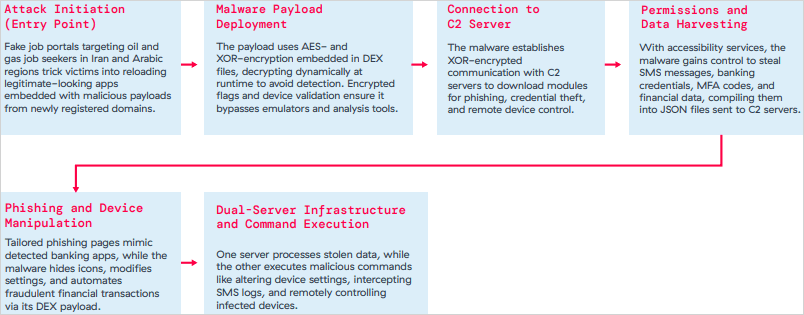
    The third is Xnotice, a brand-new Android remote access trojan (RAT) that specifically targets job seekers in the oil and gas sector in Iran and Arabic-speaking areas.

    Xnotice propagates via applications that are disseminated through phony employment websites and pose as tools for registering for exams or applying for jobs.

    Through overlays, multi-factor authentication (MFA) codes, SMS messages, and screenshots, the spyware targets banking credentials.

    Users are encouraged to install security updates, only trust reliable publishers, reject or restrict accessibility permissions, refrain from downloading unnecessary apps, and routinely run Play Protect scans in order to protect themselves from Android malware threats, including those from Google Play.

    Routers continued to be the most targeted IoT equipment this year, according to Zscaler’s study. Hackers added routers to botnets or used them as proxies to spread malware by taking advantage of command injection flaws.

    The majority of IoT attacks took place in the United States, with rising hotbeds in Hong Kong, Germany, India, and China following, suggesting that attackers are targeting devices throughout a larger geographic area.

    The cybersecurity company advises businesses to harden IoT and cellular gateways by keeping an eye out for anomalies and implementing firmware-level protections, as well as to deploy zero-trust solutions for key networks.

    Strict application control guidelines, security against phishing attacks, and monitoring SIM-level communications for anomalies should all be part of mobile endpoint protections.