Tag: battery

  • Tweak animation scales in Android developer settings for a snappier phone

    Tweak animation scales in Android developer settings for a snappier phone

    Animation Scales might sound like a hidden geek setting, but tweaking them is one of the easiest ways to make your Android phone feel instantly faster and more responsive. When apps seem to open in slow motion, or menus feel like they lag for a second before appearing, Animation Scales are usually part of the story. Adjusting them takes just a couple of minutes and can transform how “snappy” your device feels in daily use.

    In this guide, you will learn what Animation Scales are, where to find them in Android Developer Settings, which values to use for the best experience, and when it might be better not to touch them at all. The goal is simple: use Animation Scales to make your phone feel smoother and faster without breaking anything or risking your data.

    animation scales

    What are animation scales?

    Animation Scales control how long Android spends showing visual transitions. They do not change the hardware speed of your device, but they change how fast things appear on screen. That difference is important: you are not overclocking your phone, you are simply shortening the time Android spends on “fancy” animations.

    There are three main Animation Scales entries in Developer Options:

    • Window animation scale – controls how quickly app windows open and close.
    • Transition animation scale – controls screen-to-screen transitions, such as moving between menus or apps.
    • Animator duration scale – controls the duration of various UI animations, like fading, sliding, or expanding elements.

    By default, all three are set to 1x, which means “normal” speed. If you lower them (for example, to 0.5x), animations play twice as fast. If you turn them off, Android skips animations altogether and shows everything instantly.

    Why tweak Animation Scales?

    Modern Android devices, even midrange phones, are powerful enough for most tasks. However, default animations are designed to look smooth and pleasant, not necessarily to feel “instant.” Tuning Animation Scales lets you shift that balance toward responsiveness.

    Here is what you gain when you tweak Animation Scales:

    • Your phone feels much faster, even though the processor and RAM are unchanged.
    • You spend less time waiting for screens to open and close.
    • In some cases, you may see a small improvement in battery life, because the system spends less time rendering long animations.

    Some people argue that Animation Scales do not “really” improve speed because they do not increase raw performance. Technically, that is true, but the improvement in perceived speed is very real. You care about how fast your phone feels, not just benchmarks.

    How to Unlock Developer Options Safely

    Animation Scales live inside the Developer Options menu. This menu is hidden by default, but unlocking it is safe as long as you only change what you understand.

    To enable Developer Options:

    1. Open Settings on your Android phone.
    2. Scroll down and tap About phone (or About device, depending on your brand).
    3. Find Build number.
    4. Tap Build number seven times in a row.
    5. You will see a message like “You are now a developer” or “Developer mode has been enabled”.
    6. Go back to the main Settings screen and look for Developer options (often under System).
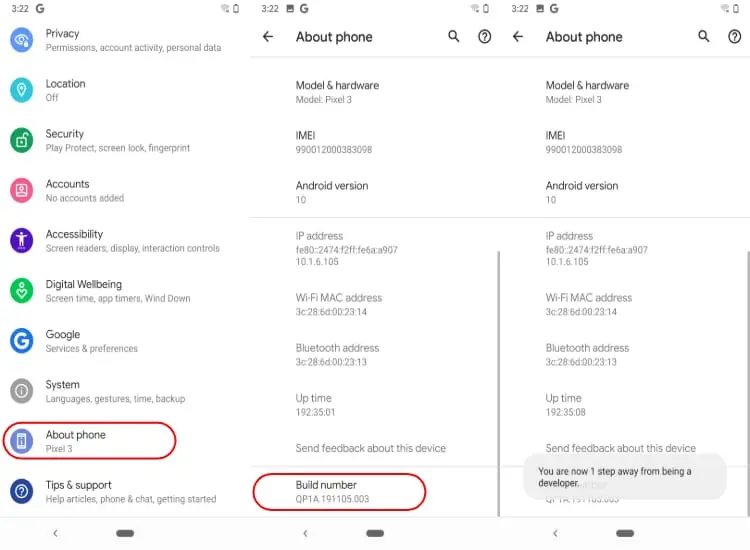
    How to turn on Developer options Android

    If you ever want to disable Developer Options later, on many devices you can simply toggle them off at the top of the Developer Options screen. On some phones, you might need to clear settings or restart, but just changing Animation Scales is not dangerous.

    Where to find animation scales in Developer Settings

    Once Developer Options are enabled, finding Animation Scales is straightforward. The exact path might vary slightly between brands, but the general flow is similar:

    1. Open Settings.
    2. Go to System (if available) and then Developer options, or directly to Developer options if your phone shows it at the main level.
    3. Scroll down until you find:
      • Window animation scale
      • Transition animation scale
      • Animator duration scale

    By default, all three entries are set to Animation scale 1x. This is the standard factory setting that most users never touch.

    Best Animation Scales Settings for a Faster Feel

    If you want your phone to feel noticeably faster without looking strange, the best starting point is to set all Animation Scales to 0.5x. This simple change cuts animation times in half while keeping everything visually smooth.

    Recommended setup:

    • Window animation scale: 0.5x
    • Transition animation scale: 0.5x
    • Animator duration scale: 0.5x

    With this configuration, apps and menus still animate, but they appear much faster. Your home screen feels sharper, transitions between apps are more energetic, and the whole system seems more responsive. Many power users and tech reviewers use this exact 0.5x setup on their own devices.
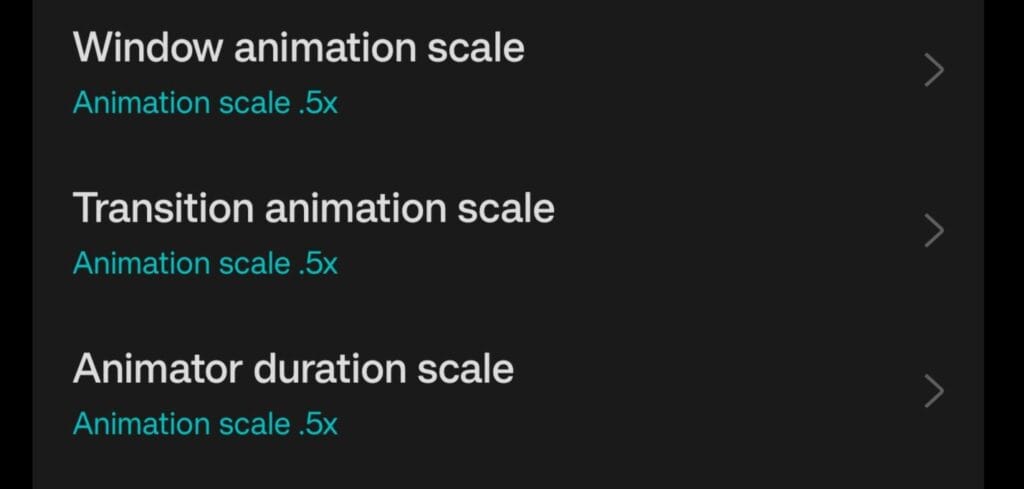
    Animation Scales 0.5x recommended settings in Developer Options

    What if you turn Animation Scales off completely?

    You might be tempted to set everything to Animation off for maximum speed. This does make Android skip animations, so screens open immediately. However, there are trade-offs.

    Here is what happens when Animation Scales are turned off:

    • Transitions feel very abrupt, which some people find uncomfortable or “harsh”.
    • Certain apps are designed with animations in mind, and without them, the interface can look glitchy or jarring.
    • Navigating between screens can feel less intuitive because the movement of elements no longer tells your brain where you are going.

    Turning Animation Scales off is not harmful, and some users love the ultra-instant feel. If you are curious, you can try it for a day or two. If it feels too aggressive, just go back to 0.5x or even 1x. Nothing permanent is changed.

    Do animation scales affect battery life?

    There is a common debate around this: do Animation Scales actually save battery? Technically, animations use the GPU and CPU to render visual effects. Shorter or fewer animations mean these components work for less time. So yes, there can be a small battery benefit.

    That said, Animation Scales alone will not transform a weak battery into a monster. Think of them as part of a larger optimization strategy. When combined with other good practices—like using dark mode on OLED screens, limiting background apps, and enabling battery optimization—the impact adds up.

    The main benefit of changing Animation Scales remains the improved feeling of speed and responsiveness. Any battery improvement is a nice bonus, not the primary reason to tweak them.

    When you should leave animation scales at default

    Even though Animation Scales are safe to adjust, there are cases where leaving them at 1x makes sense:

    • If you create tutorials or educational videos and want viewers to see the default Android behavior.
    • If the phone is used by someone who prefers slower, gentler transitions and may be confused by sudden changes.
    • If you work as a UI/UX designer or tester and need to experience apps as most users will see them.

    For personal daily use, however, most people benefit from at least trying the 0.5x setup. It is a simple way to make a phone feel more modern and responsive without installing anything or rooting the device.

    Extra safe tweaks around animation scales

    Once you are in Developer Options, it is easy to start exploring other settings. Some of them can be useful, but you should be cautious. A few extra options that are generally safe, especially when you stick to light tweaks:

    • Disable absolute volume if you use Bluetooth headphones and want separate volume control for your phone and your audio device.
    • Show taps and Pointer location can help when recording screen tutorials but are not needed day to day.
    • Background process limit can be adjusted slightly if you want fewer apps staying in memory, but going too far can cause frequent reloads.

    In contrast, options related to GPU debugging, strict mode, or forcing advanced graphics features should be left alone unless you know exactly what you are doing. Animation Scales are the simplest and safest way to get a noticeable improvement.

    Step-by-step checklist

    To make everything crystal clear, here is a quick checklist you can follow in a few minutes:

    1. Go to Settings → About phone.
    2. Tap Build number seven times to unlock Developer Options.
    3. Return to Settings → System → Developer options (or directly Developer options).
    4. Scroll down to:
      • Window animation scale
      • Transition animation scale
      • Animator duration scale
    5. Change all three from 1x to 0.5x.
    6. Use your phone normally for a day and see how it feels.
    7. If you want it even snappier, test Animation off. If it feels too abrupt, go back to 0.5x.

    These small adjustments can make your phone feel like it just got a software performance upgrade, even if the hardware is exactly the same.

    Animation scales as a simple performance trick

    Animation Scales in Android Developer Settings are a powerful but underrated tool. They do not require root, custom ROMs, or complex tweaks. You open a menu, change three values, and your phone suddenly feels more alive and responsive.

    Instead of rushing to buy a new device when your phone feels slow, it is worth spending five minutes exploring Animation Scales. For many users, this single change is enough to restore a sense of speed and smoothness. It is a small tweak with a surprisingly big impact on how you experience your Android every day.


  • Phone addiction signs: what people refuse to give up compared to their phones

    Phone addiction signs: what people refuse to give up compared to their phones

    Do you believe you have a smartphone addiction? It’s unlikely that most of us would want to acknowledge that. Most likely, we believe that we can put our phones down whenever we want. However, a poll by tech recycling specialists Compare and Recycle indicates that more people are looking for indications of phone addiction. Additionally, their poll revealed several intriguing and unsettling items that people would prefer to give up than their smartphones.

    Phone addiction signs

    Smartphone addiction test: licking a sidewalk beats giving up your phone

    Google searches for indicators of phone addiction have increased by a staggering 461% in the last year, according to the report. Similar to this, inquiries about symptoms have increased by 200% in the past month alone. But how dependent are we on our phones? Do you think you might be able to give it?

    The results of a nationwide poll conducted by Compare and Recycle, which asked respondents what they would rather give up than endure a week without their cell phone, are concerning, if rather amusing. Two-fifths of respondents to the study stated that they would prefer to completely give up caffeine than go seven days without using a phone. Nearly 25% would not see anyone for a week. 18% of individuals would stop taking showers, and one in seven would choose to shave off an eyebrow.

    One in fourteen would choose to kiss a public pavement than give up their device, which is even more ridiculous. Gen Z also demonstrated the strongest attachment, according to the report. Instead of going seven days without using their phones, some study respondents indicated they would rather walk over hot coals, jump out of an airplane, or even have a tattoo selected by a stranger.

    Recognizing the warning signs of smartphone addiction

    It’s okay if these poll results make you anxious and wonder if you could be dependent on your phone. This can be the necessary wake-up call for you. If so, you may want to look at your own smartphone usage patterns. According to a 2021 study, Americans check their phones 262 times a day. That is equivalent to once every five and a half minutes.

    Since 2014, the addiction has even been officially linked to an anxiety disease known as “nomophobia.” According to Lee Elliott, Chief Product Officer at Compare and Recycle, we have an entirely unhealthy relationship with our gadgets. On the other hand, Google and Apple platforms offer features to help you monitor how much time you spend on your gadgets. This includes Google’s Digital Wellbeing program, which can assist you in keeping an eye on and controlling how much time you spend on devices.

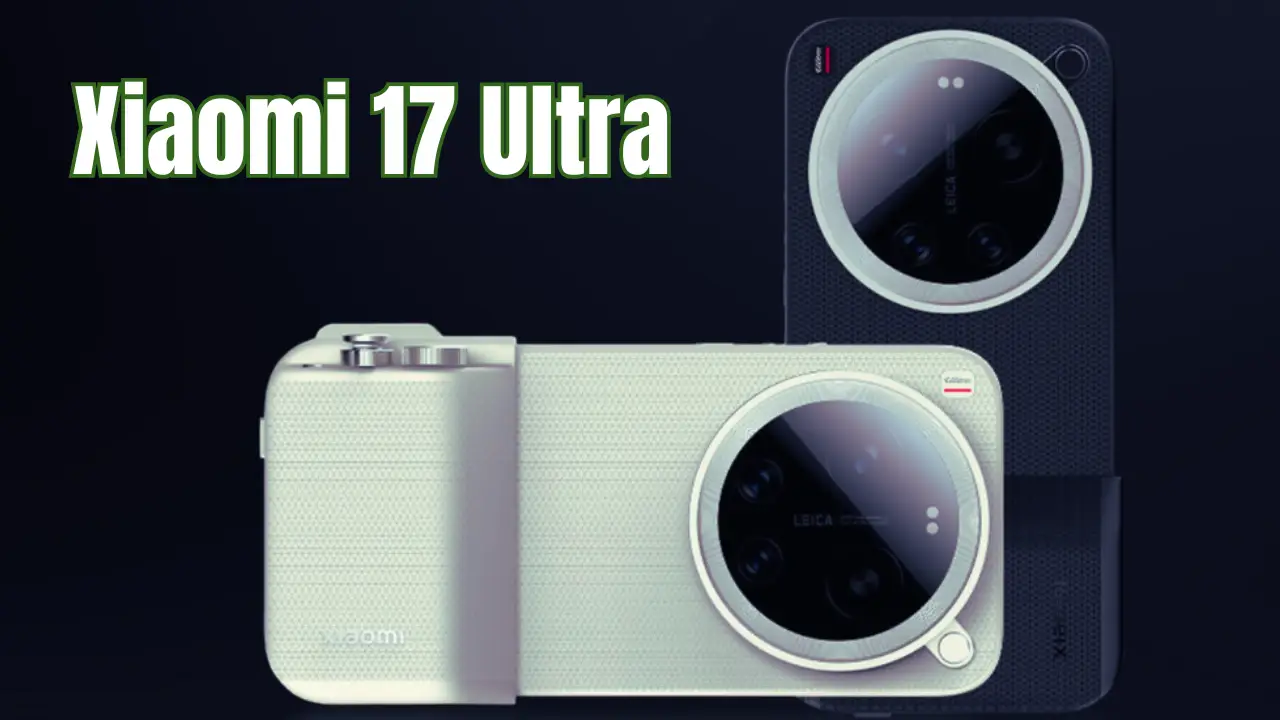
  • Xiaomi 17 Ultra Leica Leitzphone Edition was listed in GSMA database

    Xiaomi 17 Ultra Leica Leitzphone Edition was listed in GSMA database

    Xiaomi seems to be advancing its long-standing collaboration with German optics behemoth Leica as the battle for flagship smartphones with cameras gets more intense every day. A fresh item found in the IMEI database indicates that the company is working on a far more ambitious project, despite the fact that leaks on the basic version of the Xiaomi 17 Ultra have recently dominated tech news. Known as the “Leica Leitzphone powered by Xiaomi,” this new model distinguishes out as a limited edition designed to combine performance and luxury in mobile photography.

    Xiaomi 17 Ultra comes in 2 variants

    Recently, the first specific details about the Xiaomi 17 Ultra series surfaced. The first variation was identified as having the product number “2512BPNDAG,” and it was found that this device’s internal codename is “P1.” It is anticipated that this model will be made available as the series’ standard “Ultra” model. The really intriguing change, though, was the addition of a second variation with a whole new naming structure to the IMEI database.

    The model number of the recently discovered record is “25128PNA1G,” and the device’s internal codename is “P1S.” Here, the “S” suffix is believed to stand for terms like “Special.” The marketing name for this model is specifically stated as “Leica Leitzphone powered by Xiaomi” in the GSMA records. This suggests that Xiaomi may use the more prestigious “Xiaomi 17 Ultra Leica Leitzphone Edition” or “Xiaomi 17 Ultra Leica Edition” to launch this device.

    This naming has a long history. Ernst Leitz, the man who founded the Leica brand, is the source of the name “Leitz.” Perfectionism in optical engineering is exemplified by the Leitz family, a legend in the field of photography. A global “Leitzphone” initiative with Xiaomi might be Leica’s largest step in the mainstream flagship market, even though the company already produces a “Leitz Phone” series (the most recent being the Leitz Phone 3) carrying its own brand in the Japanese market through a partnership with Sharp. Combining Leica’s optical history with Xiaomi’s manufacturing prowess could produce a gadget that revolutionizes smartphone photography.

    New camera setup

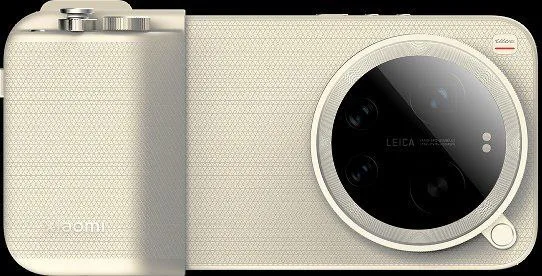
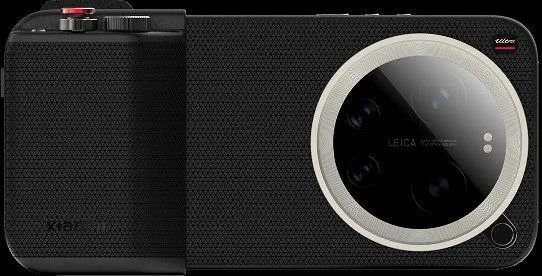
    The back camera arrangement of the device is clearly visible in leaked photos of the “Photography Kit,” dispelling earlier reports of a “quad-camera” configuration. The pictures show that the Xiaomi 17 Ultra will have three cameras rather than four. It is noted that where the fourth lens would normally be, a unique sensor region or space has been left in the module design.

    Xiaomi 17 Ultra Leica Leitzphone Edition was listed in GSMA database

    This suggests that Xiaomi is concentrating on improving the quality and sensor sizes of the current lenses rather than producing more lenses. The following is a list of the sensor setups evaluated under the codename “Nezha”:

    • Main Camera: 50MP OVX10500U (also known as OV50X)  sensor.
    • Telephoto: 200MP S5KHPE
    • Ultra Wide Angle: 50MP OV50M or 50MP S5KJN5.
    • Front Camera: 50MP OV50M

    The switch to a triple camera arrangement is thought to have been an engineering decision made especially to accommodate the larger primary sensor and the enormous 200MP telephoto sensor. A special grip and filter adaptor that converts the device’s ergonomics to that of a DSLR camera also seems to be included in the leaked photography package.

    Xiaomi 17 Ultra Leica Leitzphone Edition black

    Other expected specs

    Hardware-wise, the Snapdragon 8 Elite Gen 5 mobile platform is anticipated to power the Xiaomi 17 Ultra and its exclusive Leitzphone variant. Leica-only image processing techniques and sophisticated AI features will be included in the gadget, which will come pre-installed with the HyperOS 3 operating system. Information also indicates that satellite communication will be supported by the worldwide version.

    The goal of the Xiaomi 17 Ultra series is to be a pocket-sized professional camera in addition to a smartphone. Based on the model number “2512,” these two gadgets, codenamed “P1” and “P1S,” are anticipated to be released in the final quarter of 2025 (December 2025), and they are projected to completely change the landscape of mobile photography.

  • Nothing Phone (3a) Lite: Expected launch date, price, and key details

    Nothing Phone (3a) Lite: Expected launch date, price, and key details

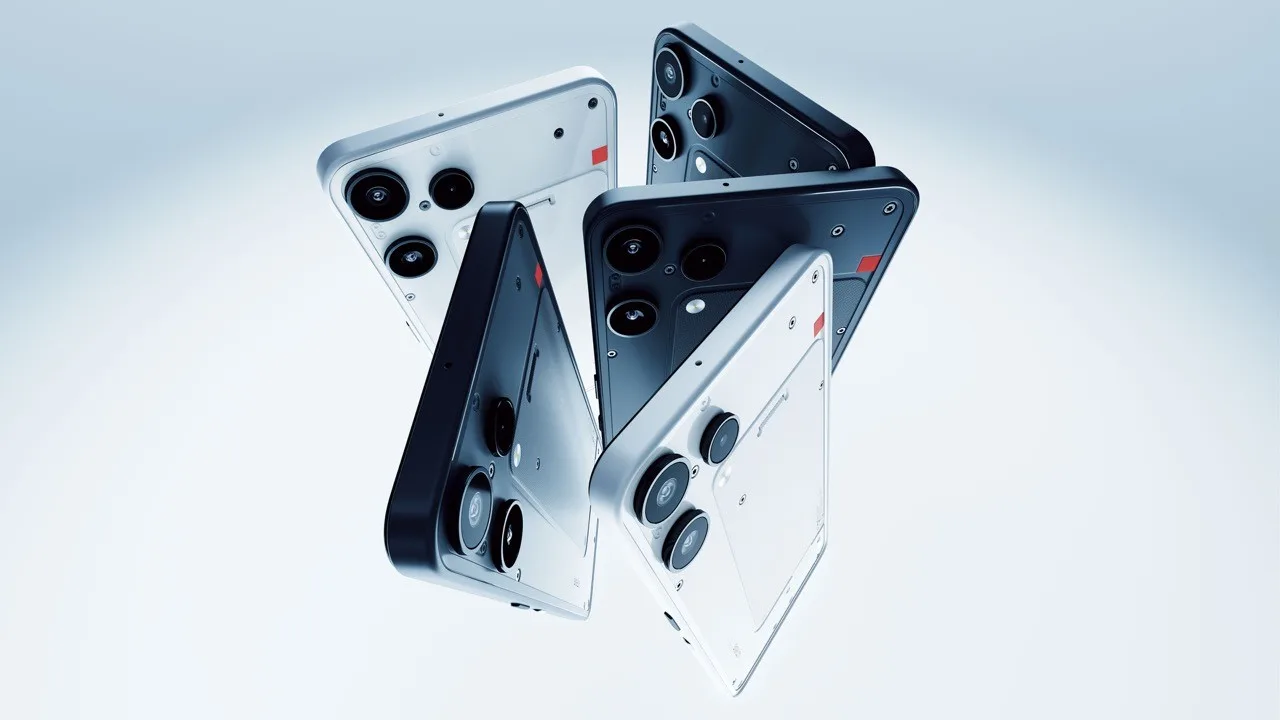
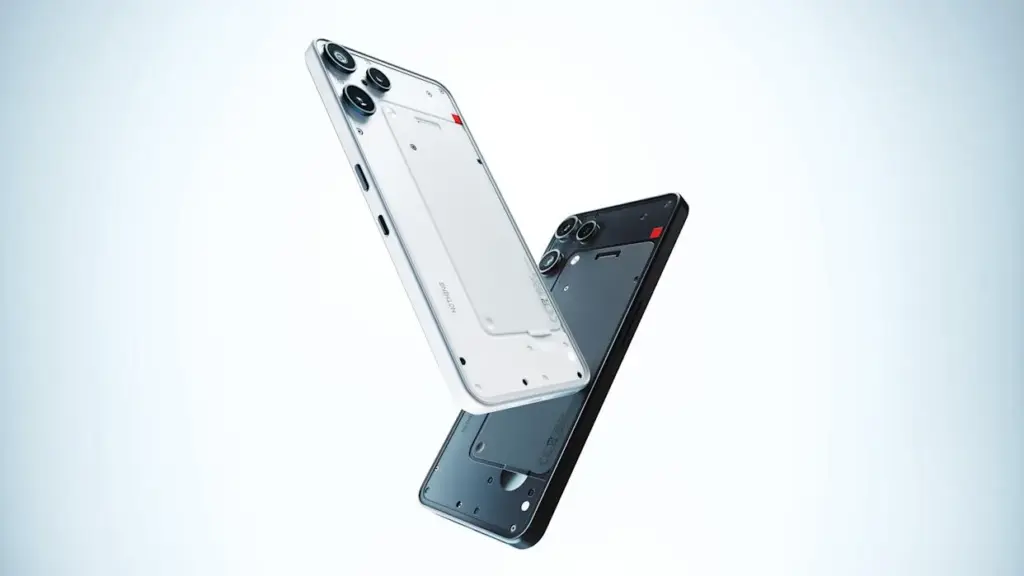
    If you were a fan of Nothing, you would know that the release of the Nothing Phone (3a) Lite wasn’t news, yet it was. On the one hand, you are ready for the surprises these gadgets deliver. Conversely, the Nothing Phone (3a) Lite is unique. The brand’s sole entry-level phone will go on sale in October.

    You adore phones with translucent designs and glowing glyph lights, and the Nothing Phone series perfectly captures that feel. This phone is unique! Prepare for the Nothing Phone (3a) Lite, the most daring low-cost option to yet. We will discuss the launch, the cost, what to anticipate, and everything in between.

    Nothing Phone (3a) Lite

    Nothing Phone (3a) Lite announced

    Nothing recently revealed that the Phone (3a) Lite would go on sale worldwide on October 29, 2025. That is 1:00 pm GMT, or 6:30 pm IST if you’re in India. YouTube and Nothing’s website both provide live streaming of the event. The launch schedule as a whole aligns perfectly with the Phone 3 lineup. It comes after the March 2025 Nothing Phone (3a).

    It’s their first real entry-level phone. It is also intended to be less expensive than their CMF lineup. This launch calls out to you if you prefer daring over basic. With its useful pro features, this phone might be your next reasonably priced upgrade. We now go on to the following part.

    Features and design

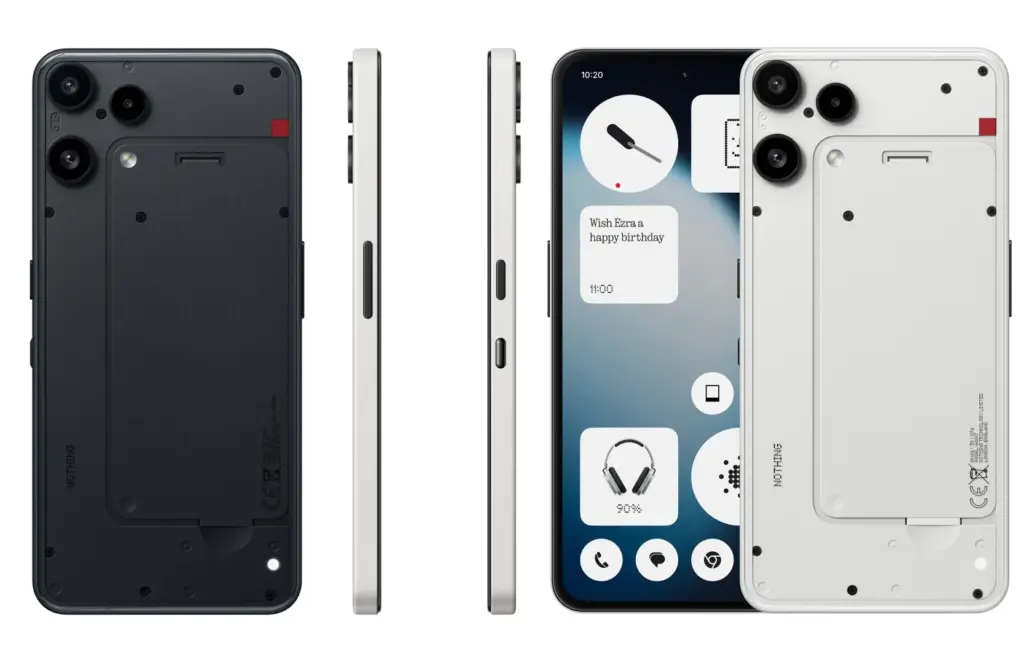
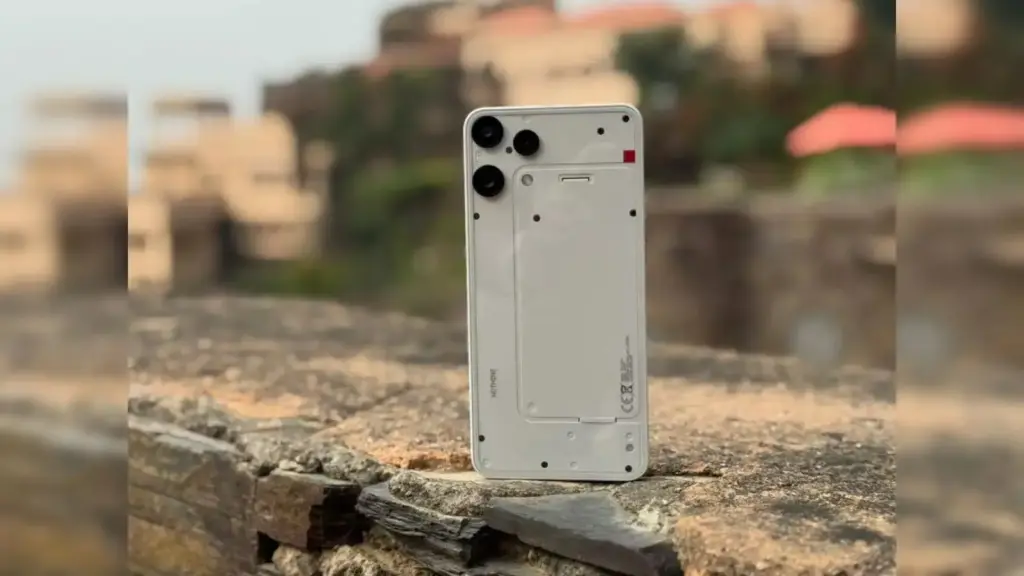
    Nothing perfectly captures the eccentric style, yet it doesn’t even appear strange. The Nothing Phone (3a) Lite, which comes in black and white, has a sleek design. A rear LED flashlight is shown in teasers. It also serves as a ping for notifications. However, it now appears lot simpler. This is not a full light show. It lights just enough to draw attention, though.

    It comes pre-installed with Android 15. Nothing about OS remains tidy. Widgets look stunning. The gestures are fluid. You get that feeling of transparency without the clutter.

    Nothing Phone (3a) Lite

    We are aware that the Nothing Phone (3a) Lite will have a 6.77-inch full-HD+ AMOLED screen before it is released. All flagship and respectable 30k-range phones on the market have it at 120 Hz. There are 1.07 billion shades of color. ideal for playing games, watching movies, and other media.

    Budget phones typically use the MediaTek Dimensity 7300 processor. Another item on the list is the Nothing Phone 3a Lite. This phone’s apps seamlessly multitask because to its 8GB RAM. 128GB of storage. Extend if necessary.

    Regarding the battery, it happily keeps the large 5000mAh cell that lasts all day. At 33W wired, charging is quick. 5W reverse charging. It’s sufficient to sustain earbuds.

    One of Nothing Phones’ best features is its cameras, which are not being downsized either. We have an 8-megapixel ultrawide, a 50-megapixel telephoto for zoom, and a 50-megapixel primary camera on the back. An incredible 16-megapixel selfie lens is located on the front. Rear camera daylight photos are particularly striking. The performance in low light is the sole drawback. It’s good, but not at the pro level.

    Nothing Phone (3a) Lite price

    As far as we are aware, this version was released to compete with more reasonably priced phones. With the lite edition, nothing keeps entry-level real. At the very least, we should anticipate a 5–6k price reduction from the original model. With 8GB RAM and 128GB storage, the Phone (3a) Lite is priced at Rs. 17,990. A great deal for fans of Glyph. Sales begin shortly after introduction, most likely on the website of Nothing or Flipkart.

    How does it compare, though? This is a brief table of competitors priced between Rs. 15,000 and Rs. 20,000. The software, features, and performance of these packs are comparable.

    Phone ModelPrice (Rs.)Key Highlights
    Nothing Phone (3a) Lite17,990Dimensity 7300, Glyph LED, 120Hz AMOLED
    Moto G85 5G17,999Snapdragon 6s Gen3, 50MP OIS cam, 5500mAh
    Realme Narzo 70 Pro18,999Dimensity 7050, 50MP main, 67W charge
    Samsung Galaxy A16 5G18,499Exynos 1330, 50MP triple cam, 5000mAh
    Poco X6 5G19,999Snapdragon 7s Gen2, 64MP OIS, 5100mAh

    Nothing Phone (3a) Lite vs Nothing Phone (3a)

    We are tempted by the Lite because it is reasonably priced. However, if you can afford to spend a little extra, the complete Phone (3a) entices you more. Since the 3a isn’t too old, the most recent software upgrades are comparable to those of the light. The price is Rs. 22,500. This table may help you make a decision if you are unsure about how the Lite version differs from 3a. Let’s do a table comparison.

    FeatureNothing Phone (3a) LiteNothing Phone (3a)
    Price (Rs.)17,99022,500
    ProcessorDimensity 7300Snapdragon 7s Gen3
    Display6.77″ FHD+ AMOLED, 120Hz, 1.07B colors6.7″ FHD+ AMOLED, 120Hz, 1B colors
    Rear Camera50MP + 50MP tele + 8MP UW (no OIS)50MP OIS + 50MP tele + 8MP UW
    Front Camera16MP32MP
    Battery & Charging5000mAh, 33W wired, 5W reverse5000mAh, 50W wired, 7.5W reverse

    In terms of speed and shots, the 3a prevails. In games, Snapdragon outperforms Dimensity. OIS stabilizes videos. 32-megapixel selfies are crisper. At 50W, charging is incredibly quick. In twenty minutes, that will be half full.

    But Lite is resilient. identical battery life. The screen pop is similar. Hold on to Lite if the budget is tight and you can do without a few slightly less expensive features. Eighty percent of the magic is delivered by it. Only if you are using a previous series should you upgrade after the Nothing Phone (3a) Lite launch.

    The Nothing Phone (3a) Lite demonstrates a bold look that isn’t appropriate for everyone. However, many people can afford it. This phone is especially suitable for young people who are in college, are students, or are starting their first job. Additionally, the Nothing phone 3a lite can be your calling if you swap phones every two to three years in search of the newest features.

    How do you feel about the release of the Nothing Phone (3a) Lite? Would you purchase it? Leave a comment with your ideas!