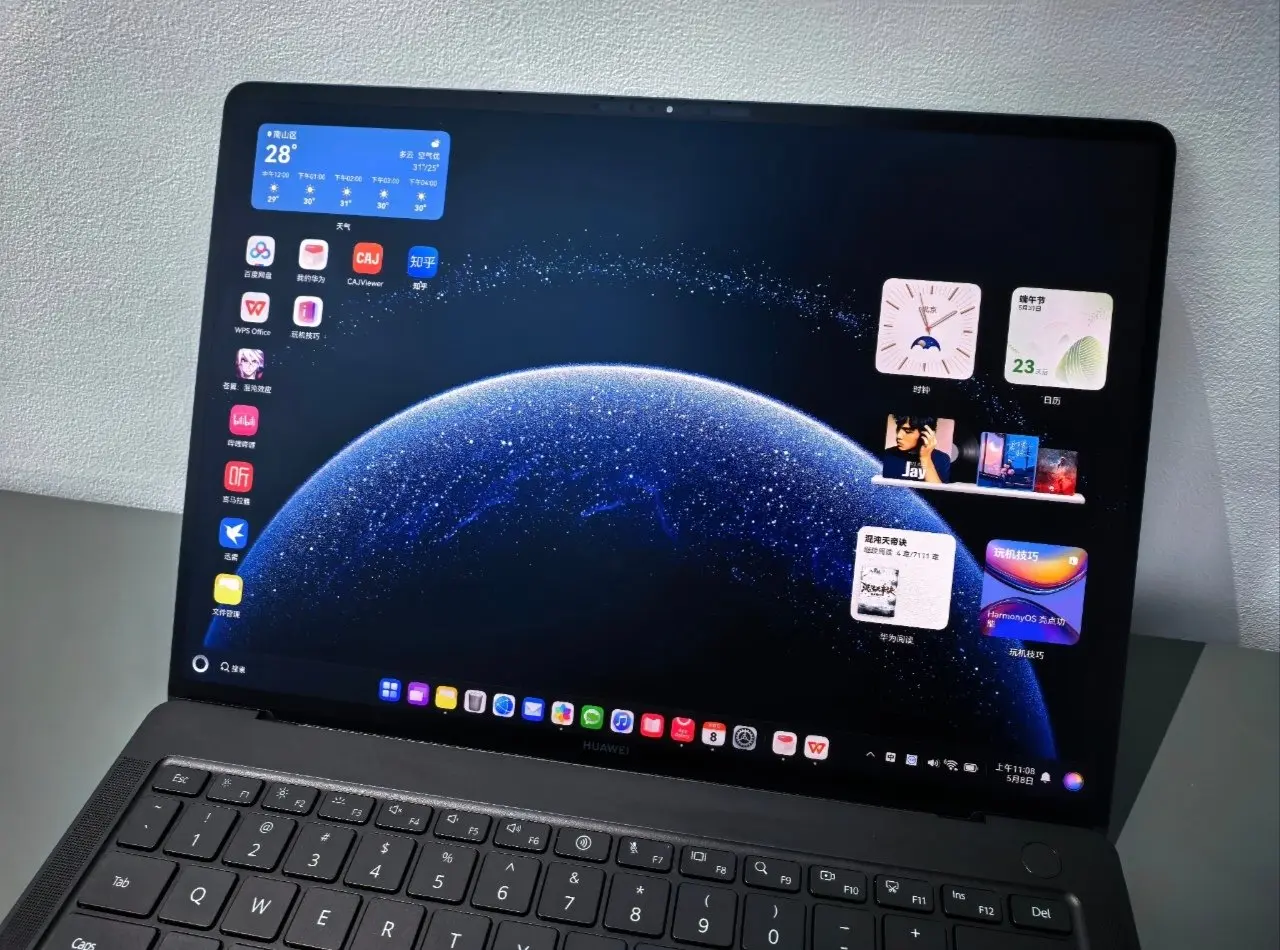
Thanks to a new tool, Huawei announced today that HarmonyOS laptops may now run Linux-based programs and tools natively. This is significant news for its in-house computer operating system since it gives developers more options.
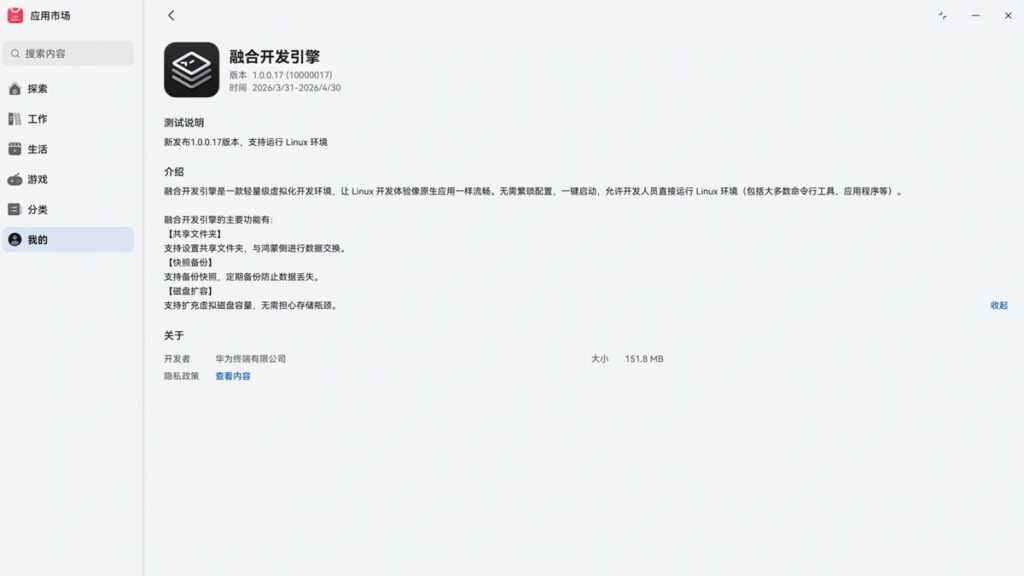
Huawei launched the Converged Development Engine in the HarmonyOS PC AppGallery on April 1. The 1.0.0.17 version is in the preview zone.
This tool’s best feature is that it enables Huawei HarmonyOS laptops to directly execute Linux-based tools, services, and applications without the need for complicated technology.
Developers are currently able to experiment with the Converged Development Engine and run “Linux environments” on the HarmonyOS PC.
A customized, useful workspace built on the Linux operating system is referred to as a “Linux environment.” It consists of the OS, the home screen interface, and utilities. GNOME, KDE, and a command-line configuration for servers are additional user features.
The following features will be available to developers after the HarmonyOS PC’s Converged Development Engine has been installed:
“The Fusion Development Engine is a lightweight virtualization development environment that makes Linux development as smooth as native applications. No complicated configuration is required. It starts with a single click, allowing developers to directly run Linux environments (including most command-line tools, applications, etc.” – Huawei
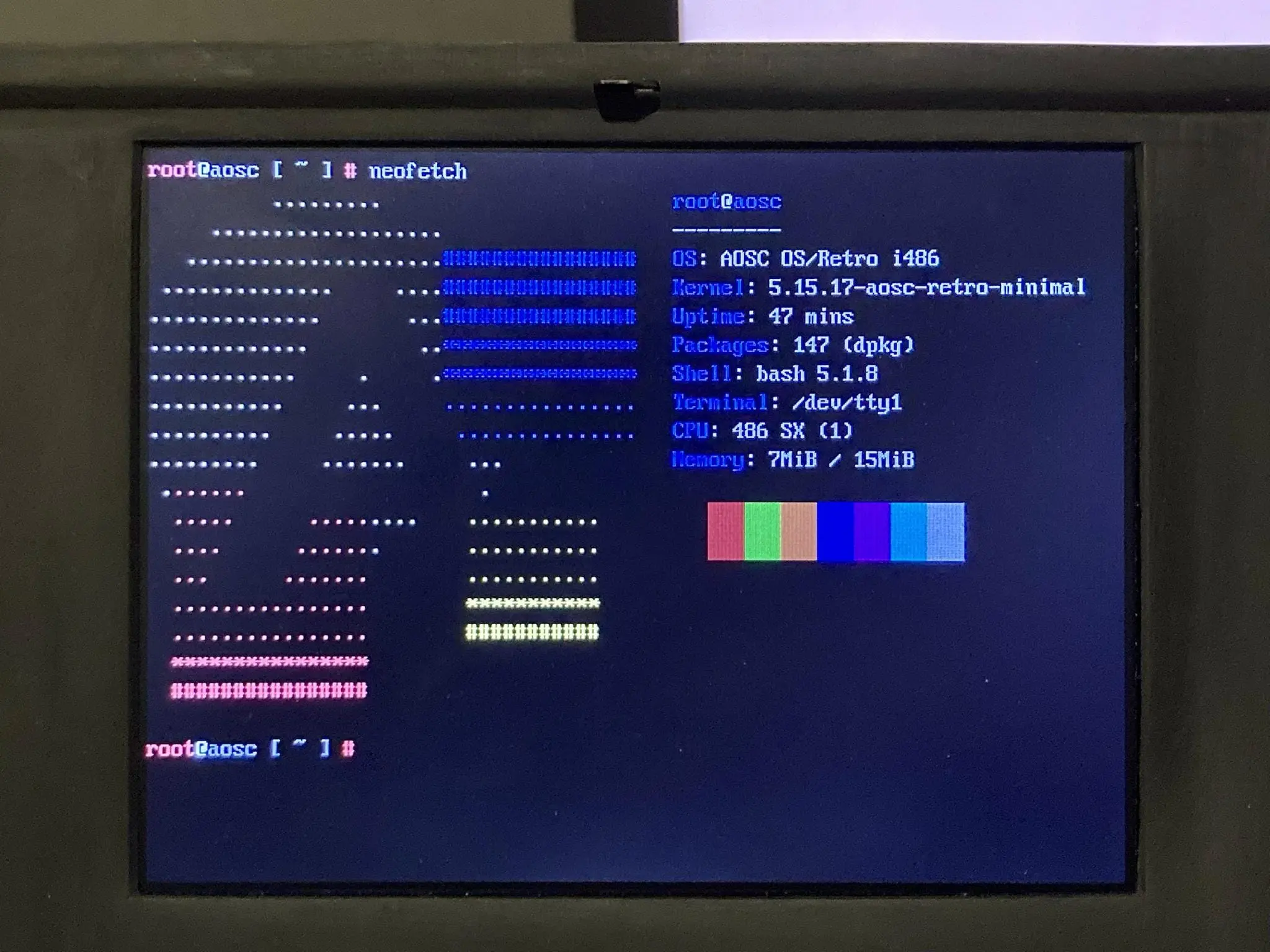
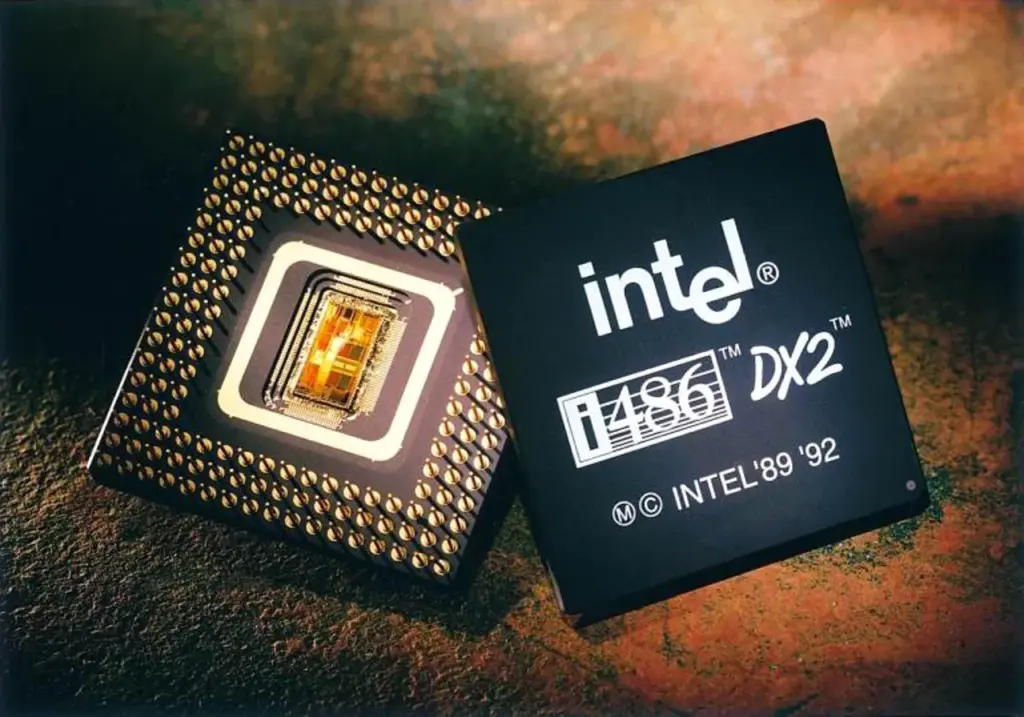
In terms of current Linux, it could be time to retire your 37-year-old Intel 486 system because OS kernel developers seem to have begun to remove support for this venerable CPU. According to Phoronix, fixes intended for the Linux 7.1 kernel appear to have verified the change. In order to get a few more years out of the platform, people who still treasure their 486 PCs and use them to run a recent version of Linux should probably make sure they run one of the current Linux LTS kernels. As an alternative, they might upgrade to a Pentium or perhaps one of the top CPUs on the market in 2026.
It should come as no surprise that 486 support has been patched out. First of all, it is outdated—the first examples were published in 1989—and contemporary Linux distributions are becoming increasingly resource-hungry. Second, Linus Torvalds, the man behind Linux, has hinted that 486 support would be discontinued. According to the Linux tycoon, there is “zero real justification” to keep supporting the 486 CPU. He even said that it was harmful to upstream Linux kernel development efforts to continue supporting it.
However, developer Ingo Molnar is likely to be remembered as the gallowsman. According to Phoronix, Molnar wrote a patch “that first takes rid of the CONFIG_M486SX, CONFIG_M486, and CONFIG_MELAN Kconfig build option.” It essentially indicates in code that the 486 is on borrowed time.
“In the x86 architecture we have various complicated hardware emulation facilities on x86-32 to support ancient 32-bit CPUs that very very few people are using with modern kernels,” commented Molnar in a note accompanying the patch. “
Sometimes, this compatibility glue even causes issues that people have to spend time fixing when they could be doing other things. Then, in order to remind readers who signed the death certificate for the 486, he restated some of Torvald’s comments.
We are confident that using outdated Intel 486 PCs will continue to be enjoyable and even productive. For instance, we reported earlier this year that an open-source 486 motherboard was created from the ground up and passed compatibility tests for Linux, DOS, Doom, and other operating systems.
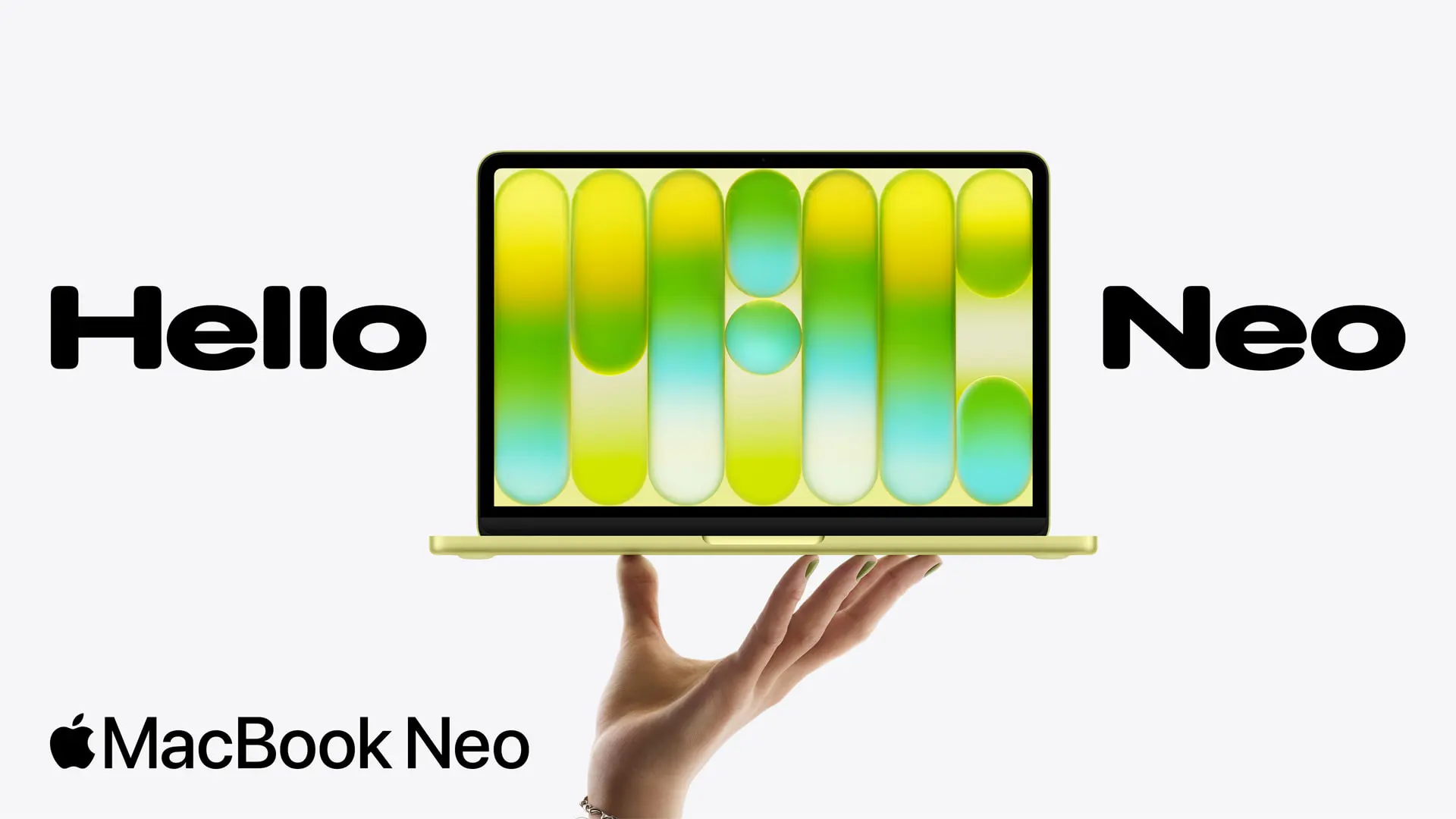
Macs from Apple have always been thought of as pricey, high-end gadgets. Apple is obviously unable to give up its preference for high-end devices, but it is able to make them reasonably priced. With the launch of the MacBook Neo, which starts (and has been tested) at $599, Apple has created notebook that is remarkably affordable for the majority of users. It’s also encouraging to see a big corporation introduce a device at an unprecedented low price, given that rival PCs are frequently becoming more expensive due to the RAM and storage requirements of AI hyperscalers.
Furthermore, affordable does not equate to cheap. The MacBook Neo boasts a bright, clear display and the same high-quality aluminum body as any other Mac. It doesn’t feel like a discount bin system at all.
However, Apple has made some concessions. The keyboard isn’t illuminated, and the two USB-C ports aren’t as fast as many others these days. However, Apple built a surprisingly powerful device that might be among the greatest ultrabooks at this mass-market pricing provided you can put up with those sacrifices.
MacBook Neo Design
The MacBook Neo is like a magic trick; it doesn’t feel or look like a cheap notebook.
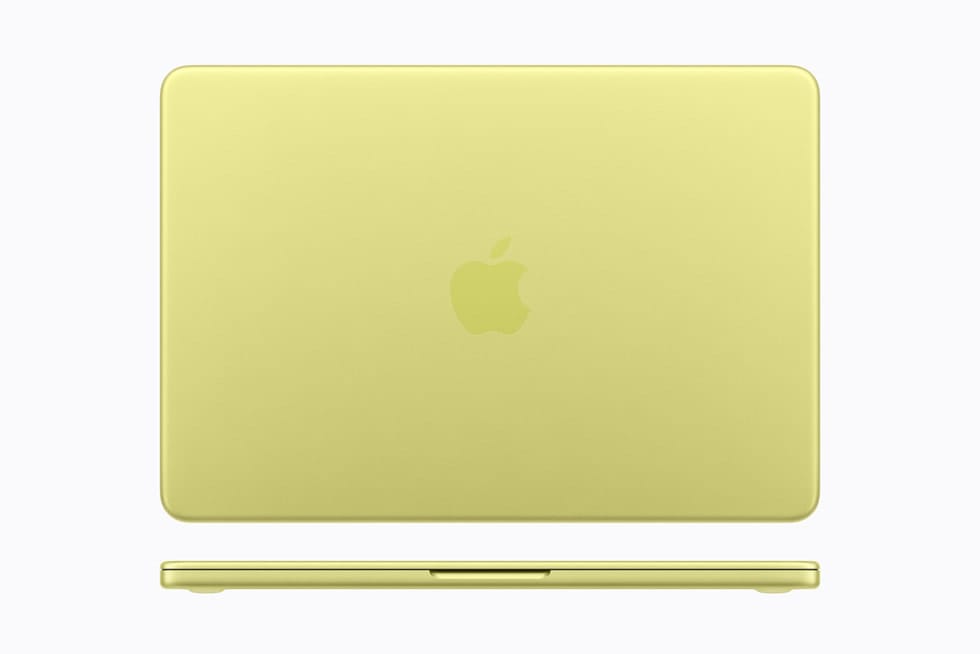
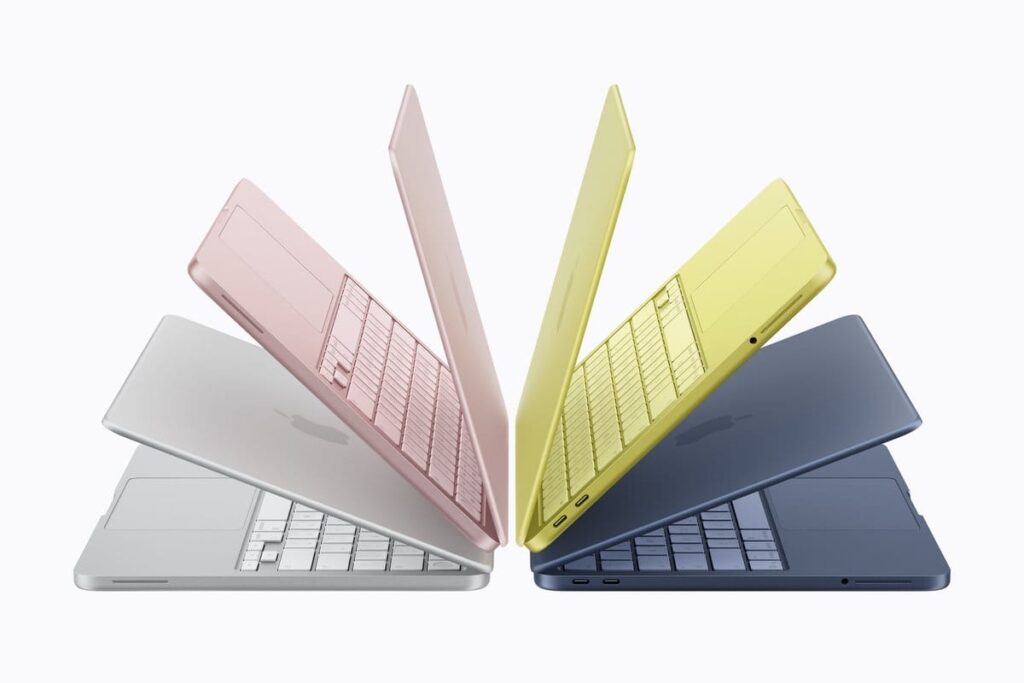
Here, a lot of the lifting is done by the metal body. The Neo feels like a high-end device the moment you touch it and raise the cover with one finger. This is the real stuff; it doesn’t feel inferior. Although the colors are entertaining, we would still want to see Apple add more colors to the Neo, much like they did to the iMac.
Like the MacBook Air and MacBook Pro, you still get flat sides and rounded edges. Instead of being embossed like on the more expensive devices, the Apple logo is imprinted on the lid in a tone-on-tone fashion.
The high-end vibe is quite important. We are used to see inexpensive, plastic laptops when I walk into a store. The ones that do use metal frequently use parts that are generations old and are covered with stickers. You don’t feel like you’re cutting corners since Apple made the Neo feel like the rest of its portfolio in that one area. Rather, you’re getting something reasonably priced and well-built.
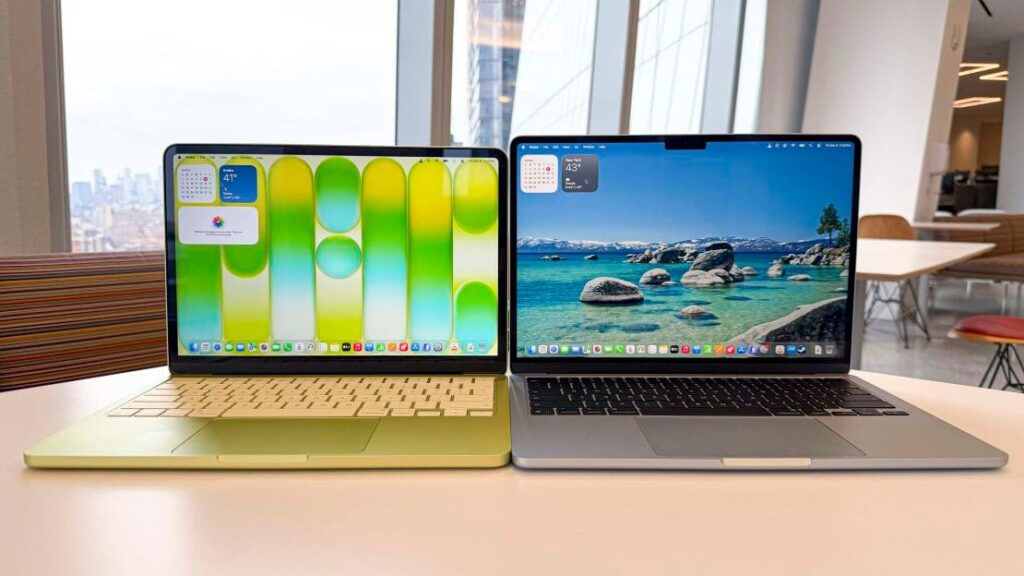
You can see some of the most significant differences when the lid is open. The 13-inch display’s bezel is thicker than that of the Air or Pro, but it’s still reasonable for a product at this price. A good thing is that Apple can fit the webcam in the bezel without a notch, which many are pleased with it.
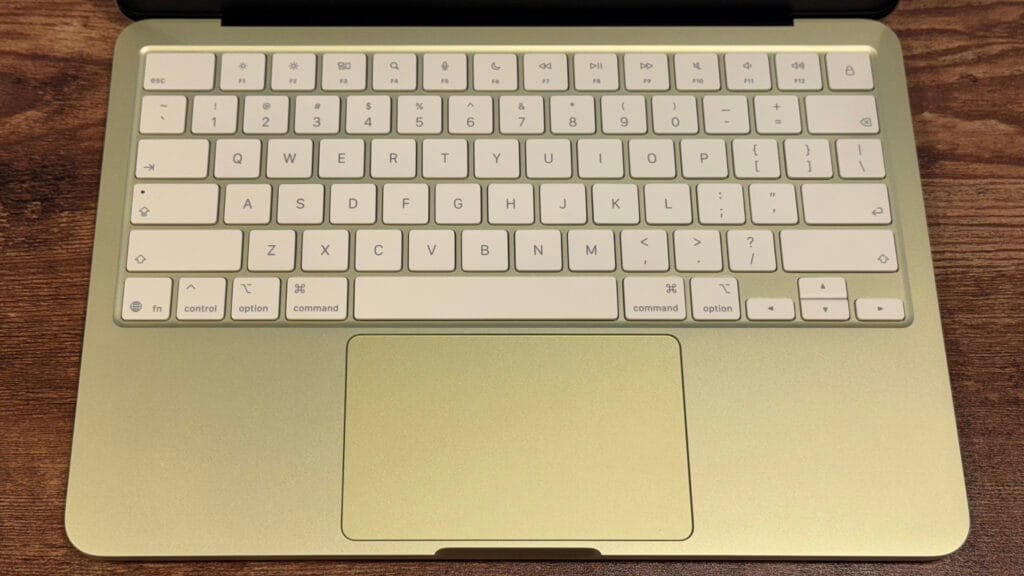
Although they are a little more subdued than the rest of the laptop, the keyboard’s color-matched keys also give it a tint. This device has a smaller footprint in certain ways, but the touchpad isn’t as expansive.
The MacBook Neo weighs 2.7 pounds and has dimensions of 11.71 x 8.12 x 0.5 inches. It is 0.6 mm taller than the 13-inch MacBook Air but has a lower footprint. They have the same weight. You won’t be able to distinguish between the two in a backpack.
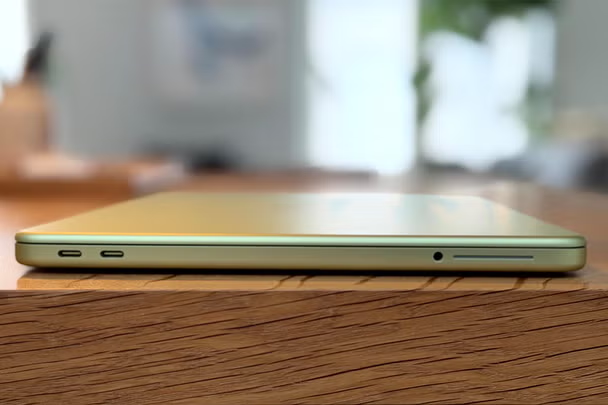
The Neo’s ports are all located on its left side. The 3.5 mm headphone jack and two USB-C ports – one USB 3 (10Gb/s, DisplayPort compatible) and one USB 2 port. To mention that neither port is labeled.
MacBook Neo Specs
CPU
Apple A18 Pro (6-core CPU with 2 performance cores, 4 efficiency cores)
Graphics
5-core GPU
Neural Engine
16 cores
Memory
8GB LPDDR5 unified memory
Storage
256GB SSD
Display
13.0-inch, 2408 x 1506, Liquid Retina LED, IPS, 60 Hz
Networking
Wi-Fi 6E, Bluetooth 6
Ports
USB-C 3 (10Gb/s), USB-C 2 (480Mb/s), 3.5 mm headphone jack
Camera
1080p FaceTime HD camera
Battery
36.5 WHr
Power Adapter
20W USB-C
Operating System
macOS Tahoe 26.3.1
Dimensions (WxDxH)
11.71 x 8.12 x 0.5 inches (297.5 x 206.4 x 12.7 mm)
Weight
2.7 pounds (1.23 kg)
Price (as configured)
$599
The MacBook Neo is powered by Apple’s A18 Pro. The iPhone 16 Pro was the first device to use this processor. In a way, the A18 Pro validates what reviewers have been saying for years: smartphone CPUs are too powerful.
Six CPU cores total—two performance cores and four efficiency cores—are found in the A18 Pro that Apple uses with the MacBook Neo. The GPU has five cores, which is one fewer than the version found in the flagship iPhone from 2024.
Additionally, the system-on-a-chip has 8GB of RAM. Some hardware enthusiasts said it was insufficient when Apple made that announcement.
There aren’t many laptops with 16GB of RAM for $599. Many of them will make additional concessions. If local AI doesn’t become a popular in the near future, many individuals will purchase this type of laptop and they will be able to get by with 8GB of RAM for at least a few years.
Display
With a resolution of 2,408 x 1,506, the MacBook Neo’s 13-inch screen is remarkably high for its price. Depending on the aspect ratio, you would often find a 1080p or 1280p screen, but this one is closer to 1440p (give or take a few pixels on each end). At this price, the display’s refresh rate of 60 Hz makes sense.
It was a wise investment to spend money on the LED, IPS screen, which is the same kind of panel used on the MacBook Air. However, it lacks True Tone, a function that modifies the color temperature of the screen according to your surroundings by using an ambient light sensor, which this laptop does not have.
The Neo’s screen filled 78.8% of the DCI-P3 color space and 110.9% of the sRGB color volume area on the colorimeter (although the system does not support the DCI-P3 color space). The Neo’s brightness was measured at 452.6 nits.
Keyboard and touchpad
The MacBook Neo’s Apple keyboard is nice, but it’s not backlit. Nobody would mind darker legends, but is a good keyboard overall.
The keyboard is decent on its own. The keyboard of the MacBook Air is comparable to the one millimeter of travel. It feels a little stiffer than Apple’s previous devices. On the monkeytype typing test, we was still able to move quickly and get 116 words per minute and 98% accuracy.
The top right key on the base model Neo is a lock button. Touch ID is available on the 512GB model, and I believe it’s worth the extra $100 to log in and make purchases more quickly and conveniently over the course of the device’s lifetime.
Unlike the luxurious “Force Touch” haptic touchpads found on the MacBook Air and Pro, the MacBook Neo’s touchpad is mechanical. However, unlike many low-cost devices, Apple’s touchpad allows you to click wherever on it. I had no trouble using any of the gestures on macOS Tahoe, and the click feels good. This touchpad is quite simple to use because you may click at the top of it without being stopped by the hinge positioning.
Audio
The MacBook Neo contains two speakers, one on each side of the device.
These sound better than the speakers on the majority of low-cost Windows laptops, as well as some high-end models. However, they’re still doing really well overall.
When I put my hands on the wrist rest, the speakers, which are situated just beneath the keyboard deck, vibrate, especially at the loudest volumes.
Although it occurs on many rival computers, including some high-end Windows notebooks, I would still want to see Apple address this engineering issue in further notebook iterations.
High-impedance headphones, such as those found on the MacBook Pro and MacBook Air, are not compatible with the 3.5 mm headphone connection, but I doubt that a $599 laptop user would also want to use studio-quality headphones.
Battery life
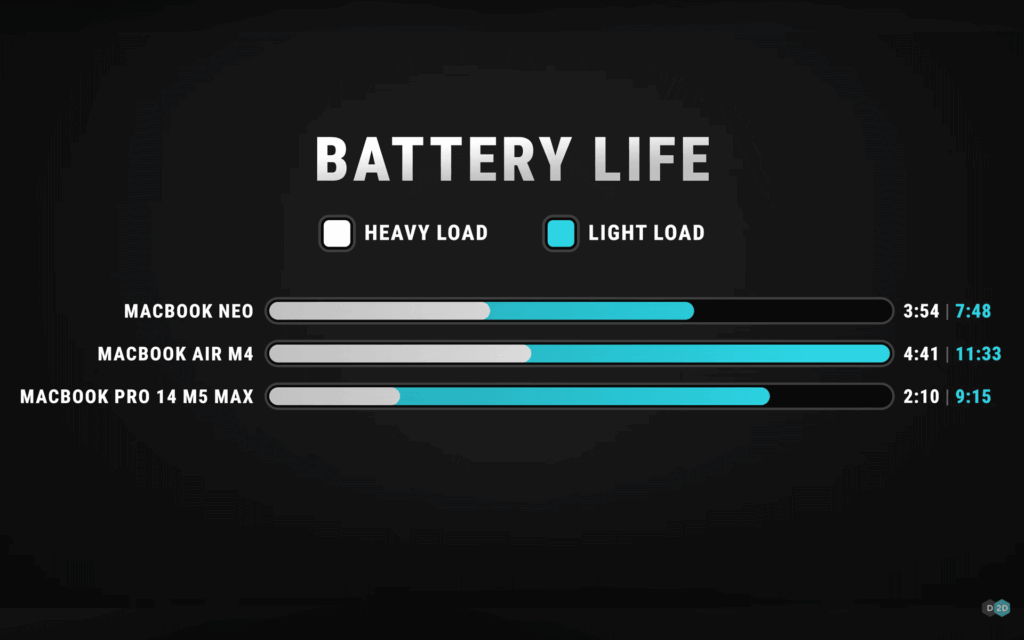
I wouldn’t quite call the MacBook’s battery life all-day, but it will last for a good amount of time before you need to charge it. Although the 36.5 WHr battery can only do so much, it’s good for the price.
The MacBook Neo run for 13 hours and 28 minutes on battery test, which included streaming video, web browsing, and a light OpenGL graphics test with the screen at 150 nits.
The MacBook Neo did not come with fast-charging technologies from Apple. Using the provided 20-watt charger, the laptop was totally discharged and charged to 22% in 30 minutes. After an additional half hour, the charge precisely doubled to 44%.
Software
Tahoe 26.3.1, the most recent version of macOS, is included with the MacBook Neo. It introduces the “Liquid Glass” design language that Mac users who have never used an iPhone or iPad may already be accustomed to. Among Mac enthusiasts, the use of translucent effects and numerous icons in menus has caused controversy, but we don’t think it will be as polarizing among people who use Windows, ChromeOS, or even a phone.
Like its more costly brothers, the MacBook Neo comes with a ton of pre-installed software. The Safari web browser, Messages for texting and iMessage, FaceTime, a new phone app, Notes, Reminders, Photos, Mail, Calendar, and service-based applications like Music, Apple TV, and News are some of them.
One of the most loved feature from the past several years is iPhone Mirroring, which allows you to use your phone from your computer if you have an iPhone and a Neo.
MacOS comes with a number of free workflow applications, including Pages, Numbers, and Keynote. Although they aren’t included, many of the most popular software you might want, including Microsoft Office, are accessible as native apps for Apple Silicon in the App Store. Despite its abundance, macOS doesn’t feel bloated.
MacBook Neo Configurations
The Neo’s setting choices are really straightforward thanks to Apple.
The A18 Pro chip, 8GB of RAM, and 256GB SSD are available for $599. You can get the exact same machine for $699, but with Touch ID and a 512GB storage upgrade. Color is the only other option available to you.
Spending the additional $100 is, in my opinion, a wise investment for everybody. Touch ID is far faster than entering a password, and the additional storage is fantastic for papers, music, and pictures.
A one-year warranty is included with the MacBook Neo. It costs $4.99 a month or $49.99 a year for those who choose to use AppleCare+ for longer protection (or you can add it to an Apple Care One plan for $19.99 a month for three devices).
As a final word
The MacBook Neo does indeed cost $599. However, it doesn’t often feel like way. Apple made investments in a good keyboard and mouse, a bright, high-quality screen, and a premium aluminum chassis. These are the aspects of a laptop that most people are most concerned about, aside from performance. When you include a battery life of roughly 13 hours, you have a machine that can perform the most frequent tasks for the majority of people in a packaging that feels exceptional.
The MacBook Neo will work perfectly for the majority of people completing the most of tasks, including web browsing, emailing, writing papers, shopping, and even light photo editing. The A18 Pro’s powerful single-core performance will satisfy many people’s basic demands.
And in comparison to the numerous plastic devices with subpar screens you see when you enter a big-box store, the Neo will appear incredibly appealing to such individuals. Officially, all other PC manufacturers producing notebooks under $700 are on notice.
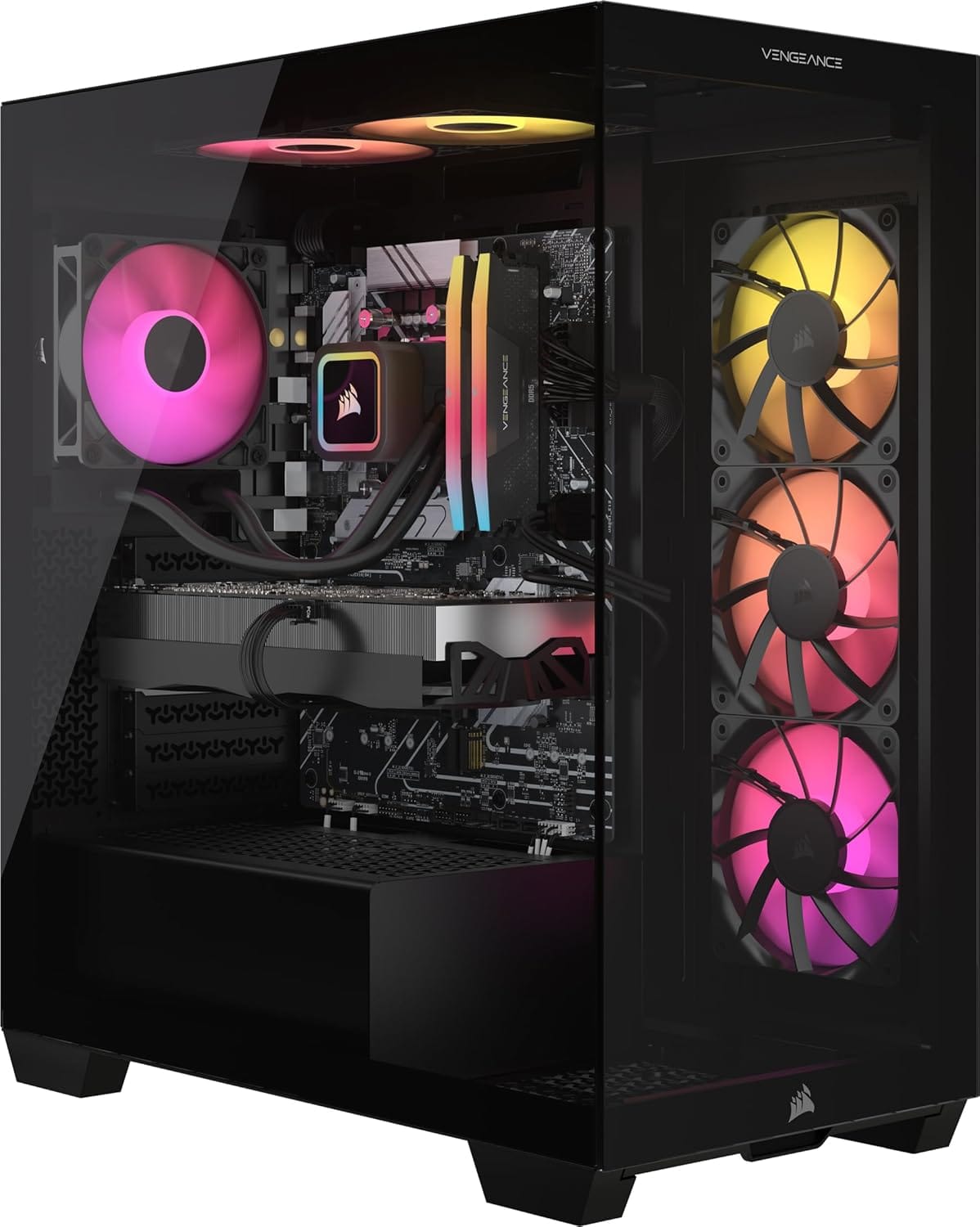
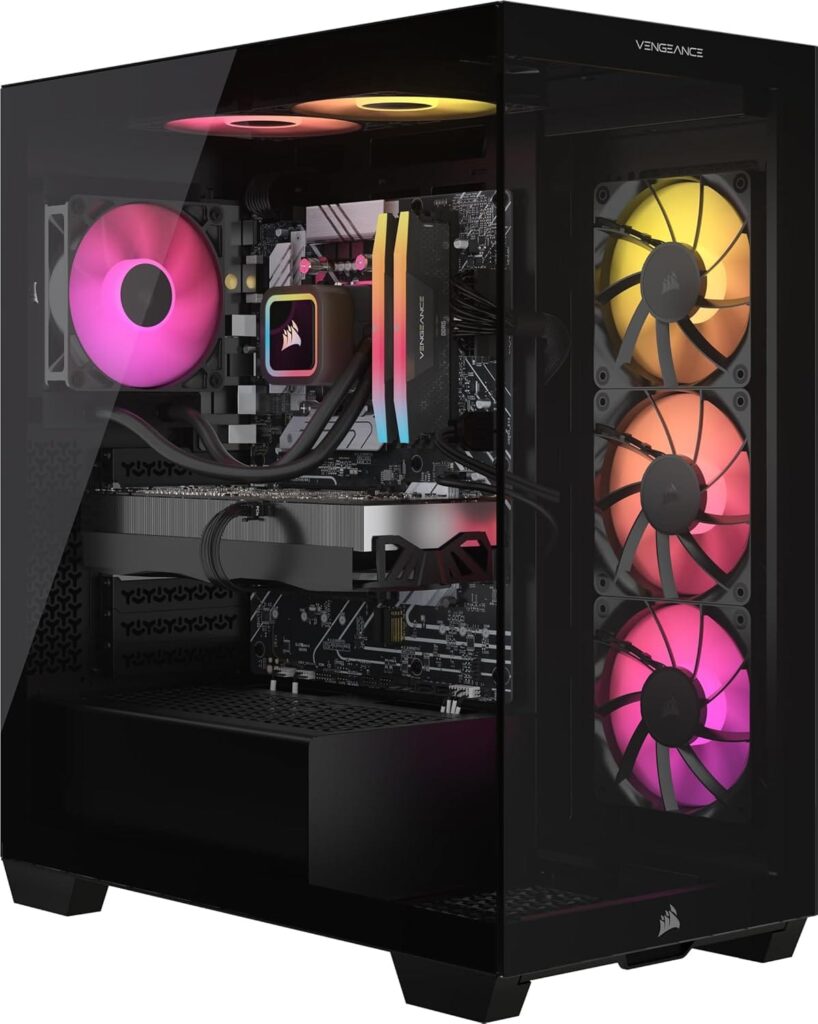
Amazon currently has this fantastic Corsair Vengeance i7500 gaming PC for $400 less, down from $3,699.99 to $3,299.99. Corsair gaming PCs are among the best in terms of construction quality and are equipped with premium parts of their own. Its RTX 5080 and Intel i9-14900KF processor are accompanied by a sleek 3500X mid-tower case, Vengeance RGB DDR5 RAM, and a potent Corsair Nautilus RS aRGB liquid CPU cooling. With the addition of a 2TB SSD, you get a well-rounded, high-performing system that is excellent for gaming, creating content, and other uses.
Corsair Vengeance i7500 gaming PC specs
RTX 5080 graphics
A powerful tool for creatives, this graphics card is among the best for 4K gaming. The RTX 5080 is based on Nvidia’s new Blackwell architecture and has 16GB of upgraded GDDR7 memory. This indicates that the upcoming 5th-generation tensor cores will greatly increase AI performance, while the most recent 4th-generation ray-tracing cores will greatly improve ray-tracing capabilities. Additionally, there is MFG upscaling, which is unique to the 50-series and significantly increases apparent framerates. For a more thorough analysis, see our complete review.
Intel Core i9-14900KF processor
With a very high boost clock speed of 6GHz, a sizable 36MB L3 cache, and an impressively high core and thread count of 24 and 32, the i9-14900KF is one of the most powerful processors available from the 14th-generation Intel lineup. It is a good choice for demanding multitasking as well as 1440p and 4K gaming. For additional information, see our complete review here.
Memory (RAM and storage)
As is generally the case with most RTX 5080 PCs, this setup has a good 32GB of DDR5, which is perfect for gaming, multitasking, and running demanding creative programs. Additionally, there is a sizable 2TB SSD, which is probably the ideal size for the majority of users and offers enough of space for games and other big files, such as 4K video.
Things to consider
Considering the cost of this high-end configuration, it could be worthwhile to investigate alternative CPU options. Although the i9-14900 is a fast CPU, it runs hot and is built on the outdated LGA 1700 socket. If you wish to move to the Intel Core Ultra series, you’ll need to get a new motherboard that supports the LGA 1851 socket. In summary, compared to some other RTX 5080 models, this PC isn’t quite as future-proof. Check out some RTX 5080 and Ryzen 9 9900X3D models for something a little more future-proof for about the same price if you want great gaming performance but something with a high core and thread count.
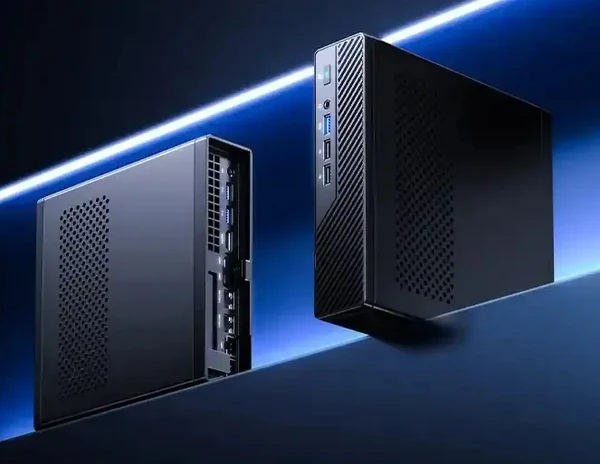
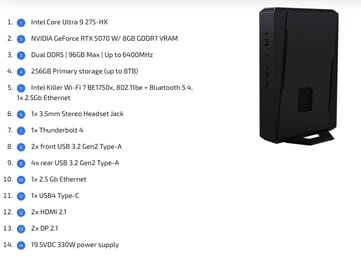
With RTX 5070/5060 laptop GPUs and Arrow Lake-HX CPUs with up to 24 cores, the SimplyNUC “Jean Canyon” 15 Performance is now available. The gaming small PC boasts a simple outer appearance, plenty of connectivity, and up to 96 GB DDR5 RAM, all of which promise top-tier performance without being overtly advertised.
In the area of small systems with strong internal components, SimplyNUC is a fairly well-known brand. The Jean Canyon NUC 15 Performance, a gaming small PC designed for demanding applications requiring high performance, has begun selling from the mini PC manufacturer.
NUC 15 Performance: 24-core Core with 96 GB RAM
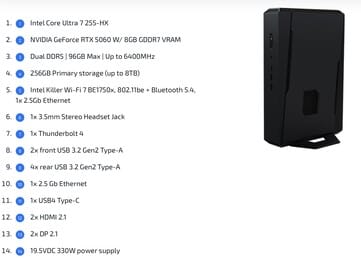
The 3-liter NUC 15 Performance gaming mini PC is powered by Intel Core Ultra 200 HX-class CPUs and comes with a 24-core Core Ultra 9 275HX or a 20-core Core Ultra 7 255HX CPU. The Ultra 7 255HX boasts a 5.2 GHz max boost lock and claims multithreaded performance comparable to that of the Ryzen 9 8940HX and the Apple M4 Pro.
With four extra cores, the Core Ultra 9 275HX offers a significant 20% boost in multithreaded performance over the already potent 255HX, putting it in line with the AMD Ryzen 9 9955HX3D and the Apple M4 Max SoC. To put it another way, both CPUs are more than capable of managing the great majority of demanding CPU and gaming workloads.
This tiny mini PC delivers big performance with discrete RTX 50 Laptop graphics
Furthermore, strong discrete GPUs are also included in the NUC 15 Performance tiny PC. The more expensive Core Ultra 9 model has the RTX 5070 Laptop GPU, while the Core Ultra 7 model has the RTX 5060 Laptop. Although the RTX 5070 has faster memory (512 GB/s vs 384 GB/s), both cards have 8 GB of GDDR7 VRAM.
When it comes to raw performance, cooling will be quite important. The RTX 5070 model should be about 13% faster because the small PC stays well inside its bounds. On paper, the Jean Canyon NUC 15’s triple-fan configuration with dual vapor chambers sounds fantastic, according to SimplyNUC.
Additionally, the available I/O is really impressive:
Six USB 3.2 Gen 2 Type-A
Thunderbolt 4 Type-C, USB4 Type-C
Dual HDMI 2.1, dual DisplayPort 2.1
Audio jack (3.5 mm)
2.5G Ethernet
WiFi 7, Bluetooth 5.4
Up to 96 GB of DDR5-6400 (dual SODIMMs) and up to 8 TB of solid-state storage (dual M.2 2280 slots – PCIe 5.0 x4 and PCIe 4.0 x4) meet memory and storage needs. To place a purchase, interested buyers will need to get in touch with SimplyNUC directly.
Pricing and availability
Although we are aware that the cheapest models will come with a 256 GB storage drive and 16 GB of memory, pricing information is still unknown. The NUC 15 Performance gaming small PC is expected to fetch a premium price tag given its high-end specifications.
Today, Qualcomm formally announced the acquisition of Ventana Micro Systems, a calculated move to bolster its next-generation CPU roadmap and increase its RISC-V technology capabilities. Innovation in custom processor platforms like Oryon and next Snapdragon families should be further stimulated by this.
Qualcomm now has a solid technical base to incorporate RISC-V advances with its current unique CPU architecture thanks to this acquisition. This aims to create more secure, scalable, and power-efficient CPUs for data centers, AI applications, and mobile devices.
According to Qualcomm, a number of ongoing internal projects, including as the internally created Oryon CPU series, will be directly supported by Ventana’s RISC-V expertise. Qualcomm is attempting to increase instruction-level efficiency and lower power consumption across future platforms by fusing the open and modular design of RISC-V with the performance-focused engineering of Oryon. This would facilitate multi-year development for enterprise-level AI applications, edge computing devices, and smartphones.
Key strategic benefits include:
Better integration between RISC-V and proprietary CPU designs
Improved low-power and high-performance computing capabilities
Faster mobile and AI-focused silicon innovation cycles
What this means for Snapdragon flagship devices
Xiaomi’s premium device ecosystem will be directly impacted by this acquisition, particularly in models that use Qualcomm’s high-end chipsets. The ongoing Oryon development strategy is tightly linked to the Snapdragon 8 Elite, which powers advanced platforms.
Future Xiaomi products, such as the Xiaomi 15 series and an anticipated Xiaomi 17 series, will follow this architectural progression. These can result in more consistent gaming and multitasking experiences, enhanced AI processing, and greater sustained performance. These CPU-level improvements are also anticipated to help devices with the POCO F7 Ultra and upcoming POCO F8 Ultra, which rely on flagship platforms from China that have been modified for the international market.
Expected benefits for the Xiaomi smartphones include:
Higher sustained performance under heavy workloads
More consistent thermals for flagship-class devices
How Ventana is driving the next wave of RISC-V innovation
With its headquarters located in Cupertino, Ventana Micro Systems was established in 2018. It focuses on creating safe, scalable, high-performance chiplet solutions built on the RISC-V open architecture. By participating in RISC-V International’s several technical steering groups, the company actively contributes to the development of industry-wide standards.
RISC-V has a lot of potential to spur additional innovation in future CPUs, according to Durga Malladi, Executive Vice President and General Manager for Technology Planning, Edge Solutions, and Data Center Business at Qualcomm. Ventana CEO Balaji Baktha promised that the team would now collaborate closely with Qualcomm, incorporating its knowledge into Oryon-based systems aimed at advances in low-power, high-performance computing for next consumer and business devices.